ServicePoint release notes
Version 9.3
· An upgrade procedure exists for version 9.3 build 330 of ServicePoint. Upon starting the software, ServicePoint will detect the database version and attempt to run the upgrade utility if necessary.
· Add the ability to enter notes, attached to individual parts/material lines in ServicePoint work orders.
o A new Notes Entry button appears on the parts entry function in work order maintenance. Multiple notes may be entered.
o Printing of the parts line notes has been added to the standard work order form, the work order invoice form, and the work order history reprint form.
o If you have a customized work order or invoice form, we can assist in adding the new notes table to the forms.
o Allow entry of parts line notes into the Predefined Jobs function. When a predefined job is used to populate work order tasks, the part notes will be included.
o The parts line notes will optionally print on the detail versions of the work order listing report and the work order history report.
· Add a work order discount percentage to the contract info that can be entered in contract equipment maintenance. This percentage will be applied to the Summary tab of a work order entered for the equipment while the contract is in an active coverage state.
· Add the ability to sort the new WO List tab in the Schedule/Dispatch function, by clicking on the column headers.
· Change the “Bin # display in the CP inventory item lookup by description to pull from the user’s default store stocking location.
· Corrected an invalid table reference in the PBS version of the Brief WO Listing report.
· Corrections to allow Customer ID’s with embedded apostrophe characters to properly be used as selection criteria in all SP management reports. Previously, some reports could return an error if such a customer was used.
· Updated reports distributed with this release: WO Listing Brief.rpt WO Form.rpt, WO Invoice.rpt, History WO Invoice.rpt, WO Listing.rpt, WO History Listing.rpt.
· Database changes for version 9.3, Build 329 (93323to93330.sql)
o Add table HISTORY_CUST_EQUIPMENT_METERS
o Add tables WO_PARTS_NOTES, HISTORY_WO_PARTS_NOTES, PREDEF_JOB_PARTS_NOTES
o Add column WO_DISC_PCT to the tables CUST_EQUIPMENT and HISTORY_CUST_EQUIPMENT
o Update column SP_DB_VERSION in the CONTROL_INFO table to the value “9.3.330”.
04/28/26 v9.3, Build 329.
· Additions to the process of emailing a report from the Crystal Reports preview window. If a long report is being processed, a message informing the user that the “PDF file is being created for emailing” is displayed. Multiple attempts to email the report while the export is occurring are no longer allowed, as this could previously cause an error.
· Correction to a condition that could cause ServicePoint to silently exit when navigating through work orders quickly, either by using the navigation buttons at the top of the maintenance window, or using the PageUp and PageDown keys.
· Updates to the calculation of a contract’s new end date when auto renewing. Under certain conditions, the posting routine could fail to properly recognize a new end-of-the-month expiration date.
· Added a new option to print the Work Order Profit Analysis report to group and subtotal by task Service Code.
· Added the printing of the WO task Service Code to the Work Order History report.
· Meter reading usage billing information has been added to the history contract invoice lines on the Contract Profit Analysis report, when printed in detail mode.
· Add checks in all setup functions for leading or trailing spaces when defining new codes/IDs. Leading and trailing spaces will be trimmed before saving new items.
· Correction to the Recommit Inventory function, under SP utilities. Ensure that the qtys committed are correct in the PBS compatible version of the software.
· Updated reports distributed with this release: WO History Listing.rpt, WO Profit Analysis.rpt
03/18/26 v9.3, Build 328.
· Added a new tab to the right panel of the Schedule/Dispatch window, labeled “WO List”. This tab contains a filterable list of work orders as they currently exist in the database. The list may be filtered by a number of criteria, including status, department, serve code, customer, zone, etc. The filters may be saved by the user for later defaults.
· Add the ability to drag and drop work orders from the Schedule screen WO List tab to the Hourly View calendar in the left panel. This is particularly useful for scheduling service calls from a predetermined/unassigned list, assigning them easily to the correct technicians on the correct day and time.
· Correction to the application of a default zone travel charge from the Zone Group setup, when a work order’s invoicing code has the option set to “Use zone group charge” on the Travel tab. Under certain circumstances, the charge was not being properly assigned when entering a new work order.
· Check for an existing, unposted, transaction in AR Misc Charges with the same document number as a pending invoice when posting in the PBS compatible version of ServicePoint. This check was added to prevent an issue that could occur with creating multiple sales transactions with the same document ID. Both Contract and Work Order posting are included in the check.
· Ensure that embedded Tab characters are not inserted into the customer equipment Serial Number.
· When creating scheduled labor for work orders generated during the PM’s Due process, assign each created task sequentially for the same tech on the same day.
· Updates to the standard trigger that is used to install a procedure to create work orders from specific documents entered into point of sale.
· Add the ability to change the type of customer name entry to “Person” (first name / last name) when adding a customer on-the-fly in the PBS compatible version.
· Correction to the mouse-over information shown in the new “WO List” tab of the schedule/dispatch screen.
· Update to the Contract Profit Analysis report. Previously, contracts with invoices within the selected date range may not print if there were no work order invoices also billed within the reported time period.
· Correction to the Work Order Entry Wizard to avoid an error when completing a work order in the PBS SQL compatible version of ServicePoint.
· Correction to the creation of sales side accounting distributions into AR for contract credit memos in the PBS compatible version of ServicePoint.
· Correction to the display of an expanded work order image after a work order history image is viewed in the same SP session.
· Correction to allow the meter readings in the view customer equipment history screen as they were at the time of the appropriate contract billing.
· Correction to the application of the store tax code to a work order created in the PM’s Due process, if the customer does not have a tax code assigned.
· Correction to the creation of GL distributions for sales in the PBS version of ServicePoint. Previously, if labor was not creating a billed amount, a $0 distribution was being created.
01/15/26 v9.3, Build 327.
· Added an Auto-refresh checkbox to the Schedule/Dispatch window. If this box is checked by a user, the schedule grids will refresh automatically every 60 seconds, as long as the schedule window has active focus, and there are no pending changes to be saved for the user.
· Move the SQL login parameters from the user registry to an encrypted file in the ServicePoint server install location. This avoids the necessity of SQL login parameter entry as each new workstation is set up to run ServicePoint.
· Post the current readings of individual and accumulated / contract-level meters to contract history upon contract invoice posting. This allows later reprinting of contract invoices with the correct usage counts included.
· If a Default Service Code is supplied in control file setup, ensure that the task defaults for “Perform PM”, “Perform repair”, and “Estimated TTR” are sent to a new work order task upon insertion.
· Update handling of the Print dialog as utilized from report preview windows. In prior builds, printing using the Windows 11 dialog box might not be able to properly print the user’s requested number of copies.
· Improve the reliability of generating a unique doc_id for creating CP documents.
· Allow view of contract history to accurately display total meter overages as invoiced.
· Add equipment Model to the selectable parameters for printing the Work Order List and the Work Order History reports.
· Correction to erroneous row highlighting that could occur on some systems, causing issues with clicking to select/deselect work order or contracts in the Select for Billing function.
· Correct an issue where, under certain conditions, a contract that was emailed during invoicing will not be properly assigned a new invoice number in the following invoice period.
· Correction to the application of discount type pricing code for inventory, as defined in a Passport PBS interfaced system.
· Correction to posting of contracts with an accumulated contract-level meter overage charge. Previously, under certain conditions, the sales distribution for a contract-level overage charge may not be created, resulting in an out of balance GL posting for that contract invoice.
· Correction to retrieval of the labor and additional charge posting sub account, if sub accounts are in use. Under specific conditions, the *labor or *misc inventory item could be used to set the account profit center, even though the ServicePoint invoicing code did not specify to do so.
· Correction to an issue that could cause the notes entry right-click context menu in notes entry (copy/cust/paste/etc) to not appear if the logged in ServicePoint user has been assigned limited menu access privileges.
· Correction to condition that could cause work orders to become selected for posting if their status code somehow was assigned to “Bypass print and post”, while the “Allow invoicing” option was still set to “No”.
· Correction to the application of the default task additional charges when applying a predefined job to a new work order.
· Remove work orders from the select for invoicing grid if they are assigned a status that is set to “Bypass print and post”. These work orders will still be sent to SP history at post time without being formally selected.
10/17/25 v9.3, Build 326.
· An upgrade procedure exists for version 9.3 build 326 of ServicePoint. Upon starting the software, ServicePoint will detect the database version and attempt to run the upgrade utility if necessary.
· Add a default “WO zone charge” to the Zone Groups setup function, and a “Use zone group charge?” question to the Invoicing codes setup. If a zone entered into the General Info tab of a work order matches a defined Zone Group, and the task invoicing code specifies to use the charge, the amount set up in the Zone group will be added to the zone charge as an additional charge line.
· Improve the ability to right-click to paste clipboard data in all notes entry windows. After the addition of the real-time spell checking of notes, using right-click to paste was no longer an option in some circumstances. We’ve updated the notes entry to allow for right clicking to paste under the following conditions:
o The right click occurs on a blank place in the note, if spell checking is turned on.
or
o The right click occurs anywhere in the note, and Spell checking is turned off via the checkbox in any notes entry window.
· Automatically format the work order open time field, to try and recognize any reasonably entered information and make a valid time from it. If an entry is not able to be turned into a valid time, return an error message and force entry of valid data. All ServicePoint time fields have flexible entry options, such as “9a”, 2p, “800”, “100a”, “1400”, etc. Any of these will be standardized and set to an acceptable time format.
· Add the display of the pending contract usage billing amount to the contract maintenance screen. The total pending usage charges will display below the base contract sales total.
· Increase the number of available decimal places in the usage billing code setup “charge per use” fields from 5 to 7, and use in all usage calculations.
· Change to the way the Print dialog is utilized from report preview windows. In prior builds, printing using the Windows 11 dialog box might not be able to properly print a user-entered page range.
· Change entry of Usage credits in the meter reading entry and posting functions to be an Adjustment. Entry of a negative amount in the meter reading will be processed as a credit to the pending net usage, while entry of a positive amount will now be processed as an addition to the pending usage for the meter.
· Correction to several setup functions that could receive the message “Operation was canceled" under certain conditions. If a new item was added to a setup function, saved, and then immediately updated and saved again, the error could be thrown and the additional change not properly recorded.
· Correction to the posting of the initial meter reading for a meter on a newly entered piece of equipment. Previously, the first reading for the meter could calculate pending contract usage to bill based on a beginning reading of zero, rather than the user-entered start reading.
· Remove the possibility of saving a work order without properly assigning a work order number.
· Database changes for version 9.3, Build 323 (93319to93323.sql)
o Add column ZONE_GROUP_CHG to the table ZONE_CODE.
o Add column ADD_ZONE_GROUP_CHG_FLG to the table INVOICING_CODE.
o Increase the size of the USER_ID column from 10 to 20 characters in the table SP_USER.
o Increase the size of the columns ENTRY_USER and LAST_MAINT_USER from 10 to 20 characters in the tables WORK_ORDER and HISTORY_WORK_ORDER.
o Increase the size of the ENTD_USER_ID column from 15 to 20 characters in the tables WO_NOTES, WO_TASK_NOTES, WO_LABOR_NOTES, HISTORY_WO_NOTES, HISTORY_WO_TASK_NOTES, HISTORY_WO_LABOR_NOTES, SETUP_NOTES, CONTRACT_NOTES, and HISTORY_CONTRACT_NOTES.
o Increase the size of the USER_ID column from 10 to 20 characters in the table WO_AUDIT_LOG.
o Increase the size of the ENTRY_USER and LAST_MAINT_USER columns from 10 to 20 characters in the tables CONTRACT and HISTORY_CONTRACT.
o Increase the size of the SESSION_SP_USER_ID column from 10 to 20 characters in the table SP_SESSION.
o Increase the number of available decimal places in the usage billing code “charge per use” fields (CHG_PER_USE_1 through 5) from 5 to 7 in the table USAGE_CODE.
o Update column SP_DB_VERSION in the CONTROL_INFO table to the value “9.3.326”.
09/19/25 v9.3, Build 325.
· Establish compatibility with version 8.6.4 of CounterPoint SQL. ServicePoint is CP “version aware” and will now function properly with any version of CounterPoint, from version 8.2.7 up through version 8.6.4.
· Add a filter selection by Technician Type in the Schedule/Dispatch filters entry. Tech type of “Technician”, “Helper”, or “Both” may be selected
· Enable the entry of a meter reading for a piece of customer equipment directly from the equipment list grid in service contract maintenance. If the Meters option is enabled in ServicePoint, an additional column is added to the contract equipment grid. The column will have a hot link enabled with the word Read if the equipment has one or more meters assigned. Clicking the “Read” link will open the meter reading entry window, with the correct equipment already populated.
· If a reading for a piece of metered equipment has been posted within the current contract billing period, the “Read” shortcut column in service contract maintenance will be given a green colored background. This facilitates the determination of whether or not an equipment reading has yet been entered for the period.
· Added support for CounterPoint tax calculations that include “Tax holiday” dates, and the ability to stop charging tax for a tax authority’s subsequent rules.
· Correction to the display of assigned labor times in the new Hourly View of the scheduling screen. Previously, some labor items without times assigned could show in the incorrect timeslot, under certain conditions.
· Correction to condition that could occur that could erroneously remove a parts line’s “selling unit”.
· Corrections to the contract invoicing distributions amount for ServicePoint for PBS, when billing for overage on meter reading usage. Previously, creation of the sales transactions into PBS for the contract invoice could be missing the correct GL distributions for the overage charges.
· Correction to the summary tab calculations when viewing work order history. Previously, under some circumstances, ServicePoint could hang.
07/25/25 v9.3, Build 324.
· Modifications to ensure that the panel sizing in the schedule screen is preserved and restored properly under all conditions. Previously, a maximized schedule screen could alter the layout of the user-sized panels when the main ServicePoint form was minimized then restored.
· Updates to the entry of “appointments” when using the new hourly schedule view. If logged into ServicePoint as a schedule-only user, entry of an appointment (scheduling a tech or resource without a work order) is done by first clicking on an empty time slot in a column in the Hourly View, then clicking the add button (+) in the labor panel at the bottom of the screen. The selected tech and schedule time will automatically populate by default.
· Ensure that contract level discounts are always considered when calculating the contract totals at selection for invoicing.
· Update CP PS document totals when saving an updated work order that has already been synchronized to POS.
· Correction to service contract selection for billing. If a starting date range was entered while the ending date was “Latest”, the ending date lookup would no longer function.
· Correction to issue that could occur during posting of work order invoices to CounterPoint if a document ID has been duplicated in CP ticket history.
· Correction to the user audit log processing when a work order is deleted. Previously, under certain conditions, an error could occur.
· Allow multiple meters to be properly displayed in the customer equipment maintenance screen. Formerly, additional meter descriptions could be cut off on the Meters tab.
05/02/25 v9.3, Build 323.
· An upgrade procedure exists for version 9.3 build 323 of ServicePoint. Upon starting the software, ServicePoint will detect the database version and attempt to run the upgrade utility if necessary.
· Establish compatibility with version 8.6.3 of CounterPoint SQL. ServicePoint is CP “version aware” and will now function properly with any version of CounterPoint, from version 8.2.7 up through version 8.6.3.
· Add a function on the main toolbar in Service Tech setup function to allow user definition of the order in which technicians will appear in the Schedule/Dispatch windows. The Technician rows may be move up and down to establish a desired order of display, and then the resulting order saved to the database.
· Sort the appearance of technicians on all Scheduling tabs, based on the order that can set in the new Set Tech Schedule Order function.
· Allow work order statuses that will send work orders immediately to history to post without using the “print invoices” function first. A status that allows billing, but has the “Bypass printing and posting” button checked can now be easily posted to history, moving it from the live work order tables over to the history tables. These statuses are often used for conditions such as Canceled, Estimate rejected, No problem found, etc.
· Routines added to preserve the current contents of the Windows clipboard while browsing notes. Previously, the recently added spell checking would cause a newly displayed note to be copied to the clipboard, overwriting what may have been there.
· Correction to condition that could cause notes entered into a new work order that is aborted before saving to not be properly removed from the database.
· Correction to error that could occur in the new Hourly View tab of the Scheduler when a schedule-only “appointment” is displayed.
· Database changes for version 9.3, Build 323 (93319to93323.sql)
o Increase the size of the column ZONE from 10 to 15 characters in the tables WORK_ORDER, HISTORY_WORK_ORDER, SVC_ADDRESS, and SVC_TECH.
o Increase the size of all the FORM NAME columns from 30 to 100 characters in the tables STATUS_CODE and CONTROL_INFO.
o Add column SCHED_ORDER to the table SVC_TECH.
o Add columns PREDEF_NOTE_ID and PREDEF_JOB_ID to the table PROBLEM_CODE.
o Update column SP_DB_VERSION in the CONTROL_INFO table to the value “9.3.323”.
03/27/25 v9.3, Build 322.
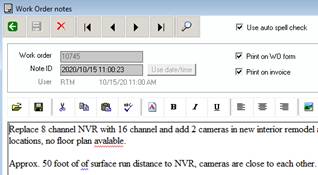
· Added real-time dynamic spell checking in all notes entry, and also in the emailed reports/forms “saved message area”. Spell checking will underline misspelled words and highlight simple grammatical errors as you type. Dictionary auto-correct changes will also be applied.
· Add contract equipment bill for “each” option to equipment lines that have a quantity greater than 1. If bill by each is chosen, the calculated contract billing amount for that line will be the $ amount multiplied by the equipment quantity.
· Multiple improvements to the Contract Select for Billing function. Add a starting/ending Next Invoice Date filter. Corrections to the display of the proper list of contracts at all times, based on current filters. Correct the “Selected for billing” and “Invoice printed” selection options.
· Add the ability to enter or change a note for the day on the schedule by clicking on the day/date label at the top of the new Hourly View tab.
· Correction to the logic that displays the “Qty delivered” button in work order maintenance parts, if the work order was generated from a CounterPoint order.
· Correction to the total costs set in the CounterPoint ticket history for a credit memo produced in ServicePoint. Previously, even though the line costs were correct, the total_cost in the ticket history table was positive instead of negative.
02/18/25 v9.3, Build 321.
· Completely redesigned Hourly View tab in scheduling. Multiple tasks may now overlap within a given time frame, and will now be properly represented on the calendar. The updated display will allow drag and drop assignment/reassignment of technicians and/or schedule times for the day. Other functions allowed in the calendar include:
o Double-clicking of a task will open a full maintenance window for the selected work order.
o Single click of a scheduled task will allow dragging adjustment of a task’s estimated time to perform.
o The time interval represented may be changed by clicking on the Day View tab, selecting the Interval, and clicking back on the Hourly View tab. 15 minute, 30 minute, or 1 hour intervals may be chosen.
o The relative size of the time rows may be changed by user. The adjustment may be used to fit a predetermined number of hours within the schedule window. Clicking in the Calendar display, and then pressing the > key will increase the row size, pressing < will decrease the row size, and pressing = will reset to the standard size. The adjustment will be saved and remain the same when the schedule screen is next opened.
o Double-clicking in the row immediately below the Tech ID in a calendar column will open a window to enter/edit/delete a technician note for the current day.
· Update to the Materials Pick List report. No longer include technicians/resources that do not fit the selection criteria for Category.
· Correction to a condition that could cause an error message "Row handles must all be released before new ones can be obtained" in Warranty Code maintenance.
· Correction to the assignment of a work order task invoicing code if the equipment assigned to the task is on a contract that is not currently active.
· Correction to a rare condition that could cause a message about an invalid CounterPoint company name at login to ServicePoint.
· Correction to tax calculation that could occur if an inventory part on a work order has a negative price (or quantity), and the accounting tax authority has multiple rules defined.
· We now have an available update to the CounterPoint database view, VI_INV_COMMITTED_TRX. The updated version will include inventory quantities committed to ServicePoint work order materials. This allows the CounterPoint commitment report and recalculate routines to incorporate committed ServicePoint parts automatically. A copy of the modified SQL view is available upon request.
· A new registration is required to activate version 9.3.320 of ServicePoint. For registered users, the installation of version 9.3.320 should be followed by the entry of the new registration key, using SpRegister.exe. If you do not have a registration key for version 9.3.320, please email support@rtmcs.com to request an updated registration, or contact us at 866-879-3867. Demonstration systems are unaffected.
· Establish compatibility with version 8.6.1 of CounterPoint SQL. ServicePoint is CP “version aware” and will now function properly with any version of CounterPoint, from version 8.2.7 up through version 8.6.1.
· Addition of enhanced handling for individual labor status when multiple tasks exist on the same work order. When clocking in or out, using the SP Mobile app or in the desktop scheduling function, set the appropriate status for the individual labor line.
· Improvements to logic designed to prevent duplicate invoice number in invoicing and credit memos. If another user increments the “Next invoice #” in ServicePoint control information while a user is preparing to print an invoice or credit memo, the user will be alerted to the change. An opportunity to use the updated next invoice number will be presented, along with an option to cancel printing.
· Additional precautions added to prevent the unlikely assignment of the same next work order number for multiple users.
· Allow a new part line that is being added to a work order task to be saved, as long as the item # and the inventory location have been specified. If no quantity has been entered, the quantity will be defaulted to 1.
· Add the ZONE_CODE table to those that are available for exporting and importing via the Utilities menu.
· Pass any tech category filters that may be set in the Schedule/Dispatch screen over to the tech lookup window when adding/changing a technician on a work order task.
· Correction to an error that could occur when transferring consecutive work orders over to CP point of sale for billing. Previously, under certain conditions, sending successive work order to POS could result in a “Duplicate key” message, and the work order would not be transferred.
· Correction to service contract credit memo processing. If a post-to customer exists in a contract, ensure that the correct customer is used in posting to both AR documents and to ticket history. Previously, the original invoice was sent to the post-to account, but crediting a contract invoice would go to the contract customer account.
· Correction to error that could occur while posting a work order credit memo, if an additional charge amount is $0 and the Avalara tax interface is in use.
· Correction to allow the preferred unit, as set up in inventory, to be the default initial unit of sale for items that have alternate units assigned.
· Correction to sending of emails that are copied to the “CC email address” in the control information Email Server setup.
· Correction to the creation of tax distributions when a work order contains a taxable part line
· Correction to Customer Equipment Maintenance to properly set the change-pending indicator when the service address of equipment is changed via the F2 unlock function.
· Correction to the table relationships in the ServicePoint distribution journal reports that could cause detailed distributions to print twice for a work order or contract.
· Updated reports distributed with this release: WO Distribution Journal.rpt, Contract Distribution Journal.rpt
08/06/24 v9.3, Build 319.
· An upgrade procedure exists for version 9.3 build 319 of ServicePoint. Upon starting the software, ServicePoint will detect the database version and attempt to run the upgrade utility if necessary.
· Added a default work order invoicing code to the Zone Codes setup. When a work order has a zone code assigned, and a new task is added, the zone code will dictate the default task invoicing code preferentially over the control file default. The order of default invoicing code assignment is as follows: active contract, active warranty, svc address default, zone code default, then control file default
· Save the maximized status of the main ServicePoint window when exiting the software. If the form was maximized at last use, it will automatically be maximized when restarting.
· Use the specified SQL Provider from the CounterPoint company setup for SQL data access in ServicePoint. Previously, the default SQL provider for the datasets could cause an SSL security message if TLS was enabled on the server.
· During service tech lookups, hide those marked as “Inactive” by default, when Departments are in use. If the “All Depts” option is selected in the lookup window, all techs (including inactive) will appear in the list.
· Correction to a routine that runs when ServicePoint is started to determine the location of the CP server install. When a “server-only” install of CP exists (no workstation client installed on the computer), an error could occur.
· Correction to setting of the default background window color that can be set in Control Information. Previously, if no screen label substitutions had been set on a system, the default color may not be applied.
· Correction to the formatting of the zone code that can be defined in a Work Calendar. Previously, a zone code that was numeric could be incorrectly displayed.
· Database changes for version 9.3, Build 319 (93317to93319.sql)
o Add the column INVOICING_CODE to the table ZONE_CODE.
o Update column SP_DB_VERSION in the CONTROL_INFO table to the value “9.3.319”.
06/17/24 v9.3, Build 318.
· A new option has been added under Utility, called View Change Audit Log. This function will allow view of selected lines of the user audit log, when the option is turned on in control information. The user audit logging is usually used to track detailed work order maintenance by user, and is usually used to troubleshoot ongoing issues with work orders.
· A new format option has been added for service contract lookup. When the contract lookup window is opened, a dropdown box has been added to allow selection of a look up by “Contract address” (the previous standard lookup) or by “Contract equipment”. If Contract equipment type is selected, each contract equipment detail line will be available for searching, including models, serial numbers, and tag ID.
· Correction to selection of a POS drawer when creating CP tickets from work orders. Previously, if no specific drawer was assigned, and no default existed in Control information, a drawer that did not match the work order store could be assigned.
· When transferring a work order to CP POS for invoicing, there is an option to check for an existing hold or order in CounterPoint that has already been transferred from ServicePoint. If found, an option to merge the current work order with the existing CP document is offered. In this release, the offer to combine is only given if an existing document is found for the customer in CP, and the document has the same Tax Code as the work order being transferred.
· Reset the control file Next Invoice # when aborting the addition of a new work order, if the assigned WO number came from the control file originally.
· Added support for the assigned unit in item barcodes from CounterPoint. When a barcode is scanned or entered in work order parts, properly assign any associated unit to ensure the proper qty, selling price, and cost are retrieved.
· Correction to a rounding error that could occur when sending work order to CP ticket lines or ticket history, when a fractional qty of an item is used. Standard rounding will now be used, according to the decimal places set for the item in inventory setup.
· Correction to an error that could occur when duplicating an existing work order, from history or a live/unbilled, to a new work order. If a trigger exists to create a custom part line or additional charge, ServicePoint could close unexpectedly.
03/25/24 v9.3, Build 317.
· An upgrade procedure exists for version 9.3 build 317 of ServicePoint. Upon starting the software, ServicePoint will detect the database version and attempt to run the upgrade utility if necessary.
· New setup option for SP Mobile in ServicePoint Control Information. On the SP Mobile setup options tab, a new checkbox exists to “Show buttons for express clock in/out”. If this option is checked, the WO Details will contain button to “Clock in” and “Clock out”. This will allow a tech/driver to easily start and stop their time from the details screen, without having to first go to the Labor function.
· Add a new checkbox to Status codes, labeled “Valid for Incomplete”. When the default Incomplete status in Control Information is setup as “Select by user”, limit the list of selectable statuses to those that have this checkbox selected. By default, all existing status codes that are on file at the time of installation of this build will have the checkbox checked.
· Correction to contract rollup meter definition to allow a user to specify the rollup Usage Code before any specific equipment is attached to the rollup accumulator.
· Correction to the WO Billing Edit List report, to prevent duplication of labor line printing when multiple notes are assigned to a single labor line.
· Correction to dragging and dropping up or down in the Daily Schedule view to reorder assigned work orders for a technician. Previously, if the schedule time for one of the reordered labor item was blank, an error could occur. This has been corrected in this release.
· Database changes for version 9.3, Build 317 (93314to93317.sql)
o Add the column MOBILE_XPRESS_CLOCK_BUTTON to the table CONTROL_INFO.
o Add the column AVALARA_IN_USE_FLG to the table CONTROL_INFO.
o Add the column IS_VALID_INCOMPLETE to the table STATUS_CODE.
o Set the initial value of IS_VALID_INCOMPLETE to “Y” for all existing status codes.
o Update column SP_DB_VERSION in the CONTROL_INFO table to the value “9.3.317”.
02/26/24 v9.3, Build 316.
· Added a new option for the Materials Pick List management report, “Report mode”. The default mode is by technician, and allows printing of inventory needed by assigned resource within entered selection parameters. The new option, by item, will print the selected materials in order by inventory item, with totals needed for the selected range.
· Speed/efficiency improvements for the schedule screen Hourly View tab.
· Added Technician Category to the selection criteria for the Materials Pick List reports (both formats).
· Add the ability to drag a grid cell vertically in the schedule Hourly View to change the scheduled time of labor. Dragging horizontally to change tech assignment was already
01/17/24 v9.3, Build 315.
· A new methodology is being used to send emails through smtp servers that require TLS 1.2/1.3. An updated Sendmail DLL is included in the service pack, and will be installed into the ServicePoint server install location. No additional configuration should be needed by the user.
NOTE: If an emailing issue is encountered after installation of the build 315 service pack, please check the port number entered in Control Information, on the Email Setup tab. If port 465 is specified, please change the port to 587.
· Added the ability to import text from a PDF document in ServicePoint notes entry. When entering note text, the “Open existing file” button (leftmost button on the lower note toolbar) can be used to browse for existing content to import. The allowable file types are .txt, .rtf, and now .pdf. Selecting PDF as the file type, will an additional window, displaying the contents of the PDF document chosen. The user will then have the option of “Capture PDF”, or “Cancel”.
· Correction to the recalculation of charges to match a task’s invoicing code. Previously, certain lines could be missed under specific circumstances.
· Correction to an error condition that could occur when adding a new service address on-the-fly from the lookup window, immediately after adding a new customer.
12/20/23 v9.3, Build 314.
· An upgrade procedure exists for version 9.3 build 314 of ServicePoint. Upon starting the software, ServicePoint will detect the database version and attempt to run the upgrade utility if necessary.
· Add Contract Credit Memo processing. A new menu selection exists under Invoicing / Contracts, labeled Credit Memos. Invoking this function will allow a previously billed service contract invoice to be reversed. Once selected, the prior invoice will be and printed as a credit memo form. Upon posting, a CR Memo version of the contract will be created in ServicePoint contract history, a ticket for the credit amount will be created in CounterPoint ticket history, and a CR Memo open item will be created under the customer’s AR account, applied to the prior invoice.
Important Note: The service contract’s last/next billing dates will not be updated. If the contract is to be re-billed, the next invoice date in the contract should be manually overridden, and an invoicing cycle performed. After the re-invoicing is done, please make sure that the contract next invoice date is accurate, since multiple billing cycles may have been done prior to a credit memo.
· Correction to ENTD_COST when sending ServicePoint work order lines to CP POS documents. Only non-inventory type items may have an entered cost. Inventory type items are now brought over as a null value.
· Correction to the routine that creates Quoted Adjustment charges to match the “Desired charge for this task” entered in the Quoted Amts tab in work order maintenance.
· Updated the routines that transfer a work order to a CP document to set the stocking and pricing location based on a store set in the work order General tab.
· Correction to the stock WO Cr Memo report. In a previous release, the parts subreport was given the ability to process discounts by $ amount, as well as %. The resulting part lines in the CR Memo were printing as a positive billed amount, rather than the credit amount. This has been corrected.
· Updated report distributed with this release: WO Cr Memo.rpt
· New report distributed with this release Contract Cr Memo.rpt
· Database changes for version 9.3, Build 314 (93313to93314.sql)
o Add the columns DFLT_CONTR_CR_MEMO_FORM and LAST_CONTR_CR_MEMO_COMMENT to the table CONTROL_INFO.
o Set the initial value of DFLT_CONTR_CR_MEMO_FORM to “Contract CR Memo.rpt”.
o Add the columns CR_MEMO_NO, CR_MEMO_DATE, and CR_MEMO_FLG to the table HISTORY_CONTRACT.
o Update column SP_DB_VERSION in the CONTROL_INFO table to the value “9.3.314”.
12/05/23 v9.3, Build 313.
· An upgrade procedure exists for version 9.3 build 313 of ServicePoint. Upon starting the software, ServicePoint will detect the database version and attempt to run the upgrade utility if necessary.
· A new textbox exists on the Quoted Amts tab in work order maintenance, labeled “Desired charge for this task”. An amount may be entered here that is expected be the total amount charged for the current task. If the total time and materials charges for the task do not match the desired amount, an additional charge will be created, labeled “Quoted Adjustment”. The amount of the quoted adjustment additional charge will be altered to ensure accuracy of the desired task charge whenever any change is made to a chargeable line on the task (parts, labor, or additional charges).
· A POS Store default has been added to the ServicePoint user setup table. Adding a POS Store to a user will override the default control file POS Store when adding a new work order into the system.
· Allow the saving of reporting emailing subject lines and message body content by user. New checkboxes exist to save the current contents of the subject and body when emailing any report from the report preview window. The email parameters may be saved for the currently logged in user, or for All users, by checking the appropriate box before clicking the Send button
· A new function exists under Setup, called “Report Emailing Defaults”. This maintenance window may be used to delete specific email subject and body content by report and user. Changing report default subject lines and email body content can also be done, although is commonly performed by saving when emailing a specific report.
· Added user tracking (Entry and Last Change) to service contract maintenance.
· Error check contract maintenance to ensure that a valid billing frequency has been entered.
· Database changes for version 9.3, Build 313 (93310to93313.sql)
o Add the column TOTAL_DESIRED_CHG to the tables WO_TASK and HISTORY_WO_TASK.
o Add the column POS_STORE to the table SP_USER.
o Add new table SP_EMAIL_PARAMS
o Add the columns ENTRY_USER, ENTRY_DATE, LAST_MAINT_USER, and LAST_MAINT_DATE to the tables CONTRACT and HISTORY_CONTRACT
o Update column SP_DB_VERSION in the CONTROL_INFO table to the value “9.3.313”.
11/21/23 v9.3, Build 312.
· Scheduling screen improvements for the Hourly View tab.
o Speed improvements when loading the tab data.
o Ensure that the Tech column header on tab is large enough to show the tech daily comment, if used.
o Grid cells by 60 minute increments.
o Ensure that the tech daily comment is always properly retrieved and displayed.
o Correction to dragging of an entire column of scheduled tasks from one tech to another. Dragging and dropping the column header (Tech name) from one to another could previously miss moving some tasks if empty slots existed in the schedule for the tech.
· Allow the new Status by Labor on the schedule screen to determine if a work order is complete. If all labor is indicated individually to be complete based on the assigned status, process the work order completion the same as if the stop dates/times had been entered. SP Mobile has also been updated to assign a status by labor if the option is enabled.
· Improvements to the scheduling “Next appointment finder”. Using this function, located on the main toolbar of the schedule/dispatching screen, a user can find a list of available times that fit the selection criteria entered. After the list of dates and times are displayed, and option exits to use the selected line from the choices given. After a date/time line is selected, the following processing will now take place:
o The Daily View tab will be displayed in the right panel of the schedule screen, and the date displayed will be changed to the selected date.
o If a work order was not previously selected via lookup, the work order lookup window will be opened.
o Upon selecting a work order, the labor add button (+) will be processed, using the selected technician, date and time.
o Using the Save button in the labor entry panel will save the labor information, and it will be added to the schedule.
· Added mouse scroll wheel support in lookup all windows.
· Ensure that the child work order recordsets (tasks, parts, labor) are properly initialized when adding a new work order.
11/06/23 v9.3, Build 311.
· More easily auto-apply a predefined job whose ID matches the current users department. This build allows the Task tab to be skipped, and an immediate click on the Parts or Labor tab will add the predef job’s content silently in the background.
· Additional filters are now available when looking up inventory items. Users may now specify to exclude “Inactive” and/or “discontinued” items from the lookup list.
· When clicking on an empty grid cell in the Schedule/Dispatch screen, blank out the associated labor and work order information. This change affects the Weekly, Daily, and Hourly panels. Previously, the last selected labor and work order information would remain displayed.
· Add the ability to pass a default starting work order status when calling work order maintenance from outside ServicePoint. Invoking ServicePoint from the CounterPoint touch screen or menu, or directly from any other application, can immediately open a maintenance window. For the “Command” of the external program, browse to the location of the ServicePoint client, ServicePointClient.exe, on your local workstation. The “Arguments” are separated by a single space, and will tell ServicePoint the user ID, company, and the literal for the function to be called. For example, from CounterPoint, using “%SYNUSER% %ALIAS% mnuMaint_WO” as the arguments will invoke ServicePoint, log in as the current CP user and start work order maintenance. Passing “mnuMaint_WO:STATUS” (where STATUS is the desired opening work order status) will call work order maintenance directly, and substitute the default work order status with the status passed.
· Speed improvements when invoking work order maintenance.
· In the CounterPoint compatible version of ServicePoint, when doing a sales rep lookup, filter the CP user table to only include those with the “Sales rep” checkbox checked.
· Send costs entered in ServicePoint work orders for non-inventory type items to CP document lines, using the cost_entd column. Previously, the average cost from the inventory in CounterPoint was used.
· Correction to key change utilities to avoid an error when certain key columns contain an apostrophe character.
09/15/23 v9.3, Build 310.
· An upgrade procedure exists for version 9.3 build 309 of ServicePoint. Upon starting the software, ServicePoint will detect the database version and attempt to run the upgrade utility if necessary.
· Add new setup option under Control Information “Flags/Options tab”, labeled “Allow schedule status for individual labor?”. Checking this box will allow selection of a work order status code for each labor line assigned to a work order. The selected labor status will color schedule grid entries for that labor line, independent of the overall work order status.
· Validate email addresses entered into ServicePoint. A warning will be displayed if an invalid email address format is entered into a service address or work order contact information. When processing batch invoices for work orders or contracts, the individual email addresses will be validated, and logged correctly as unsent due to an invalid format.
· Set the appropriate default work order status when dragging/dropping on the schedule daily view grid, assigning from one resource to another.
· Added the customer name to the Rentals Report.
· Updated reports distributed with this release Rentals Report
· Database changes for version 9.3, Build 310 (93309to93310.sql)
o Add LABOR_STATUS column to the view VI_TECH_SCHED.
o Add the column ALLOW_SCHED_STATUS_BY_LABOR to the table CONTROL_INFO.
o Update column SP_DB_VERSION in the CONTROL_INFO table to the value “9.3.310”.
07/28/23 v9.3, Build 309.
· An upgrade procedure exists for version 9.3 build 309 of ServicePoint. Upon starting the software, ServicePoint will detect the database version and attempt to run the upgrade utility if necessary.
· Add parts discount amount, in addition to the existing part line discount percentage. While in the parts discount textbox, under work order parts entry, the F2 key can be used to toggle between discount % and discount $. A flat discount amount entered will be subtracted from the extended price for the line. Any customized reports written for ServicePoint parts price calculations (including invoices) may need to be updated to include allowances for parts discount amounts, if used.
· Increase the allowable size of a task description from 40 characters to 100. The entry size has been increased in both work order maintenance and in predefined job task entry.
· When entering a kit item into a work order under parts used, if the kit is set up to have “zero component prices”, make sure the pricing type in the component parts lines are set to “No Charge”. This will keep the components from repricing if the work order invoicing code is changed.
· Correction to the Contract Profit Analysis to make sure that the direct contract equipment costs are included in the grand total profit calculations.
· Correction to an error that could be display at the opening of the Contract Select for Billing function.
· Correction to the “Change default system labels function” that could cause a login error message if the current user did not have sufficient administrator permissions.
· Updated reports distributed with this release WO Listing, WO Listing Brief, WO Listing Task, WO Listing WIP, WO History Listing, WO Profit Analysis, Tech Productivity, Contract Profit Analysis, WO Invoice, History WO Invoice, WO CR Memo, Contract Profit Analysis
· Database changes for version 9.3, Build 309 (93308to93309.sql)
o Increase the size of the column NAME in the tables WO_TASK, HISTORY_WO_TASK, and PREDEF_JOB_TASK from 40 characters to 100.
o Update column SP_DB_VERSION in the CONTROL_INFO table to the value “9.3.309”.
05/19/23 v9.3, Build 308.
· An upgrade procedure exists for version 9.3 build 308 of ServicePoint. Upon starting the software, ServicePoint will detect the database version and attempt to run the upgrade utility if necessary.
· Added batch email processing of invoices from the Contract Invoice print preview window. If only one email address exists for the entire batch of invoices being printed, emailing works as it had previously – an email window is displayed with the email address filled in, and the send button initiates the email. If multiple email addresses exist in the batch of work orders being printed, the new processing is as follows:
o The email popup window will contain the word “Multiple” in the email address for the “Email Customer” selection checkbox. If Customer is selected as the email destination, entry of a single email address will not be allowed.
o If this condition exists and the Customer destination box is checked, then a new procedure is invoked when the Send button is pressed. A new window will pop up while the email batch is handled. As the batch is processed, totals are updated on the screen, and when done, a window will appear, summarizing the results.
o Any errors that occur can be the result of email server issues, or a missing email address. The Detailed results button will pull up a log file showing the result of each attempted email.
o For each batch, a folder is created under the ServicePoint server install location, containing the detailed log file, and also a pdf copy of each invoice. This allows any errors to be caught, and then manually sent or printed/mailed if needed.
o Both errors and successful emails will be logged, and a copy of each pdf invoice will be stored in a timestamped folder, located under a folder named “EmailedForms” in the ServicePoint server install location.
o The Contracts, Select for Billing function contains a new column called “Emailed” in the selection grid. A line will show a “Y” in this column if the contract was part of batch emailing and was sent successfully. A contract will show “N” in this column if it was part of a batch emailing and the invoice could not be sent.
o The Print Contract Invoices function contains a new checkbox on the selection screen, labeled “Include Previously emailed?” If the box is left unchecked, only those work orders that are selected for billing and have not been processed in any way yet, or do not have “Y” in the Emailed column will be included. If the box is checked, all contracts that do not have “Y” in the Printed column will be included, regardless of their Emailed status.
o Contracts that have Y or N in the Emailed column prior to printing will not have invoice numbers re-assigned to them when printing again, unless they are unselected and re-selected for invoicing.
o The Post Contract Invoices function contains a new checkbox, labeled “Include batch email errors? (Emailed = N)”. If left unchecked, contract posting will include those that are marked as Printed = “Y” or Emailed = “Y”. If checked, contracts marked as Emailed = “N” will also be included. This option should be used if the email errors are handled by printing via the Print Contract Invoices function, or by printing the PDF file copy created in the EmailedForms folder.
· Updated stock Contract Invoice.rpt form. Update the Contract table definition to allow inclusion (or not) using the Invoice_Email_Stat column.
· Added the customer Mobile Phone 1 and Mobile Phone 2 as selections for the customization of the customer texting destination. The selection is available under texting setup in Control Information setup.
· Contract multi-selection for attachment of new equipment. When maintaining a service contract, adding of equipment for a customer that is not currently assigned to any contract has been streamlined. Previously, the unattached equipment would need to be selected from a lookup list, attached to the contract, and then the list opened again to process additional equipment line. In this release, when the customer equipment lookup is opened from contract equipment maintenance, a checkbox exists to only show “Equipment not assigned to a contract”. When this box is checked, highlighting an equipment line in the lookup window, then right-clicking will open an options window to “Add this equipment to the contract”. If this option is selected, the equipment line is attached to the current contract, and removed from the lookup list. The user may them continue to search and attach equipment lines from those available in the lookup.
· Correction to issue that could appear to hang a contract maintenance window, under very specific circumstances. If the service contract view (or history view) was invoked while the contract maintenance window was open, and the equipment detail for the view was opened, then the equipment window and the contract window closed, the original contract maintenance window would become unresponsive.
· Updated report distributed with this release Contract Invoice.rpt. If you have a customized version of this report, please re-apply your customizations to the updated version of the report, or simply open your modified invoice report in Crystal, and use “Set Datasource Location” to point to your updated CONTRACT table after installing the build 308 service pack.
· Database changes for version 9.3, Build 308 (93306to93308.sql)
o Add the columns INVOICE_EMAIL_STAT and CONTACT_1_EMAIL to the tables CONTRACT and HISTORY_CONTRACT
o Add the column PRT_ON_WO, PRT_ON_INVOICE, and PRT_USE_DFLTS to the table PREDEF_NOTES
o Update column SP_DB_VERSION in the CONTROL_INFO table to the value “9.3.288”.
04/10/23 v9.3, Build 307.
· Added a new tab to Contract Maintenance to show a listing of invoice history that has been done for the currently displayed contract.
· In Contract Maintenance, allow drilling down on a specific grid line in the both the Work order history, and Invoice history tabs. Double-clicking on a specific line will open up the appropriate view window, with the detail for the selected line displayed.
· Add “Profit $” to the work order profitability tab. Previously, each line, as well as totals by task and a grand total, had only profit percentage displayed.
· Use the WO technician default parts location (truck/warehouse) for new parts entered onto a work order task, preferentially to the logged in user’s default location.
· Restore the button to Copy/Attach an automatic popup note to a work order. Popup notes can appear from customers, items, service addresses, service contract, or equipment.
· Correction to ensure that if the work order invoicing batch email function is closed without hitting the “Send” button, the batch emailing process is not invoked.
· Correction to allow a Zone Code to be looked up from a filter setup screen. Previously, this could cause an error.
02/27/23 v9.3, Build 306.
· An upgrade procedure exists for version 9.3 build 306 of ServicePoint. Upon starting the software, ServicePoint will detect the database version and attempt to run the upgrade utility if necessary.
· Added the ability to enter Service Contract equipment maintenance costs. This will allow posting of GL distributions for fixed contract costs when contract invoicing takes place.
o The fixed cost per equipment is entered into the “Contract Info” tab. An amount for posting can be entered into the Fixed cost amount field. If a cost amount is added, an entry must also be made into the Cost account field. This is the account that will be debited for the amount of the cost at contract invoice post time.
o A cost offset account must be entered into the ServicePoint Control Information, in the “Other” tab. The Contract cost offset account will be credited to balance the GL, by offsetting the cost posting for each equipment.
o The cost amounts have been added to the Contract List report, the Contract Billing Edit List, and the Contract Profit Analysis report.
· Add purge of unbilled work orders under the menu selection Utility / Purge Work Orders. When the function is first invoked, the target data is Work Order History. An option button allows the purge function to be switched to live, unbilled work orders. Although this is a rare need, under certain conditions, users may need to clean out older inactive work orders.
· Add a checkbox to the forms emailing popup window to consolidate all email addresses for all recipients onto a single email, and process as a group. If the box remains unchecked, processing will remain as before: each email address will be sent individually.
· Increase the size of the database column Bill Group from 10 alphanumeric characters to 25. Increase the maximum entered values in all screens appropriately.
· When changing companies in a running instance of ServicePoint, load the selected company’s system-wide label changes, if any label substitutions are present.
· Determine the proper CP Store and Drawer for work orders opened via the PM’s Due process.
· Correction to the enabling of fields in service address maintenance. Previously, if an address was looked up using the top toolbar, the returned site data may not be properly unlocked for editing.
· Restore automatic refreshing of the schedule when receiving focus. In the previous release, this was inadvertently disabled.
· Updated reports distributed with this release Contract Bill Edit List.rpt, Contract Listing.rpt, and Contract Profit Analysis.rpt.
· Database changes for version 9.3, Build 306 (93305to93306.sql)
o Add column TOTAL_COST to the tables CONTRACT and HISTORY_CONTRACT
o Increase the size of the column BILL_GROUP in the tables WORK_ORDER and HISTORY_WORK _ORDER from 10 characters to 25.
o Update column SP_DB_VERSION in the CONTROL_INFO table to the value “9.3.306”.
02/03/23 v9.3, Build 305.
· An upgrade procedure exists for version 9.3 build 305 of ServicePoint. Upon starting the software, ServicePoint will detect the database version and attempt to run the upgrade utility if necessary.
· Enhancements to support item rentals from within ServicePoint work orders.
o If an item added to a work order has a unit of measure that is time specific (Hour, Day, Week, Month) a button appears on the parts entry tab, labeled “Rental dates”.
o A default expected return date/time is calculated and displayed below the item description, based on the entry date/time. For example, an item is entered with a “Daily” unit of measure, and a quantity of 2, on 1/19 at 10am. The calculated Expected Due Date will be 1/21 at 10am.
o Clicking the “Rental Dates” button will allow entry of a manual override of the Expected return date and time.
o When a rental is returned, the Rental Dates button can be used to enter the Actual return date/time. The “Return now” button may be clicked to default to the current date/time.
o When a return date/time is entered, and the Save Rental Info button is clicked, a calculation will take place to determine if a late return is taking place, based on the Expected return date/time.
o If a late return is calculated, the original rental quantity will be updated in the item line to reflect the additional units to be charged. The “pricing type” of the line will be set to “Hold”. Manual adjustments to the charges can be made at this time.
o Automatic rental calculations will only take place if the line item’s pricing type is not set to “Hold”
· New report added under the managements report menu – Rentals Report. This report will allow viewing and printing of ServicePoint rental items, both from unbilled and history tables.
· Adjustment to the outline color of inactive tabs in the new ServicePoint tab control. Ensure that a contrasting shade is used for the outlines, if the user chosen background color is the same as the default outline color.
· Added the ability to specify an alphanumeric Next contract # in ServicePoint control information. If alpha characters are used, the rightmost numeric portion of the string will be incremented.
· Add emphasis of the “PM Due” message in work order task maintenance. If a piece of customer equipment on a task is overdue for the assigned preventive maintenance schedule as of the current date, the displayed Next PM date information will be red.
· Allow the customer and email address to be passed to the “Email report” window from the preview of service contract invoicing, when only a single contract is previewed.
· New report file distributed in this release: Rentals Report.rpt.
· Correction to freezing that could occur under very specific conditions in the previous build. The issue could occur when the Monthly View of the schedule window is opened, the View WO History function is invoked from the menu, and then the WO History lookup is used. This has been corrected in this release
· Updated reports distributed with this release WO Bill Edit List.rpt, WO History Listing.rpt, Contract Invoice.rpt, History Contract Invoice.rpt and Tech Productivity.rpt.
· Database changes for version 9.3, Build 305 (93303to93305.sql)
o Create the new tables RENTAL WO_AUDIT_LOG.
o Update the SQL view VI_PARTS_USED, combining the open and history work order parts lines, to contain the rentals information for expected and actual due dates.
o Update column SP_DB_VERSION in the CONTROL_INFO table to the value “9.3.305”.
01/13/23 v9.3, Build 304.
· When adding a new additional charge onto a work order, pull the default sales GL account from “Additional charge 1 account” of the invoicing code currently assigned to the work order task.
· Enforce length limitations on the Codes/ID’s entered when duplicating setup records in ServicePoint. Specifically, duplication limits can occur in Invoicing Codes, SP Users, Service Addresses, Predefined Jobs, and Work Orders (when being copied to a new predefined job).
· When applying a predefined job, assign the Invoicing Code for the job’s tasks in this order:
o If the service address on the work order has an explicit invoicing code assigned, use that for all tasks of the incoming predefined job.
o If no explicit invoicing code is in the WO svc address, take the invoicing code from the predefined job tasks.
o If no svc address default exists and no invoicing code is specified in the predefined job, assign the default invoicing code from the ServicePoint control file setup.
· Correction to the application of a predefined job when the new option to “Add to existing task list” is selected when a job is selected in work order maintenance. Previously, if a task was already currently being added, an error message could occur.
· Correction to the selection of a piece of equipment in customer equipment maintenance, done by using the “Lookup customer equipment” button for the currently displayed customer and address ID. Formerly, if an existing piece of equipment was already being maintained on the screen, the newly selected equipment would not display properly.
· Correction to adjustment of inventory “quantity committed” when pushing a work order over to CP POS for billing as a hold ticket. Also, do not increase qty_on_order for hold ticket transfers. Prior to this build inventory location over-commitment could occur when the ticket was released in CounterPoint.
· Ensure that work orders opened for preventive maintenance via the PM’s Due report have the correct default status code assigned, if the option to pre-schedule labor is selected.
· Append the PM due date to the task description for automatically opened work orders using the PM’s Due report, when assigning an equipment predefined job template.
· When emailing a specific work order form or invoice, obtain the accounting customer email address for placement into the Customer destination, if the work order contact email address is blank.
01/02/23 v9.3, Build 303.
· An upgrade procedure exists for version 9.3 build 303 of ServicePoint. Upon starting the software, ServicePoint will detect the database version and attempt to run the upgrade utility if necessary.
· Establish compatibility with PBS SQL version 12.08 from Passport Software.
· Allow user defined window background color definition throughout ServicePoint. The color may be chosen under SP setup, in the Control Information function, on the “Other” tab. Once a color is chosen, all windows within SP desktop will use it as the window background.
· On initial upgrade to build 303, the default ServicePoint background color will be set to white. It you wish to change this, go to Setup / Control Information, and click the tab labeled “Other”. Uncheck the option “Use custom system wide background color” to use the standard gray color, or use the “Set color” button to choose your own custom color.
· An updated Tab control is implemented in this version. The new tabs have an updated look, with better current tab highlighting, and improved functionality. The updated control also allows for the background skinning, supported by the user-defined background color selection in this build.
· Make sure that module to change default ServicePoint labels to user-defined terminology is correctly called from all functions in ServicePoint.
· Correction to default inventory location assignment in work order maintenance. If the logged in user has a default location assigned, only override the work order default location with an assigned service tech location, if the tech has one defined in their setup info.
· Correction to error that could occur when entering Contracts maintenance, if no “Popup note ID” had been set up in ServicePoint Control Information. Prior to this release, this could cause ServicePoint to unexpectedly close.
· Correct unwanted message that could be displayed if adding a new work order and a predefined job is selected, asking whether the job should add to the existing tasks on the work order, or if the tasks should be replaced by the job.
· Database changes for version 9.3, Build 303 (93300to93303.sql)
o Add column SKIN_BACK_COLOR to the table CONTROL_INFO
o Add column LABOR_STATUS to the tables WO_LABOR and HISTORY_WO_LABOR
o Increase the size of the column TASK_STATUS in the tables WO_TASK and HISTORY_WO_TASK from 1 character to 10.
o Update column SP_DB_VERSION in the CONTROL_INFO table to the value “9.3.303”.
11/23/22 v9.3, Build 302.
· Added “Sales person” to the options for emailing destinations when sending email from the Crystal Report preview window. If a single work order has been previewed, the sales person and their email address will be pre-populated in the window. If a sales person is not included in the emailing window, using the lookup can return any sales rep, and will retrieve their email info.
· Allow the note text entry screen to resize dynamically when the Predefined Note setup window size is changed. Save the size and position of the notes window for restoration upon reentry.
· Correction to error that could occur upon updating an existing predefined note under ServicePoint setup. Previously, under certain conditions, a “Field not updatable” message could be received.
· Introduce user locking for contract invoice printing and posting. Ensure that only one ServicePoint session is printing or posting contract at the same time.
· Correction to the virtual refresh of customer data for “Main” service addresses. If customer information is changed in the interfaced accounting software, the change is always immediately reflected in the Main address for that customer in ServicePoint. Prior to this build, a customer with an apostrophe character in the customer ID could cause the refresh to fail.
09/09/22 v9.3, Build 301.
· Automatically apply a predefined job to a work order if the logged in user has a Department assigned, and a predefined job exists in ServicePoint setup whose ID matches the department. The predefined job template is loaded into the work order when the Tasks tab is clicked, or the work order # is assigned, whichever happens first.
· Enforce the limitation on the number of decimals that can be entered for a part quantity entered onto a work order. Previously, fractional amounts were allowed to be entered for items that only allowed whole units in their setup options.
· When applying a Predefined Job to a work order, ask the user if they would like to add the tasks on the template to the existing work order components, or replace all tasks on the work order with the job template. If the add option is chosen, all tasks on the predefined job will be added to the existing work order task list, placed at the end of the current list. If the replace option is selected, all existing work order tasks will be deleted, then the predefined job template will be added to the work order.
· Correction to allow restoring the view of “All” techs in the schedule after adding a simple appointment without a work order. Previously, only appointments, and not scheduled work orders would be redisplayed.
· Correction to the application of the “Tax” checkbox when adding new labor to a work order via the scheduling screen. Previously, the tax box may not be properly checked, even if the Tax Default setup for the work order’s tax code indicated that labor is taxable.
· Updates to the standard work order invoice forms, WO Invoice.rpt, History WO Invoice.rpt, and WO CR Memo.rpt, to ensure that unnecessary page breaks, and to prevent redundant subtotaling of parts or labor sections.
07/11/22 v9.3, Build 300.
· An upgrade procedure exists for version 9.3 build 300 of ServicePoint. Upon starting the software, ServicePoint will detect the database version and attempt to run the upgrade utility if necessary.
· Added a recall check when adding a new work order. If another work order exists in history that was opened within 30 days, a recall warning message is displayed. A checkbox is included in the warning window, with a “Do not show again” option.
· Add Default contract charges to the Equipment Model setup function. Each model may set up to four contract billing frequency intervals and an associated contract charge for each interval. When entering a new piece of contract equipment, the default charge will be an option, if an equipment interval matches that of the contract billing frequency.
· Add the ability to automatically update contract cycle charges for a specific equipment model. In the Equipment Models setup item, on the new Contract charges tab, there is a button labeled “Reset contract pricing”. Clicking this button will determine how many contract equipment lines match the model’s pricing billing frequencies. The user will be informed of the number of contract equipment lines that will be changed, and given the opportunity to proceed or cancel.
· Increase the available size of the email setup password in ServicePoint Control Information from 50 characters to 100.
· Additional available field options in html formatted emails and text messages, from both ServicePoint desktop and SP Mobile. The added options are:
o # WOSTATUS# - Includes the status code of the work order
o # EQPTASKESTHRS# - Includes the estimated time to repair for a task assigned to a work order
o # EQPTASKESTCOMPLDATE# - Includes the estimated completion date for a task assigned to a work order
· Limit the number of rows returned at one time during Contract History lookups. Previously, an unlimited number of rows would be returned to the lookup window grid, causing a delay if a large amount of contract billing history exists. This build will limit the rows returned to a maximum of 250 at a time.
· Correction to the drag/drop of a work order from one tech to another in the scheduling screen. Formerly, the process would not properly retrieve the target tech’s hourly cost into the labor record. This build ensures that the correct tech cost is always assigned.
· Correction to the CounterPoint PS_TKT_HIST_TAX lines created for posted ServicePoint work order credit memos. In prior builds, the tax amounts reported in tax history was a positive number, while they should have been negative. This has been corrected in this release.
· Added tax amounts to the totals in the Work Order List report
· Correct issue that could occur in the standard invoice form, “WO Invoice.rpt”. If a labor note caused a page break in a specific location, the parts charges could be doubled in the totals.
· Database changes for version 9.3, Build 300 (93299to93300.sql)
o Add columns CONTRACT_CYCLE_QTY_1 (through 4), CONTRACT_CYCLE_UNIT_1 (through 4), and CONTRACT_CHG_1 (through 4) to the table EQP_MODEL
o Increase the size of the column EMAIL_PASSWORD in the table CONTROL_INFO from 50 characters to 100.
o Update column SP_DB_VERSION in the CONTROL_INFO table to the value “9.3.300”.
05/12/22 v9.3, Build 299.
· An upgrade procedure exists for version 9.3 build 299 of ServicePoint. Upon starting the software, ServicePoint will detect the database version and attempt to run the upgrade utility if necessary.
· Enhancements to the ServicePoint database for the support of a new SP Mobile function. SP Mobile version 1.2, build 67 and later contains an option to allow techs in the field to access full ServicePoint work order history for a customer. This build of ServicePoint desktop will add the necessary supporting data changes to allow this mobile feature.
· Adjustment to the display of scheduled labor in the left panel Day View tab of the Schedule/Dispatch screen. If a labor item was scheduled for a time that was outside of the calendar business hours set for the weekday, it was being left off the day view. This could cause the incorrect work order to be displayed when an item was clicked in the panel. In this release, any items scheduled prior to the earliest time set for the day are displayed in the earliest slot that is visible.
· Introduce user locking for work order invoice printing. Ensure that only one ServicePoint session is printing or posting work orders at the same time. Previously, it was possibly for multiple users to print invoices simultaneously. Under certain conditions, this could result in inconsistent invoice numbers being assigned to posted work orders.
· Correction to a miscalculation that could occur after a work order was selected for billing and the invoice printed. If a user later attempted to print the work order form by using the Print button in WO Maintenance after the work order was invoiced, but not yet posted, the “Time covered by flat charge” could mistakenly be deducted from labor twice. This was causing an incorrect receivables amount to be posted, and an unbalanced set of distributions for the work order.
· Increase the available storage size of the default and replacement label text in the Default System Labels function to 50 characters.
· Resize the grid of listed contract rows in the contract Select for Billing window, when the user resized the window height.
· Correction to the removal of the Profitability and Quoted Amounts tabs from the work order maintenance and view screens, when a user’s setup record does not allow them to see costs.
· Database changes for version 9.3, Build 299 (93298to93299.sql)
o Increase the size of the columns DFLT_LABEL_TEXT and NEW_LABEL_TEXT in the table SP_LABELS from 25 characters to 50.
o Add columns DISCOUNT_AMT and DISC_PCT_OR_AMT to the tables WO_PARTS and HISTORY_WO_PARTS
o Add columns CURRENCY_ROUND_GAIN_LOSS to the tables WORK_ORDER and HISTORY_WORK_ORDER
o Add column TERMS_CODE to the tables CONTRACT and HISTORY_CONTRACT
o Add a new view to the ServicePoint database, called VI_WO_TASKS, combining the open and history work order task information lines.
o Update column SP_DB_VERSION in the CONTROL_INFO table to the value “9.3.299”.
03/23/22 v9.3, Build 298.
· An upgrade procedure exists for version 9.3 build 298 of ServicePoint. Upon starting the software, ServicePoint will detect the database version and attempt to run the upgrade utility if necessary.
· A new default work order status has been added to Control Information setup. The new status, default working status, will be used when a labor start date is entered, but no hours to bill or stop date has been entered. The existing default dispatched status will now be used when a dispatch date has been entered, but no start date has been entered.
· Prior to this build of ServicePoint, global label changes or removal were done by manually editing a text file called “SP_Labels.ini”. If the file SP_Labels.ini exists in the ServicePoint server install location when the upgrade to build 298 runs, any label changes in the ini file are converted into the new SQL database table, SP_LABELS. From this build forward, the entries in this SQL table will control global label changes in ServicePoint.
· Added a new menu selection under Utility, called Change Default System Labels. This function allows entry, changes, deletion of ServicePoint label substitutions.
· Added a new menu selection under View, called Show Default Labels. This menu item is a checkbox that can be checked to allow all ServicePoint default screen labels to be shown temporarily. The menu item may be unchecked to return to the user customized labels. Restarting ServicePoint will also default back to the customized labels.
· The new SP_LABELS table has been added to the file utilities under Utility / Database Maintenance. The Export, Import, and Initialize functions allow selection of the new table in the Setup Data tab.
· Correction to some setup flags in Control Information for SP Mobile. Previously, unchecking the options to show the button for Payments and the button for Summary was not being saved correctly.
· Correction to the process that occurs when an invoicing code is changed for a task. Under certain conditions, the new code’s default additional charges were not being created. This has been corrected in this release.
· Database changes for version 9.3, Build 298 (93297to93298.sql)
o Add table SP_LABELS
o Add column DFLT_WORKING_STATUS to the table CONTROL_INFO
o Update column SP_DB_VERSION in the CONTROL_INFO table to the value “9.3.297”.
03/10/22 v9.3, Build 297.
· An upgrade procedure exists for version 9.3 build 297 of ServicePoint. Upon starting the software, ServicePoint will detect the database version and attempt to run the upgrade utility if necessary.
· Enable tax calculations for sites that use Avalara for processing sales tax based on jurisdiction. If a work order has tax code “AVALARA”, calls to the Avatax calculation routines will be made, instead of using the accounting package internal calculation module.
· When changing an invoicing code for a work order, ServicePoint asks to change pricing for the attached labor, parts, and additional charges. If multiple tasks exist on the work order, this build adds the ability to change all tasks to the changed invoicing code, and recalculate for all.
· Added the Quoted Amounts tab back to the standard work order screen for all users. The tab may be removed using the SP_Labels.ini file, by adding the line “Quoted Amounts= ”. Additional enhancements to the tab as follows.
o Add the ability to easily copy all actual charges and costs to the quoted charges and costs in the Quoted Amounts tab of work order maintenance, using a copy button.
o Added “Labor hours” to the Estimated Amounts tab to track estimated vs actual hours on a job.
o Color coded the Margin $ and % and the variance totals in quoted amounts. Positive figures will have a green background, and negative figures will be red.
· Add a checkbox to the Control Information Flags/Options tab. The new option is labeled “Check for merging with existing customer orders?”, and is only available if the option is set to allow transfer of work orders directly to POS for invoicing, and the “transfer as” type is set to Orders. If the new checkbox is checked, ServicePoint will look for an existing transferred work order in POS before transferring an additional work order. If an existing transferred order is found, the user is asked if they would like to merge the additional work order with the existing order. Unchecking the new setup box will skip the check for existing orders, and will always create a new order for each work order sent to POS.
· Concatenate the description line 1 and description line 2 as the Description column in the customer equipment lookup windows.
· Correction to an issue that could occur when sending a work order over to POS for billing in later versions of CP. If a part line contained a discount, a constraint error on the ticket line table could cause work order parts to not be transferred successfully.
· Correction to a resizing issue in Schedule/Dispatch that could cause the Gantt Chart tab to extend unnecessarily beyond the size of its containing panel.
· Database changes for version 9.3, Build 297 (93294to93297.sql)
o Add the columns AVATAX_DOC_ID and AVATAX_CODE_GUID to the tables WORK_ORDER and HISTORY_WORK_ORDER
o Add the column ESTIMATED_HRS_LBR to the tables WO_TASK and HISTORY_WO_TASK
o Add the column ASK_TO_MERGE_WO_XFER to the table CONTROL_INFO
o Update column SP_DB_VERSION in the CONTROL_INFO table to the value “9.3.297”.
02/22/22 v9.3, Build 296.
· Add the ability to drag and drop an entire day of scheduled work orders to a new day in the schedule Daily View grid. To drag an entire day, set filters to limit the display (if desired), then drag the top of the column (the date) to another column in the grid. All displayed schedule items will move from the source date to the target date.
· Enabled processing of phone numbers and email addresses as links from within ServicePoint work orders, service addresses, and technician setup screens. If a value exists in a phone # or email address field, double-clicking on the link will open the workstation default email application for an email address, or a workstation’s default dialer if a phone number.
· Allow individual tabs in the work order maintenance window to be hidden via the SPLabels.ini file. (For example, “Additional Charges= ”).
· Correction to the Technician Productivity report, the Technician Applied Hours report, and the WO Credit Memo report form. Previously, when run in an environment interfaced with Passport PBS, an error could occur.
· Change to only ask “Is this work order complete?” when updating labor and all labor records have a stop date or hours to bill, and the control information has a default completed status code set.
· Correction to the Weekly Tab of the schedule/dispatch screen. If a technician that is scheduled for a day within the week has been set to “Inactive”, or has been deleted from ServicePoint setup, some scheduled labor for other techs may not appear in the weekly grid.
· Add the minimum travel charge to the task additional charges upon entering a new task, if the invoicing code has a minimum travel charge set.
· Ensure that the default additional charges for a task are added under all conditions when first saving a newly inserted task.
· Correction to the customer add-on-the-fly procedure for the Passport PBS compatible version of ServicePoint. Previously, the auto-assign generated customer number was not properly formatted.
12/22/21 v9.3, Build 295.
· Establish compatibility with version 8.5.7 of CounterPoint SQL. ServicePoint is CP “version aware” and will now function properly with any version of CounterPoint, from version 8.2.7 up through version 8.5.7.
· Added an additional tab selection to the left panel of the Schedule/Dispatch screen. The new selection, “Hourly View”, will display a grid of available times for the day, in 30 minute increments, for each technician meeting the current filter criteria. Each scheduled work order for the day will fall into its respective time slot, under the assigned technician. This new graphic representations of the day’s schedule will better allow users to see the committed vs available timeframes for a scheduled resource.
· Correction to the sending of a text message to a service tech upon change to, or from, a specific status. Previously, the process would not properly send a formatted text message to the technician’s phone under certain conditions.
11/26/21 v9.3, Build 294.
· Added a refresh of the work order summary tab when a payment is added, updated, or deleted. Formerly, a payment update was not immediately reflected in the Summary Info frame.
· New SP Mobile options in desktop ServicePoint to customize the display by location and/or user when accessing the mobile app.
o In service tech setup, “Hide pricing on all mobile pages”, controls whether a logged in tech can see any pricing info in the mobile app.
o In the Control Information SP Mobile tab.
· Show Button for payments
· Show button for Summary
· For the tool bar button in the mobile WO Details page, hide/show buttons for: Texting, Phone dialing, WO form display, Site mapping/directions, and Signature capture
10/25/21 v9.3, Build 293.
· Added a new report option, Contract Profit Analysis. This management report will analyze service contract billing, combined with service work orders billed against the contract, to report income vs costs. This provides profitability and margin information useful in determining if service contract pricing is accurately set. This report is especially useful when renewing contracts to determine if pricing adjustments are warranted.
· Correction to the addition of customer equipment on the fly for a work order task, when the service address ID contains an apostrophe. Formerly, an error would occur under these circumstances.
· Expansion of the internal value that is passed for contract billing history, to track the linked history equipment records. Previously, if the number of billing cycles for a contract exceeded roughly 33,000, the equipment records may not be properly displayed in history.
· Corrected the released Work Order History reports for the PBS compatible version of ServicePoint.
· Correction to the retrieval if the customer email addresses during automated reports emailing in later versions (12.06+) of PBS.
· Update the work order table schema in the PBS version of the Work Order Billing Edit List. Previously, an error could occur, due to selection using a new database column.
09/13/21 v9.3, Build 292.
· New reporting function, Appointment Reminders. The new menu selection, located under Management Reports, allows texting, emailing, and reporting regarding upcoming scheduled work orders. User selected groups of reminders may be texted or emailed to customers, or printed as an internal follow-up list. Using a text format file (.txt) will result in text messages, and html file (.html) will send emails, and a standard Crystal Report .rpt file will print a list of appointments. Full historical logging of all sent reminders is done, and the results stored in a folder called “ReminderLogs” under the ServicePoint server install location.
· Added the ability for the Daily Schedule grid to auto-scroll when dragging/dropping. When dragging an assigned work order from one tech/resource to another, if the target technician is off screen due to a need to scroll horizontally, holding down the mouse key and continuing to drag near the edge of the grid panel will automatically scroll in that direction.
· Correction to the processing of the customer number range in the selection criteria for the Work Order List report and the Work Order History report. Previously, if the customer number contained an apostrophe character, an error could occur.
08/16/21 v9.3, Build 291.
· An upgrade procedure exists for version 9.3 build 291 of ServicePoint. Upon starting the software, ServicePoint will detect the database version and attempt to run the upgrade utility if necessary.
· Implementation of texting to mobile devices as a form of messaging in ServicePoint.
o A new setup tab has been added to Control Information, labeled “Texting Setup”. This tab prompts for SMS Gateway provider info, including domain name and authorized user name. An Email-to-SMS gateway account must be set up to properly use this function. Please use this link to access a post on our website that details the process of setting up an account.
o The Control Info setup tab also allows the selection of which phone number is to be used for texting customers and technicians.
o Two samples of default text layout files are provided in the ServicePoint server Reports folder in this release. TextApptReminder.Default.txt is sample customer appointment reminder and TextTechNotify.Default.txt is a sample technician notification, designed to notify a technician that they have been assigned to a task. You may modify these files and save as different names, or create your own from scratch. They use the same substitution parameters that can be used by .html files in the reports folder.
o To use text messaging, a report layout file name ending in “.txt” must be set up for sending either as a
· Change to (or from) a work order status, as set up in WO Status Codes.
or
· Forms Group. The .txt report should be set up as an Email destination
o To use texting in ServicePoint, the Email Setup tab in Control Information must also be set up and functional.
· Additional available field options in html formatted emails and text messages, from both ServicePoint desktop and SP Mobile. The added options are:
o #SCHEDULEDATE# - Includes the schedule date of the first tech assigned to a work order
o #SCHEDULETIME# - Includes the schedule time of the first tech assigned to a work order
o #TEXTBODYSIG# - Includes the Text Body Signature information from the Control File Texting Setup tab
· New report files distributed in this release: TextApptReminder.Default.txt and TextTechNotify.Default.txt. These examples are meant to be used a beginning templates for customer reminder text messages and technician assignment notification text messages, respectively. If they are modified for your own use, it is suggested that you rename your updated versions to avoid having them overwritten by a future ServicePoint update.
· Correction to the recalculation of work order totals, including taxes, when the function to reprint work order history invoices is used. This issue was only evident when the reprint was done from the main toolbar in the View Work Order History window. This errant recalculation will no longer take place.
· Database changes for version 9.3, Build 291 (93288to93291.sql)
o Add the columns TEXT_SMS_GATEWAY, TEXT_FROM_EMAIL_ADDRESS, TEXT_SIGNATURE, TEXT_CUST_DESTINATION, TEXT_CUST_USE_WO_PHONE, and TEXT_TECH_DESTINATION to the table CONTROL_INFO
o Add the column PHONE_1 to the table SP_USER
o Update column SP_DB_VERSION in the CONTROL_INFO table to the value “9.3.291”.
06/30/21 v9.3, Build 290.
· Additional option when reprinting a work order invoice using the print button in the top toolbar of the View Work Order History window. If a forms group is selected that contains an html layout, the email will be sent as inline html that includes information and formatting as set up in the layout file.
· Correction to the sorting of scheduled labor on the schedule/dispatch screens. On networks that may have multiple, different version of SQL Server installed across the enterprise, the null date portion of the schedule time field may be represented differently when entered from different workstations (or via the SP Mobile app vs. ServicePoint desktop). Allowances have been made for this, and only the time portion will be used for ordering the schedule.
· Correction to the lookup of sold lines from CounterPoint’s ticket history from the customer equipment screen. Ensure that the serial numbers shown are only tied to the displayed CP history line.
· Remove the custom dropdown menu dll that controlled the display of the menu in the main ServicePoint window. Under certain conditions, the pulldown menus were not appearing.
06/01/21 v9.3, Build 289.
· Added the ability to include work order labor history on the Schedule/Dispatch screens. A new checkbox exists in the upper right of the schedule screen, labeled “Include history”. If the box is checked, then the Monthly, Weekly, and Daily views will include labor for the appropriate day from ServicePoint invoiced history. If a grid cell for a history work order is double-clicked, the View Work Order History window will open with the selected work order detail displayed.
· Enhancements to the Work Order Entry Wizard: Allow selection of a specific customer service address on the customer entry page. Also, correction to the enablement of the “Next” button when returning to a previous screen to review or make corrections.
· Allow the main ServicePoint window to retain its startup position on any monitor in a multiple monitor setup.
· Correction to the sorting process on the Service Technician Schedule report. Times assigned for AM/PM time slots will appear in the proper order per day for a tech.
· Correction to the method used to determine if ServicePoint is interfaced to a Passport PBS system that is version 12.07 or later. Previously, a ServicePoint system interfaced to PBS 12.06 could have issues looking up inventory warehouses.
· Reset the Invoice Emailed Status of a work order when processing a credit memo, and sending the work order back to an unposted state.
· Inclusion of the invoice number in the subject line of an email sent during batch emailing of work order invoices.
· When emailing an invoice to a customer, check to see if a post-to customer has been assigned to the work order. If found, use the post-to customer to find the email address, preferentially to the work order email.
· Added Tech name, phone, and email to the allowable selections for inclusion in html formatted emails.
· Additional available field options in html formatted emails, from both ServicePoint desktop and SP Mobile. The added options are:
o #EQPINVOICINGCODE# - Prints the invoicing code from the first task on a work order
o #TECHNAME# - Prints the name of the first technician assigned to a work order
o #TECHPHONE# - Prints the phone number of the first technician assigned to a work order
o #TECHEMAIL# - Prints the email address of the first technician assigned to a work order
· Update to stock invoice form “WO Invoice NoLbrDtls.rpt” to include the new work order table columns
· Added the work order Priority to the WO Billing Edit List report.
· Correction to the posting of negative work orders to CounterPoint open items. The creation of a “credit memo” type of document has been updated to have absolute (positive) values in the ENTD_AMT columns in the AR_OPN_ITEM and AR_OPN_APPL_TO tables.
04/23/21 v9.3, Build 288.
· An upgrade procedure exists for version 9.3 build 288 of ServicePoint. Upon starting the software, ServicePoint will detect the database version and attempt to run the upgrade utility if necessary.
· Updates to the sorting process on the Service Technician Schedule report. Manually assigned labor order (set by dragging and dropping on the Daily Schedule) will now be properly represented.
· Added the ability to specify predetermined printing flags to Predefined Notes. The option to use the printing defaults, as set in the ServicePoint Control Information is the default. If this option is cleared, then the user may specify, for any note, whether to “Print on the service WO”, “Print on the invoice”, both, or neither. This will then be the default assigned to the note whenever it is later used to populate a work order or contract note.
· Additional option when reprinting a work order invoice using the print button in the top toolbar of the View Work Order History window. When this button is clicked, a print dialog window will appear, allowing the user to override the default history work order form, and to choose the destination before printing.
· Updates to batch emailing of invoice forms from the Work Order Invoice print preview window. If multiple email addresses exist in the group of work orders being printed, a batch emailing function may be invoked using the “Email” button at the top of the print preview window. The concept is that an attempt to email all work orders in the batch will be made, errors and successful emails will be logged, and a copy of each pdf invoice will be stored in a timestamped folder, located under EmailedForms on the ServicePoint server install location. The additional processing added in this build is as follows:
o The Select for Billing function contains a new column called “Emailed” in the selection grid. A work order will show a “Y” in this column if the work order was part of batch emailing and was sent successfully. A work order will show “N” in this column if it was part of a batch emailing and the work order could not be sent.
o The Print WO Invoices function contains a new checkbox on the selection screen, labeled “Include Previously emailed?” If the box is left unchecked, only those work orders that are selected for billing and have not been processed in any way yet, or do not have “Y” in the Emailed column will be included. If the box is checked, all work orders that do not have “Y” in the Printed column will be included, regardless of their Emailed status.
o Work orders that have Y or N in the Emailed column will not have invoice numbers re-assigned to them when printing, unless they are unselected and re-selected for invoicing.
o The Post Work Order Invoices function contains a new checkbox, labeled “Include batch email errors? (Emailed = N)”. If left unchecked, work order posting will include those that are marked as Printed = “Y” or Emailed = “Y”. If checked, work orders marked as Emailed = “N” will also be included. This option should be used if the email errors are handled by printing via the Print WO Invoices function, or by printing the PDF file copy created in the EmailedForms folder.
· Updated stock WO Invoice.rpt form. Update the Work Order table definition to allow inclusion (or not) using the Invoice_Email_Stat column.
· Adjustment to the refresh that is done on the Day View (the left side panel) of the schedule screen after a task time or duration is updated. Ensure that unnecessary scrolling to the end of the day is not seen after the change is recorded.
· Updated report distributed with this release WO Invoice.rpt. If you have a customized version of this report, please re-apply your customizations to the updated version of the report, or simply open your modified invoice report in Crystal, and use “Set Datasource Location” to point to your updated WORK_ORDER table after installing the build 288 service pack.
· Database changes for version 9.3, Build 288 (93287to93288.sql)
o Re-create the ServicePoint database view VI_TECH_SCHED to represent the manually assigned sequence number as zero, if it is null. If you have any customizations to this SQL view, be aware that your changes must be re-applied after this update is installed.
o Add the columns INVOICE_EMAIL_STAT to the tables WORK_ORDER and HISTORY_WORK_ORDER
o Add the column PRT_ON_WO, PRT_ON_INVOICE, and PRT_USE_DFLTS to the table PREDEF_NOTES
o Update column SP_DB_VERSION in the CONTROL_INFO table to the value “9.3.288”.
04/08/21 v9.3, Build 287.
· An upgrade procedure exists for version 9.3 build 287 of ServicePoint. Upon starting the software, ServicePoint will detect the database version and attempt to run the upgrade utility if necessary.
· Enhancements to ServicePoint for the support of new SP Mobile features. SP Mobile version 1.2, build 61 or later must be used to take advantage of these new options.
o New option under Setup / Service techs, in the “SP Mobile User” section.
· A new checkbox exists to specify whether the individual can see and enter the Schedule Date and Time in the labor screen in the mobile app.
· Additional functionality made available in the utility to change specific database column values. The ability to globally change an Invoicing Code ID within the ServicePoint database has been added. The ServicePoint menu selection under “Utility / Database Maintenance / Renumbering Utilities” now has Invoicing Code in the drop-down list of available changes.
· Correction to work order invoice printing. Previously, if a Forms Group was selected (rather than a specific form) and the “Suppress zero balance invoices” option was checked, an error could occur.
· Adjustment to the refresh that is done on the Day View (the left side panel) of the schedule screen. Attempt to keep the same relative screen position after an update, rather than scrolling to the end of the day.
· Database changes for version 9.3, Build 287 (93281to93287.sql)
o Add the column WEB_USER_ENTER_SCHED_DATE to the table SVC_TECH.
o Update column SP_DB_VERSION in the CONTROL_INFO table to the value “9.3.287”.
03/15/21 v9.3, Build 286.
· A new registration is required to activate version 9.3.286 of ServicePoint. For registered users, the installation of version 9.3.286 should be followed by the entry of the new registration key, using SpRegister.exe. If you do not have a registration key for version 9.3.286, please email support@rtmcs.com to request an updated registration, or contact us at 866-879-3867. Demonstration systems are unaffected.
· Establish compatibility with Great Plains Dynamics 2018 (18.3) version. ServicePoint is “version aware” and will now function properly with any version of Dynamics, from version 7.5 up through version 2018 18.3.
· Added a Print button in the top toolbar of the View Work Order History window to provide easy access to the “Reprint Work Order Invoices” function. Using this button while a history work order is displayed will immediately preview the default history work order reprint form to the screen.
· Enhancement to allow users to place the ServicePoint lookup windows onto any monitor in a multiple monitor setup, and then allow them to come back up in the same place in the future.
· Added batch email processing of invoices from the Work Order Invoice print preview window. If only one email address exists for the entire batch of invoices being printed, emailing works as it had previously – email window is displayed with the email address filled in, and the send button initiates the email. If multiple email addresses exist in the batch of work orders being printed, the new processing is as follows:
o The email popup window will contain the word “Multiple” in the email address for the “Email Customer” selection checkbox. If Customer is selected as the email destination, entry of a single email address will not be allowed.
o If this condition exists and the Customer destination box is checked, then a new procedure is invoked when the Send button is pressed. A new window will pop up while the email batch is handled. As the batch is processed, totals are updated on the screen, and when done, a window will appear, summarizing the results.
o Any errors that occur can be the result of email server issues, or a missing email address. The Detailed results button will pull up a log file showing the result of each attempted email.
o For each batch, a folder is created under the ServicePoint server install location, containing the detailed log file, and also a pdf copy of each invoice. This allows any errors to be caught, and then manually sent or printed/mailed if needed.
· In work order invoicing, make the message that informs the user of an invoice date selection prior to the current date a window that can be skipped in the future. A checkbox will now appear with a “Do not show again” checkbox option.
· Correction to notes entry. If the arrow navigation buttons were used in an instance where no note had been previously entered, key information was lost, resulting in an error when an attempt was then made to enter a new note.
· Eliminate the unneeded “This work order has a status that does not allow changes” message when first locating a locked work order for maintenance. The message will no longer appear unless a change to the content of the work order is attempted.
· Properly assign the taxable status from the tax defaults setup record when adding new labor lines from the Tech Time Entry function.
· Increase the SQL command timeout value for posting recordsets in ServicePoint. This will reduce the potential for receiving a "timeout expired" error message for systems with heavy SQL usage or connectivity issues that cause an increase in response time.
· Correction to retrieve the default credit memo form name from Control Information when printing work order credit memos.
· Fill in the default CounterPoint store and drawer values from the ServicePoint control file when entering a new work order. Previously, the defaults were used, but the values in the work order were left blank.
· Updated stock WO Invoice.rpt form. Remove the option for the parts, labor, and additional charge sections to “keep on a single page”. This was formerly causing unnecessary page feeds.
· Enhancement to the work order invoicing process to calculate a zero-balance invoice as <total charges> + <total tax> - <total payments> = 0. This will allow fully paid invoices to be skipped during the printing step, if the “Suppress zero balance invoices” box has been checked.
· Updated reports distributed with this release WO Invoice.rpt, History WO Invoice.rpt. If you have a customized version of any of these reports in the Modified folder, please re-apply your customizations to the updated version of the report.
12/28/20 v9.3, Build 285.
· Added a check for main window and lookup window startup positions. Since the last used location of each of these windows is stored and used the next time the window is invoked, changing monitors or video resolution could place the window off screen when opened. This has been corrected in this build.
· Correction to downloading of images attached to work orders, when the image description contains invalid windows filename characters. Invalid characters will be stripped from the default filename before prompting to save.
· Enable downloading/saving of images attached to work orders in ServicePoint history.
· Added a “Cutoff invoice date” entry field to the selection screens for work order and contract invoice posting. If entered, only documents printed with an invoice date prior or equal to the desired date will be posted.
· When restoring a work order to an unbilled state during credit memo processing, check to see if the resulting live work order status commits inventory. If it does not, the parts lines on the restored work order will not create inventory commitments in the integrated accounting package.
· Make the changing of labor, parts, and additional charge line Sequence #’s a protected change. The field will be locked for changing, unless the F2 key is pressed to unlock it, while the cursor is positioned in the field.
· Check for a pending save due to a change to the to the task and labor Sequence #’s before allowing the user to maintain task or labor notes. Previously, a disconnect could be created between the task or labor line and its notes.
12/07/20 v9.3, Build 284.
· Establish compatibility with PBS SQL version 12.07 from Passport Software.
· Added Technician/Resource name to the column header in the Schedule/Dispatch Daily view.
· Ensure that the next/previous day navigation arrows in the menu bar are properly processed in the Schedule/Dispatch window. Under certain circumstances, the first click was not causing a redisplay of the Weekly and Daily grids.
· Always recalculate the work order total amounts when printing a work order form or sending an email, even if no user change is pending. This allows changes done via the mobile app to be reflected immediately.
· Correction to the Service Parts Used report in the PBS compatible version of ServicePoint. Formerly, an error could occur when not including WO status codes that bypass invoicing.
· Add labor notes to the WO Billing Edit List report.
· Correction to the creation of open items into CounterPoint SQL from work order posting, when the work order has a negative total. Formerly, the open item was created as a negative balance “ticket” type document. The open item will now be created as an open “credit” type document in A/R.
09/02/20 v9.3, Build 283.
· Enhanced ability to send html formatted emails as forms from desktop ServicePoint. Like the mobile app, SP desktop will now be able to send inline html that includes work order charges, totals, and also signature images that were captured from SP Mobile.
· Add a right-click context menu to work order grids. After highlighting a grid line in work order maintenance (tasks, labor, parts, etc), right clicking in the highlighted area will pop up an option to copy the data to the Windows clipboard. The data will be copied in tab-delimited format, suitable for pasting into Excel. Multiple rows may be highlighted before copying by left clicking and dragging the mouse.
· Allowance for lookups of records that have leading spaces in their key fields. For example, formerly looking up an inventory item with a preceding space in the item number would fail to find the item upon return from the lookup window.
· Properly utilize the work order post-to customer when determining if a work order with a balance due may be selected for invoicing. If a work order has a balance due, and the responsible customer is a “cash” type customer, or set to not allow AR charges, the work order may not be selected for billing.
· Correction to the lookup and application of open payments on account as a deposit in work orders. This type of payment requires the selection of an open AR payment from CounterPoint. Previously, if the customer ID of the work order customer contained an apostrophe character, the open payment lookup window would cause the application to stop. This has been corrected in this version.
08/06/20 v9.3, Build 282.
· Improvements to the Print (Ctrl-P) function within the application. Previously, using the print function would simply send an image of the current window to the default printer. As of this build, using the Print function will display a dialog box with the following choices: Send to Printer, Windows Clipboard, Save as image, or Cancel. The screenshot of the current ServicePoint window will be sent to the destination selected.
· The default sort order for the Technician Schedule Report will now include the manual sort order, when printed by schedule date or “any” date. The manual sort order is assigned when a user uses drag and drop to manually reorder the assigned work order in the schedule Daily grid.
· Ensure that the work order default status is updated when changing or deleting labor in the Technician Time Entry function.
· Correction to the calculation of allocated hours in the left panel of the schedule/dispatch board. Previously, under some conditions, the allocated hours display could be for the remainder of the day.
· Filter the CounterPoint inventory pricing groups by valid starting and ending dates when determining the price for a part added to a ServicePoint work order. Previously, having a very large number of promotional or contract prices on file could cause a significant delay in returning a price calculation.
· Updated reports distributed with this release Tech Schedule View.rpt. If you have a customized version of any of these reports in the Modified folder, please re-apply your customizations to the updated version of the report.
06/19/20 v9.3, Build 281.
· An upgrade procedure exists for version 9.3 build 281 of ServicePoint. Upon starting the software, ServicePoint will detect the database version and attempt to run the upgrade utility if necessary.
· Added a new SP Mobile setup option in ServicePoint Control Information: “Allow entry of labor dispatch and return dates”. If the box for this option is checked, lines will be available in the labor screen of SP Mobile app, where the logged in technician can enter their Dispatch date/time and Return date/time. SP Mobile version 1.2, build 53 and later will support this enhancement.
· Allow the selection of a new type of report file, when selecting the report to be sent upon change of work order status. Added text files (*.txt) to the available types. Previously, only .rpt and .html file could be chosen. If a txt file is chosen, the email will be sent without html formatting, and with no subject line. This allows sending of updated work order information as a text message by using the <number>@<carrier> format in the “email to” address.
· Allow up to 150 characters to be entered into the two typed “Send to” email addresses in WO Status codes. This will allow for multiple email addresses to be entered, separated by commas. All entered addresses will receive the message when the status is used.
· Database changes for version 9.3, Build 281 (93280to93281.sql)
o Alter the columns EMAIL_THIS_ADDR and EMAIL_THIS_ADDR_2 in the table STATUS_CODE to allow entry of up to 150 characters.
o Add the column MOBILE_SHOW_DISP_RETURN_DATES to the table CONTROL_INFO.
o Add the columns ENTRY_USER, ENTRY_DATE, LAST_MAINT_USER, and LAST_MAINT_DATE to the table SVC_ADDRESS.
o Update column SP_DB_VERSION in the CONTROL_INFO table to the value “9.3.281”.
05/21/20 v9.3, Build 280.
· An upgrade procedure exists for version 9.3 build 280 of ServicePoint. Upon starting the software, ServicePoint will detect the database version and attempt to run the upgrade utility if necessary.
· Added new SP Mobile setup options in ServicePoint Control Information: “Default Mobile WO status code”, and “Default Mobile task invoicing code”. These will be the default values used when entering a new work order remotely via the SP Mobile app. SP Mobile version 1.2, build 52 and later will support this enhancement.
· Correction to the alignment of rows when adding new lines to any of the grids/lists in Work Order Maintenance. When adding new lines to work order parts, labor, etc, clicking on a specific row to select it in the grid would highlight the row above it. This condition persisted until the work order was saved and opened again for maintenance.
· Correction to the Service Parts Used Report. If the selection of a specific customer was made, an error would occur upon printing the report. This has been corrected in this version.
· Allow a ServicePoint user to be defined as “schedule only” type in SP setup, even if no explicit schedule-only licenses exist on the system. Allow a regular ServicePoint user license to be allocated to a schedule user at login, if no schedule-only user licenses are available.
· Increase the size of the labor Work Description to allow 250 characters to be entered into work order labor maintenance, tech time entry, the schedule/dispatch labor panel, and shop floor time entry.
· Addition of a new column in the work order tables, called TOTAL_COST. Calculate the total cost amount, and place in this column whenever the work order totals are calculated. At post time, send this amount to ticket history in CounterPoint, as the tot_ext_cost amount.
· Database changes for version 9.3, Build 280 (93277to93280.sql)
o Alter the column WORK_DESCRIPTION to be VarChar(250) in the tables WORK_ORDER, HISTORY_WORK_ORDER, and PREDEFINED_JOB.
o Add the column TOTAL_COST to the tables WORK_ORDER, and HISTORY_WORK_ORDER.
o Add the columns MOBILE_DFLT_LOGGED_STATUS and MOBILE_DFLT_INVC_COCDE to the table CONTROL_INFO.
o Update column SP_DB_VERSION in the CONTROL_INFO table to the value “9.3.280”.
05/07/20 v9.3, Build 279.
· Add CounterPoint “Promotions” to the inventory pricing setup options used when determining the price for a part added to a ServicePoint work order.
· Added display of the post-to customer name to the WO Summary tab.
· Correction to condition that could cause the occasional incorrect display amount for calculated taxes in the WO Summary tab.
· Round the additional charge amount to two decimal places in work order maintenance, invoicing code setup, and predefined job entry.
· Increase the allowable characters in the item number selection in the Service Parts Used report to 20. Formerly, only 15 characters were allowed.
· Format the Next Invoice Date column in contract billing selection grid as mm/dd/yyyy.
· Properly align the customer name in the “Main” address when the customer name type is “Person” in the PBS customer file. The correct format of First name / Last name will now be used. (PBS compatible version of ServicePoint only)
· Correction to column names in the routine designed to always align the “Main” address for a customer with the values in the customer table in the PBS system. (PBS compatible version of ServicePoint only)
· Correction to assignment of the Preferred Unit to a newly entered work order part for items that have alternate units assigned, and the preferred unit is not the stocking unit.
03/10/20 v9.3, Build 278.
· Added the ability to drag and drop scheduled items on the Week View tab in the Schedule/Dispatch screen. Scheduled labor may be dragged from one day to another for the same tech by right-clicking (or shift-left-click) on a grid cell, and then dragging left or right in the same row to reassign to a different day.
· Addition of a “Qty Delivered” button to the Parts tab, in work order maintenance. This button will appear if a work order was created automatically via a trigger from a CounterPoint document. When the Qty Delivered button is clicked, it will allow the entry of a qty delivered for the highlighted parts line. When completed, one of two actions will be taken.
o If the work order was created by a Sales Ticket document in CounterPoint, or was created from an Order type document that is no longer on file, the process is as follows. If the entered Qty Delivered is less than the parts line quantity in ServicePoint, the user will be asked if they would like to transfer the remaining quantity to a new work order. If the user elects to continue, a new work order will be generated with a sequence number appended to the work order number. A line will be added to the new work order for the same item, with the undelivered qty transferred. The original line on the existing work order will have its quantity changed to match the quantity delivered.
o If the work order was created from an Order type document in CounterPoint, and the order is still active in POS, the CP order will be updated. The order line that corresponds to the work order parts line will have the literal “Ordered” placed into the Reference field, and the qty sold will be reduced by the quantity delivered. Also, a new line will be created for the same item, with the reference value of “Delivered”. The quantity delivered will be added to the line’s quantity sold. The goal is to ultimately move all of the Ordered lines to the Delivered lines.
· Simplify the procedure for posting to history, work orders whose status “bypasses invoicing and posting.” These work orders may now be batch processed simply by selecting under Invoicing/Work Orders, using the Select for Billing menu item, and then posting using the Post function. A button is still available to send to history individually from work order maintenance, as in previous versions.
· Updated a version of the report, Materials Pick List, to be compatible with the Great Plains Dynamics version of ServicePoint. This selection will print a report of inventory items assigned to work orders, selectable by tech, scheduled date, customer, and groups of items by item #, category, location, and categories. It is meant to be used to stage and load items for service and/or deliveries.
· In the Great Plains Dynamics version of ServicePoint, import the GP customer email address when adding a new work order, if the service address in ServicePoint does not explicitly have one defined.
· Allow a work order number to be keyed into the Work Order tab of the Schedule/Dispatch function, and then clicking the “Edit this WO” button to call up Work Order Maintenance. The selected work order will be passed and opened in the maintenance window.
· Added Materials Pick List to the ServicePoint menu selections that are available to a user that is designated as a schedule-only user.
02/10/20 v9.3, Build 277.
· An upgrade procedure exists for version 9.3 build 277 of ServicePoint. Upon starting the software, ServicePoint will detect the database version and attempt to run the upgrade utility if necessary.
· Added a checkbox to several work order report selection screens to include (or not) work orders that have a status that bypasses invoicing and posting. The common use for these statuses are for work orders that are canceled, are customer rejected quotes, or were not billed for some reason. The reports included are listed below.
· Remove the Add New button from lookup windows that do not allow add on-the-fly.
· Update the schedule Month View to allow dates past 12/31/2020.
· Updated reports distributed with this release WO Profit Analysis.rpt, Tech Productivity.rpt, WO History Listing.rpt, WO History Listing WIP.rpt, WO History Listing Brief.rpt, Tech Applied Hrs.rpt, and Svc Parts Used View.rpt. If you have a customized version of any of these reports in the Modified folder, please re-apply your customizations to the updated version of the report.
· Database changes for version 9.3, Build 277 (93275to93277.sql)
o Update the combined SQL view VI_PARTS_USED to contain WO status code for parts history reporting filters.
o Update column SP_DB_VERSION in the CONTROL_INFO table to the value “9.3.277”.
02/03/20 v9.3, Build 276.
· An important update has been issued to the ServicePoint client file. It is recommended to update each workstation that has the ServicePoint client installed. Once upgraded to this client version, the workstation will automatically update to later versions, when included in future ServicePoint service packs. To install the new client onto the workstations, choose one of the following options for each workstation at a site.
o Update the ServicePointClient.exe file only
A simple option exists to update the client file. After the ServicePoint build 276 service pack (or later) is installed, copy the ServicePointClient.exe file that exists in the ServicePoint server install location to the ServicePoint client install folder on the workstation. This will overwrite an existing version of the file that already exists in that location.
o Full uninstall/reinstall
This option is recommended only if the workstation cannot print a work order directly without previewing first.
1. After the ServicePoint build 276 service pack (or later) is installed, download the updated SP for CP Client install program using the following link. http://www.rtmcs.com/download/SPCorrs/NewSPClientInstaller.zip
2. Update the workstation client install files on your server by unzipping the downloaded file into the “WorkstationClientInstall” directory, located directly below the ServicePoint server installation directory. This should overwrite files that already exist in the directory with the same name.
3. The ServicePoint Workstation Client must then be uninstalled from any workstations that cannot print, and then re-installed on that computer using the new workstation files. To perform this step, do the following:
· Use the “Add/Remove programs” in the Windows Control Panel to uninstall the current version of the ServicePoint Workstation Client.
· After the current version is uninstalled, install the updated client files by double-clicking the file “ServicePoint Client.msi” in the “WorkstationClientInstall” directory.
After the updated ServicePoint Client files are installed, the workstation should be able to print reports and forms from within ServicePoint by previewing first or by sending directly to the printer.
· New update to the ServicePoint Client file. The ServicePoint client will no longer store the location of the ServicePoint server in the workstation registry. This has been changed to be stored in an .ini file in the workstation ServicePoint client install location. This update will prevent recurring permissions error on the registry location, common in previous versions.
· The updated ServicePoint client program will be auto-updating going forward. Once the ServicePointClient file is updated on an individual workstation to version 2.3 or later, any update to the ServicePoint client that is included in a ServicePoint service pack will automatically be applied to the workstation the next time it is run.
· Added Shop Floor Time Management and Work Order Material Handling to the ServicePoint menu selections that are available to a user that is designated as a schedule-only user.
· Correction to condition that could prevent attaching of a customer note to a work order under the following conditions. If a customer has both an auto-attach and an auto-popup note, and the user elects to copy the auto-pop note to the work order, the auto-pop note was not properly created.
01/14/20 v9.3, Build 275.
· An upgrade procedure exists for version 9.3 build 275 of ServicePoint. Upon starting the software, ServicePoint will detect the database version and attempt to run the upgrade utility if necessary.
· Allow manual reordering of assigned work order labor in the Daily View of the Schedule/Dispatch window. Labor may be easily reordered by right-clicking on a grid cell and dragging vertically up or down to place in the appropriate time slot. As in previous versions, dragging right or left to another column will reassign to another tech.
· Addition of a checkbox to the SP Mobile setup tab in ServicePoint Control Information that will allow a site to hide or show the Misc Charges (Additional charges) button to users logged into the SP Mobile app.
· A new option exists in SP Mobile setup tab in ServicePoint Control Information to allow, or disallow, “Crew clock-in / clock-out”. If this option is checked, a tech clocking in or out in the mobile app will also automatically clock in/out all other techs schedule for the same day. SP Mobile version 1.2, build 48 and later will support this enhancement.
· Enable the lookup button in the customer add on-the-fly window, to allow searching for existing customers. If an existing customer is chosen, changes may be made to the displayed information, and then saved.
· Correction to error that could occur during posting of work orders in the Great Plains version of ServicePoint. Formerly, if any work order components had a null cost, posting would not complete.
· Database changes for version 9.3, Build 275 (93273to93275.sql)
o Add the column MOBILE_CREW_CLOCK_IN to the table CONTROL_INFO.
o Update column SP_DB_VERSION in the CONTROL_INFO table to the value “9.3.275”.
11/21/19 v9.3, Build 274.
· Added the ability to drag and drop an entire daily schedule from one tech to another in one move. To drag all of the work order assigned for one day for a tech, right-click (or shift-left-click) on the tech ID at the top of a column in the Daily schedule. While holding down the mouse button, drag onto another tech’s column. When the button is released, a prompt will appear confirming the move.
· Added the ability to download an image embedded in a work order by the desktop application or from SP Mobile. The new feature is available on the toolbar within the work order images tab, and will save the image as a .jpg file in the user’s chosen location.
· Process service tech linked resources when adding, changing, or deleting labor from within work order maintenance, and from scheduling/dispatching. When adding, or changing a tech that has linked resources defined, ensure that the linked resources are scheduled for the same date and time as the tech being entered. When deleting, remove the linked resources, as well as the tech being removed from the task.
· Correction to scheduling to ensure that all relevant scheduled items are shown in the left, hourly panel. Previously, if no default work calendar hours were defined, not all items were included.
· Correction to distributions posted from work orders for sales of non-inventory items in the CounterPoint compatible version of ServicePoint. Previously, the item’s COG Sold account was debited, and the B/S Inventory account was credited. As of this build, the item’s Misc Item Expense account will be credited.
10/25/19 v9.3, Build 273.
· An upgrade procedure exists for version 9.3 build 273 of ServicePoint. Upon starting the software, ServicePoint will detect the database version and attempt to run the upgrade utility if necessary.
· The service technician setup function has a new set of features, “Linked resources”. The tech setup information has been organized into tabs, creating a more structured layout. The linked resources are other tech records that will be reserved/scheduled (and unscheduled) when the main resource is scheduled or unscheduled.
· Correction in calculating work order totals, upon saving in work order maintenance, to allow for “partial” invoice types, used for split billings.
· Correction to error that could occur when emailing for a change in work order status, when the task model has meters. Formerly, this combination could result in an “Item cannot be found in the collection…” message.
· Database changes for version 9.3, Build 273 (93271to93273.sql)
o Add the columns LINKED_TECH_1 through LINKED_TECH_5 to the table SVC_TECH.
o Update column SP_DB_VERSION in the CONTROL_INFO table to the value “9.3.273”.
10/10/19 v9.3, Build 272.
· Allow multiple ports to be assigned in the Control Information Email setup tab. If the desktop and SP Mobile require different ports to work properly, they can be entered as <desktop port>/<mobile port>. For example “465/587”. Requires SP Mobile, version 1.2, build 46 or later to work with mobile.
· Added “Profit $ per labor hour” to the WO invoicing edit list, and the WO History report, in the totals section. The figure is calculated by subtracting the total WO costs from the total WO charges, then dividing by the actual labor hours logged for the job.
· Correction to prevent loop that could occur when changing users from the main menu, attempting to change the logged in company, and then using the Cancel button to cancel the process.
· Updated reports distributed with this release WO Bill Edit List.rpt and WO History Listing.
09/18/19 v9.3, Build 271.
· An upgrade procedure exists for version 9.3 build 271 of ServicePoint. Upon starting the software, ServicePoint will detect the database version and attempt to run the upgrade utility if necessary.
· Added a new option to the setup of ServicePoint users. If a user has a specific Department assigned, a new checkbox exists, labeled “Restrict to this department?”. If checked, the user will only be able to see work orders and setup items that have also been designated to contain the same Department.
· Changed the dll used for the date lookup (Monthview) and the Up/Down controls in ServicePoint. Some systems were not reliably executing the controls using prior versions of the dll.
· Expanded the database capacity of several columns in the ServicePoint database to allow them to accommodate the maximum sizes available in the latest versions of Great Plains Dynamics.
· Correction to the routine that determines if a work order for a “cash” customer has a zero balance when selecting for billing. Previously, a work order discount applied could result in a rounding error, resulting in an erroneous balance due message.
· Correction to an issue that could occur in the Daily View of the schedule when double-clicking to edit a work order. If the cursor focus was in the schedule date textbox, an error message could be received.
· Database changes for version 9.3, Build 271 (93265to93271.sql)
o Add the column RESTRICT_TO_DEPT to the table SP_USER
o Alter the column TAX_CODE to be VarChar(15) in the tables WORK_ORDER, WO_TAX, HISTORY_WORK_ORDER, HISTORY_WO_TAX, CONTRACT, CONTRACT_TAX, HISTORY_CONTRACT, and HISTORY_CONTRACT_TAX.
o Alter the column TERMS_CODE to be VarChar(20) in the tables WORK_ORDER, and HISTORY_WORK_ORDER.
o Alter the column SALES_REP to be VarChar(15) in the tables WORK_ORDER, HISTORY_WORK_ORDER, CONTRACT, and HISTORY_CONTRACT.
o Update column SP_DB_VERSION in the CONTROL_INFO table to the value “9.3.271”
08/23/19 v9.3, Build 270.
· Updated colors in the leftmost (hourly) panel of the Scheduling/Dispatching function.
· Added the ability to pass through the item tax “based on customer” in the Great Plains Dynamics compatible version of ServicePoint.
· Correction to the procedure for assigning a user-selected incomplete work order status when closing labor in the Schedule/Dispatch screen. Formerly, an error could occur after a list of available statuses was displayed.
· Correction to condition that could cause the currently logged in user ID to be blanked out. In the unlikely event that the Change User function was invoked, then the Change Company function was called while changing the user, and then both functions canceled, the internally stored user ID value would be lost. This has been corrected in this release.
· Correction to the Renumbering Utility when running to change an Address ID. When changing an ID, and keeping the customer number the same, the source service address row could be inadvertently deleted in prior builds.
· Corrections to the Schedule/Dispatch function when CP orders, or simple appointments, are scheduled. Formerly, a message “data source name not found and no default driver specified” could be received under certain conditions.
· Properly set the taxable status of the labor and additional charge lines, when sending work orders to GP Dynamics at post time. If the "Taxable" box in ServicePoint was not checked, no tax was being calculated for the line, but the line itself in GP was set to "Taxable" anyway. Lines in ServicePoint that are not checked as taxable will now be set as non-taxable in the resulting Dynamics invoice or sales order.
07/26/19 v9.3, Build 269.
· Establish compatibility with Great Plains Dynamics 2018 R2 version. ServicePoint is “version aware” and will now function properly with any version of Dynamics, from version 7.5 up through version 2018 R2.
· Corrected an occasional error when executing a Crystal Report that accesses the Great Plains Dynamics database. Previously, a message stating “Failed to open the connection” could be received.
· Adjustment to lookup window for CP ticket history for a customer. Formerly, the Ticket Date column was truncated if the elevator bar was included.
· Set usr_entd_prc flag to true, when creating CP document parts lines for work order parts. This will prevent CounterPoint from overriding pricing set in service when the document is processed in CP.
· If a customer has the “Require PO #” option set in customer maintenance, ensure that a work order PO # has been entered before allowing the status to be changed to one that allows invoicing.
07/08/19 v9.3, Build 268.
· Enhancements to the viewing of work order images. When a preview is clicked on in the Images tab in work order maintenance, the View Image Detail window opens. The image is initially sized to optimally fit in the view window. Resizing the view window horizontally for landscape aspect images or vertically for portrait aspect images will resize the image appropriately. Clicking on the image in the detail view window will expand the image by 50%. Clicking while expanded will resize the image to fit in the window. While the image is in the expanded view, the cursor will change to show that the user may click and drag the image to reposition within the window.
· Ensure that the standard cost, sent to CounterPoint ticket history lines during ServicePoint work order posting, is not a negative number. Previously, a line from ServicePoint with a negative cost could cause a posting error.
· Ensure that an image posted with a work order to history, is brought up properly in the Image Detail view window when double clicked in the Images tab.
06/24/19 v9.3, Build 267.
· Add the ability to send an html formatted email upon change of work order status. Formerly, the only option was to select a Crystal report form that would be attached to the email as a PDF document. The new option allows selection of an html template file that will create inline formatted text, containing the desired work order information.
o A sample html file, called “EmailLayout.Default.html”, is provided in the Reports folder with this build.
o The user may copy and/or modify this file to suit their needs, combining html tags, text, and replaceable parameters indicating SP database columns. Instructions are found in commented out text at the beginning of the sample file.
o When selecting a format for a report to be emailed upon change to or from a work order status code, a crystal report (.rpt) or an html (.html) file may be chosen. If an html file is selected, the email will be sent appropriately with the desired inline content.
· Correction to the Work Order Entry Wizard to ensure that the chosen problem is saved into the task Service Code.
· Add the ability to specify the invoicing code for a work order task entered via the Work Order Entry Wizard.
· Allow a customer note that auto-pops during work order entry to be attached to the work order as a work order note in the Great Plains Dynamics version of ServicePoint.
06/05/19 v9.3, Build 266.
· Added additional functionality to the utility to change specific database column values. The ability to globally change a Service Address ID within the ServicePoint database has been added. The ServicePoint menu selection under “Utility / Database Maintenance / Renumbering Utilities” now has Address ID in the drop-down list of available changes.
· Adjustments to the application of invoicing codes from predefined jobs. When a predefined job is applied to a work order, if an invoicing code has been specified in the predefined job task then the predefined task invoicing code will be used. If no invoicing code is defined in the predefined job task, then the standard logic for determining how to assign the code will prevail.
· Correction to the validation of the customer # in Service Address maintenance. Formerly, entering an invalid customer # would cause the customer lookup button to become disabled.
· Correction to contract category definition, under the ServicePoint setup menu. A database insert issue was preventing new categories from being entered.
· Code to allow the assignment and posting of inventory items with embedded single quote characters in the item number. Previously, using an item with this characteristic in work order parts resulted in an erroneous “Item not stocked at this location” message.
· Correction to allow work order customer numbers that contain embedded single quote characters to post without error.
05/22/19 v9.3, Build 265.
· An upgrade procedure exists for version 9.3 build 265 of ServicePoint. Upon starting the software, ServicePoint will detect the database version and attempt to run the upgrade utility if necessary.
· Add recognition of the mouse scroll wheel in ServicePoint grids. When the cursor is over a grid, scrolling the mouse will cause the grid to scroll up or down. Previously, the scrolling input was ignored.
· Capture the user ID and date/time of entry of all notes within ServicePoint. When transferring a posted work order to CP, send the captured user and time to the CP document notes.
· Capture payment entry date and user ID when a payment line is attached to a work order in ServicePoint.
· Update the Payments Received report to include a selection by payment entered date range, and to allow selection of all payments, including in-process, unbilled service calls as well as those that have been posted to history.
· Add processing of toolbar hotkeys from within the note text entry box.
· Increase the allowed size of work order numbers used as invoice numbers to 12 alphanumeric characters. The increased size is available in non-PBS versions of ServicePoint.
· Correction to error that could occur when looking up work orders using the new format (Phone/Task), and filter fields are entered.
· Correction to Work Order Material Handling. Disallow changing of the task after a work order task is initially selected. This formerly caused a runtime error.
· Correction to keyword searching of serial numbers in the CP Ticket Line lookup. When adding a piece of equipment into ServicePoint, and choosing from a list of CP ticket line items sold for a customer, sorting by serial # and typing in a keyword would formerly cause an error.
· Database changes for version 9.3, Build 265 (93264to93265.sql)
o Add the columns ENTD_DATE and ENTD_USER_ID to the tables WO_PMNT and HISTORY_WO_PMNT
o Add the columns ASK_TO_MERGE_WOS_INTO_POS to the table CONTROL_INFO
o Add the columns ENTD_DATE and ENTD_USER_ID to the SP notes tables CONTRACT_NOTES, HISTORY_CONTRACT_NOTES, CUST_EQUIPMENT_NOTES, PREDEF_JOB_NOTES, PREDEF_JOB_TASK_NOTES, PREDEF_JOB_LABOR_NOTES, SETUP_NOTES, SVC_ADDRESS_NOTES, WO_NOTES, HISTORY_WO_NOTES, WO_TASK_NOTES, HISTORY_WO_TASK_NOTES, WO_LABOR_NOTES, HISTORY_WO_LABOR_NOTES
o Add a new view to the ServicePoint database, called VI_WO_PMNTS, combining the open and history work order payment lines.
o Update column SP_DB_VERSION in the CONTROL_INFO table to the value “9.3.265”
04/29/19 v9.3, Build 264.
· An upgrade procedure exists for version 9.3 build 264 of ServicePoint. Upon starting the software, ServicePoint will detect the database version and attempt to run the upgrade utility if necessary.
· Add a “Zip code” parameter in the Next Appointment Finder in the Scheduling/Dispatching screen. When a zip code is entered, the function will use Zone Groups, assigned to work calendars, assigned to techs to determine when a tech will be available in a zone that contains the specified zip code. This allows a recurring zone schedule to be set by resource, and then the Appointment Finder can find the next open time slot in a zone that contains the zip code.
· Correction to error that could occur in scheduling, when clicking a specific time in the Gantt chart grid. If the hours for the day are limited by a work calendar, an error message could be received when attempting to set the proper time in the left panel of the schedule.
· Database changes for version 9.3, Build 264 (93262to93264.sql)
o Add the columns DAILY_CODE_SUN through DAILY_CODE_SAT to the table WORK_CALENDAR
o Update column SP_DB_VERSION in the CONTROL_INFO table to the value “9.3.264”
04/05/19 v9.3, Build 263.
· When a user changes column width in the Schedule Board “Daily” view, adjust all tech columns to be the same. Save this adjusted width by user, and restore upon later use of the function.
· Added an additional lookup choice for work orders, selectable from the Lookup type dropdown. The new choice “Phone/Task” will allow display and keyword searching by Work order #, Site name, Phone #, Task name, and Status.
· When creating Sales or Invoice documents into GP Dynamics during posting in the Dynamics compatible version of ServicePoint, include any work order notes that have been flagged as “Print on invoice”.
· Properly set the work order change pending indicator when a part or labor line is deleted. This will force the recalculation of the work order tax and totals when printing the work order form afterwards.
· When printing work order or contract invoices, display a warning message to the user if the invoice date selected is earlier than the system date.
03/19/19 v9.3, Build 262.
· An upgrade procedure exists for version 9.3 build 262 of ServicePoint. Upon starting the software, ServicePoint will detect the database version and attempt to run the upgrade utility if necessary.
· Enhancements to the handling of Zones for scheduling within ServicePoint. Zone codes, under setup in ServicePoint, have been converted to “Zone Groups”.
o A zone group consists of a code and description, with parameters assigned to allow predetermination of addresses included in the group. Each zone group may have any number of Zip codes, Cities, and/or Map Grids included in the group.
o When a work order is entered, the following process takes place.
· When the service address is selected, a check is done to see if an explicit zone has been assigned to the service address in ServicePoint.
· If the address has a zone, that code is brought into the work order.
· If an address does not have a specific code in it, the Zone Groups are searched in a specific order. First, a match on Zip Code is performed. If no match by zip code, a match on City is performed. If no match by zip code or city, a match on Map Grid is performed. The first match in the above sequence results in a zone code being retrieved and entered into the work order.
o When filtering service work orders, the ability exists to filter by predefined Zone Group.
o When a lookup id performed on Zone Groups, the group code and descriptions are searched by default. A button exists to lookup by “All Members”, meaning that each zipp code, City, and Map Grid entered into a zone group will be displayed in the search results.
· Allow double-clicking on a grid cell in the Daily or Weekly of the schedule screen to open the cell’s work order for maintenance.
· Correction to error that could occur when keyword searching the customer lookup in the Great Plains compatible version of ServicePoint.
· Database changes for version 9.3, Build 262 (93258to93262.sql)
o Alter the table ZONE_CODES
· Add the column ROW_TYPE.
· Redefine the primary key of the table to contain the ROW_TYPE
o Update column SP_DB_VERSION in the CONTROL_INFO table to the value “9.3.262”
03/05/19 v9.3, Build 261.
· Addition of a new method for handling of “Incomplete” work orders. When defining the default status for incomplete service calls in Control Information, a new option exists: “F1 = User select when labor is completed”. If the user presses the F1 key while in the default incomplete status textbox, the literal “*Select*” will appear. When labor on a work order is completed, the following processing can occur.
o If no default incomplete status is defined, the work order will automatically be set to the default “Complete” status with no user intervention.
o If a specific status is defined for Incomplete, or the “User select” option is specified, the user will be presented with the question “Is this work order complete?”. If answered “Yes”, the default “Complete” status will be assigned to the work order. If answered “No”, the following will take place, depending on the default setup option chosen.
· If a specific default incomplete status is specified, the incomplete status is assigned automatically.
· If the “User select” option is specified in Control Information, the user will be presented with a list of available statuses, and will be able to choose the specific work order status to assign.
· Added a new report, Materials Pick List, under the management reports menu. This selection will print a report of inventory items assigned to work orders, selectable by tech, scheduled date, customer, and groups of items by item #, category, location, and categories. It is meant to be used to stage and load items for service and/or deliveries.
· Added a new checkbox to the Service Tech setup function. The new option pertains to use of the SP Mobile option, and is labeled “Allow to add other techs to work orders?”. Checking this box will allow a technician to add techs other than themselves to existing work orders while working remotely in the mobile software.
· Added the Service Address ID, Street address, and City to the service contract history lookup window.
· Correction to condition that could cause the currently logged in user ID to be blanked out. If the Change User function was invoked and then canceled, the internally stored user ID value would be lost. This has been corrected in this release.
· Update the procedure to post split/progress billed items, when transferring to POS for invoicing. Ensure that only the selected lines are sent to POS and service history, while the unselected line items remain on the in-progress work order.
· Updated reports distributed with this release Materials Pick List.rpt.
02/04/19 v9.3, Build 260.
· Establish compatibility with version 12.06 of PBS SQL from Passport Software. ServicePoint is Passport “version aware” and will now function properly with all versions of PBS SQL, from version 12.00 up through version 12.06.
· Added the service address Street address and City to the service contract lookup window.
· Added the Vendor Item # to the Inventory Item lookups.
· Create a ship-to contact record when posting a contract invoice to CounterPoint ticket history. The address and ship-to address code will be taken from the location of the first equipment on the contract.
· When sending a work order parts line with a discount to a live CounterPoint document or to CP ticket history, create the lines with the undiscounted amount in the calc_price. Also, set the column has_prc_ovrd to “Y”. This follows the standard used in CP when a discount is entered directly into a ticket line.
· Do not validate the following work order textboxes when clicking on their associated lookup button. Customer, Svc address, Part item #, Part location, Status, Priority. This allows the lookup to be clicked while and invalid value exists in the textbox. Formerly, a “code not on file” error was given if an invalid or partial value was already in the box.
· Correction to error that could occur when printing work order forms from the management reports menu selection, while logged in as a schedule-only user.
· Updates to the customer add on-the-fly procedure.
o Retrieve the CP workgroup store if the logged in ServicePoint user matches a user ID in CounterPoint. Get the default template customer ID from the store.
o When adding a new customer, do not prompt for a company name unless the template customer has the name type set to “business”.
01/11/19 v9.3, Build 259.
· Establish compatibility with version 8.5.6 of CounterPoint SQL. ServicePoint is CP “version aware” and will now function properly with any version of CounterPoint, from version 8.2.7 up through version 8.5.6.
· Force alpha characters entered into a manually assigned invoice number to be uppercase. Applies to the work order invoice, WO credit memo, and contract invoice. Additionally, the “Next #’s” in ServicePoint Control Information will have uppercase conversion applied to them.
· Correction to customer lookup by Phone # in the ServicePoint for Passport PBS platform. Formerly, an application error could occur when switching to the phone number lookup.
· Addition of the contract Start Date to the Contract Billing Edit List.
· Updated report distributed with this release Contract Bill Edit List.rpt. If you have a customized version of this report in the Modified folder, please re-apply your customizations to the updated version of the report.
12/14/18 v9.3, Build 258.
· An upgrade procedure exists for version 9.3 build 258 of ServicePoint. Upon starting the software, ServicePoint will detect the database version and attempt to run the upgrade utility if necessary.
· Addition of Schedule comments, both on a daily basis and for each tech per day.
o Comments may be added for a day by double-clicking on a day in the month view, double-clicking on the column header for a day in the Week view, or double-clicking on the day and date at the top of the Daily view.
o Comments may be added for a tech for the day, by double clicking on a tech ID in the column header of the schedule Daily view.
· New schedule “Crew” features.
o Dragging and dropping to or from a crew in the Daily/Crew view tab in scheduling will move a work order to or from the entire crew for the day.
o Assigning a new work order to the crew lead for a day, while in the daily view, will assign the entire crew to the task.
o Using the Clock In/Out button in scheduling will clock in or out the entire crew
· Modification to the process when transferring a work order directly to POS for billing from work order maintenance. If the work order was created from an order in POS originally, check to see if the CP document is still open before attempting to merge with the existing order. If the order is no longer open, the transfer will create a new document in CounterPoint.
· Added Inventory Location to the selection criteria in the Recommit Service Inventory function. If a location is selected, the work order parts rows used to re-commit inventory are limited to that specific warehouse.
· Added the ability to automatically downsize images attached to a work order. Images selected for attachment will be automatically limited to a landscape width of 700px.
· Correction to the display of images from within work orders that have been posted to ServicePoint history.
· Database changes for version 9.3, Build 258 (93257to93258.sql)
o Create the new table SCHED_NOTES
o Update column SP_DB_VERSION in the CONTROL_INFO table to the value “9.3.258”
11/05/18 v9.3, Build 257.
· A new registration is required to activate version 9.3.257 of ServicePoint. For registered users, the installation of version 9.3.257 should be followed by the entry of the new registration key, using SpRegister.exe. If you do not have a registration key for version 9.3.200, please email support@rtmcs.com to request an updated registration, or contact us at 866-879-3867. Demonstration systems are unaffected.
· Establish compatibility with version 8.5.5 of CounterPoint SQL. ServicePoint is CP “version aware” and will now function properly with any version of CounterPoint, from version 8.2.7 up through version 8.5.5.
· An upgrade procedure exists for version 9.3 build 257 of ServicePoint. Upon starting the software, ServicePoint will detect the database version and attempt to run the upgrade utility if necessary.
· Entry, display, and printing of work order images have been added to ServicePoint. A new tab exists in work order maintenance to maintain the images attached to a work order. New images may be selected from any location accessible to the workstation. Images may also now be added and maintained remotely in the SP Mobile app. SP Mobile version 1.2, build 37 or later should be used to enable these features on mobile devices.
· Database changes for version 9.3, Build 257 (93255to93257.sql)
o Create the new tables WO_IMAGES and HISTORY_WO_IMAGES
o Update column SP_DB_VERSION in the CONTROL_INFO table to the value “9.3.257”
10/17/18 v9.3, Build 256.
· Introduction of logic to ask if a work order is complete if a labor line is saved with a Stop date or with Hours to bill and the previous work order status is the default schedule status or the default dispatched status. The new question will not be asked unless there is a default “incomplete work order status” set up in the ServicePoint Control Information. This process reproduces the behavior that is in place in SP Mobile when a tech clocks out remotely.
· Addition of a toolbar button to the Shop Floor Time Management to allow viewing or entering of work order notes.
· Enhancements to the customer lookup functions in the Great Plains Dynamics version of ServicePoint. For all lookups by address, phone number, and city/state, combine all ServicePoint service addresses with all customers from the GP customer table for searching and selection.
· Allowance for line feeds when registering SP Mobile, under the ServicePoint utility menu.
· Correction to tab order on the Work Order Listing report criteria entry screen.
09/21/18 v9.3, Build 255.
· An upgrade procedure exists for version 9.3 build 255 of ServicePoint. Upon starting the software, ServicePoint will detect the database version and attempt to run the upgrade utility if necessary.
· Change the method in which the rich text processing dll files are accessed by ServicePoint. An internal manifest resource has been embedded into the ServicePoint exe file that allows the program to use an unregistered version of the rich text routines. This resolves the issue that has occurred on some Win 10 workstations that have a recurring inability to enter or display notes. The pertinent dll files will now exist in the ServicePoint server install location, and are distributed with this service pack. They are: RichTx32.ocx, RichEd32.dll, and RichEd20.dll.
· New “Crew view” option checkbox in the Scheduling/Dispatch Daily View tab. The Crew View will display the daily schedule in columns by the first tech assigned to a task for the date. A list of subordinate techs, also assigned to the task for the date, will appear below the lead tech. This consolidated view may be used to more easily visualize resource combinations that have been assigned for a daily schedule.
· Correction to the selection by multiple user-defined field values in the Work Order List and Work Order History reports. If one of the entered filter criteria is defined as a date type field, the process could incorrectly report “No work orders to print in selected range”.
· Correction to the Technician schedule report to properly include negative amount for “actual hours” when a history item is a Credit Memo.
· Correction to a selection problem when using a date range with the “Any date” option for the Technician schedule report. Under certain circumstances, labor lines that should not be included in the date range could be selected.
· Updated report distributed with this release Tech Schedule View.rpt. If you have a customized version of this report in the Modified folder, please re-apply your customizations to the updated version of the report.
· Database changes for version 9.3, Build 255 (93251to93255.sql)
o Re-create the ServicePoint database view VI_TECH_SCHED to include additional columns for scheduling/dispatching. If you have any customizations to this SQL view, be aware that your changes must be re-applied after this update is installed.
o Add the column OVERRIDE_SCHED_LIMITS_FLG to the table SP_USER
o Update column SP_DB_VERSION in the CONTROL_INFO table to the value “9.3.255”.
08/29/18 v9.3, Build 254.
· Enforce maximum discount of 100% in both the work order total discount (Summary tab) and the work order part line individual discount.
· Update the contents of an email sent from ServicePoint upon a change in work order status to contain the task name in the body of the message.
· Using “Any Date” as the selection on the Technician Schedule report may not include records with no value when “Latest” is selected as the ending value of the date range. This has been corrected in this release.
· Correct error message that could be displayed when posting contracts with a maximized child window.
· Reports that analyze the tech profitability by hour were not properly reporting if a NULL value exists in the cost-per-hour in the svc tech setup records. All reports affected by this condition and have been corrected.
· Updated reports distributed with this release WO Profit Analysis.rpt, Tech Productivity.rpt, Tech Applied Hours.rpt.
06/29/18 v9.3, Build 253.
· Update the subject and body of an email sent from ServicePoint upon a change in work order status. These will now also contain the name of the WO customer.
· Added a new report, Service Address List, under the management reports menu. This selection will print a report of service addresses, selectable by customer, address ID, service tech, and zone.
· Add a new column to the customer lookup by phone #, Address line 1.
· Allow merging of work orders into a single hold ticket in CounterPoint when transferring to POS for billing and “Send as hold ticket” is selected in ServicePoint control information. Previously, sending as an order could merge, but hold tickets were always sent individually.
· Ensure that CP tax codes that calculate taxes based on Tax Categories properly include taxes on labor and miscellaneous charges.
· Change the CP database function used to generate a new DOC_ID when creating a new document from ServicePoint posting. The function “fnGenDocId” will now be used. Also, if creating ps_tkt_hist, additional steps are now taken to prevent key duplication.
· Correction to key change utility to allow for duplicate serial numbers in customer equipment when merging customer numbers.
· Updated reports distributed with this release Service Address List.rpt.
05/11/18 v9.3, Build 252.
· Implement completely rewritten work order maintenance data access routines. This was done to address various issues with the recordsets retrieved in work order entry and the positioning problems manifested at some locations. In prior versions, a full set of work order numbers was retrieved upon opening work order maintenance. In this build, the maintenance functions will only retrieve a single work order at a time under all circumstances.
· Enhancements to ServicePoint for the support of new SP Mobile features. SP Mobile version 1.2, build 34 or later must be used to take advantage of these new options.
o A new company-wide selection has been added to Control Information, labeled ‘disallow clock-out if no signature captured’, Checking this option will force the capture of a customer signature before a tech can clock out on the SP Mobile labor screen.
o A new tech-level selection has been added to Service Tech maintenance, labeled ‘disallow manual time entry (clock-in/out button only)’. If this box is checked, then the tech will not be allowed to override start or stop dates/times in the SP Mobile labor screen.
· Add the checkboxes for “Print on WO” and “Print on Invoice” to the entry window for the Predefined Job Notes. Selections made will become the default when the note is used upon transfer of the job template to a work order.
· When auto-attaching a note from customer equipment to a work order, create a work order task level note rather than a work order level note.
· Disallow entry of a labor date before using the insert (+) key to begin a new labor record insertion.
· Ensure that the “notes on file” is updated appropriately when returning from notes maintenance in the Tech Time Entry function.
· Under certain conditions, and exceptionally long task description could cause a posting error in the PBS compatible version of ServicePoint. This has been corrected in this build.
· Correction to the credit check process during work order entry in the PBS compatible version of ServicePoint. Previously, customers over their credit limit would not be properly flagged for notification.
· Additions to the types and locations of substitutions available using the SP_Labels.ini file.
04/25/18 v9.3, Build 251.
· An upgrade procedure exists for version 9.3 build 251 of ServicePoint. Upon starting the software, ServicePoint will detect the database version and attempt to run the upgrade utility if necessary.
· Significant improvements to scheduling function speed when large numbers of scheduled appointments exist. Use of a newly defined db view allows quick access to large amounts of schedule labor and work order data.
· Updated routines for WO insert handling to prevent latency issues that could cause an existing work order to be inadvertently renumbered.
· When selecting a customer for a work order in the PBS compatible version of ServicePoint, ensure that the routine to check for automatic popup notes for the customer is performed.
· Include all PBS customers, combined with all ServicePoint service addresses, when doing a lookup and/or keyword search of customers by phone number, address, or city/state in the PBS compatible version of ServicePoint.
· Set the column usr_entd_prc to “Y” when transferring ServicePoint labor lines and additional charge lines to CP POS ticket lines. This will allow the transferred price to remain intact if a reprice function is done in CounterPoint after the transfer.
· Database changes for version 9.3, Build 251 (93250to93251.sql)
o Re-create the ServicePoint database view VI_TECH_SCHED to include additional columns for scheduling/dispatching.
o Add the column MOBILE_NO_CLOCK_OUT_IF_NO_SIG_FLG to the table CONTROL_INFO
o Add the column WEB_USER_NO_MANUAL_TIME_ENTRY to the table SVC_TECH
o Update column SP_DB_VERSION in the CONTROL_INFO table to the value “9.3.231”
04/13/18 v9.3, Build 250.
· An upgrade procedure exists for version 9.3 build 250 of ServicePoint. Upon starting the software, ServicePoint will detect the database version and attempt to run the upgrade utility if necessary.
· Added the ability to print the Work Order Listing report and the Work Order History report, selected by specific Service Code.
· Ensure that the customer credit check is run upon selecting a customer in work order entry, in the PBS compatible version of ServicePoint.
· Update the utility to change key fields to accommodate quotes and apostrophe characters within the “Change from” or “Change to” values.
· Add detailed “taxable amount” info to the tax history rows created into CounterPoint during posting.
· Correction to the Work Order History report. Under certain conditions, the recent addition of an “average charges per labor hour” figure could cause an error when running the report.
· Updated reports distributed with this release History WO Listing.rpt.
· Database changes for version 9.3, Build 250 (93249to93250.sql)
o Add column TAXABLE_AMT to the tables CONTRACT_TAX and HISTORY_CONTRACT_TAX.
o Update column SP_DB_VERSION in the CONTROL_INFO table to the value “9.3.250”
03/26/18 v9.3, Build 249.
· An upgrade procedure exists for version 9.3 build 249 of ServicePoint. Upon starting the software, ServicePoint will detect the database version and attempt to run the upgrade utility if necessary.
· Enhancements to ServicePoint for the support of new SP Mobile features. SP Mobile version 1.2, build 32 or later must be used to take advantage of these new options.
o New tab in ServicePoint Control Info: SP Mobile.
· New checkboxes for controlling the available functions company-wide are available.
· Checkbox to indicate that saving a customer signature should automatically log the technician out of the job.
· User-defined message to appear on the mobile device’s signature page, to allow customization of the text by the user.
o New options under Setup / Service techs, in the “SP Mobile User” section.
· Specify whether the tech can enter new work orders from the field via the mobile app.
· Indicate whether they can see unassigned work orders on the work order list presented in the mobile app.
· Correction to the default work order invoice form and the history work order invoice reprint form. Under some conditions, invoice notes could print multiple times, resulting in additional unnecessary pages. This has been corrected in these report files.
· Correction to SP user maintenance that could result in a lost password under certain circumstances.
· Under certain circumstances, a user could paste a value from the workstation clipboard into a textbox, even if the textbox was locked. This has been corrected in this release.
· Updated reports distributed with this release WO Invoice.rpt, History WO Invoice.rpt.
· Database changes for version 9.3, Build 249 (93248to93249.sql)
o Add columns MOBILE_LBR_BUTTON, MOBILE_ PTS _BUTTON, MOBILE_LBR_BUTTON, MOBILE_LBR_BUTTON, MOBILE_ NOTES _BUTTON, MOBILE_ADDLCHG_BUTTON, MOBILE_SIG_CLOCKS_OUT_FLG, and MOBILE_SIG_MSG to the table CONTROL_INFO.
o Add columns WEB_USER_SEE_UNASSIGNED_FLG and WEB_USER_ADD_NEW_WOS_FLG to the table SVC_TECH.
o Add column TAXABLE_AMT to the tables WO_TAX and HISTORY_WO_TAX.
o Update column SP_DB_VERSION in the CONTROL_INFO table to the value “9.3.249”
02/09/18 v9.3, Build 248.
· An upgrade procedure exists for version 9.3 build 248 of ServicePoint. Upon starting the software, ServicePoint will detect the database version and attempt to run the upgrade utility if necessary.
· Created a new utility to globally change customer numbers in the ServicePoint database. The new program is available in the ServicePoint menu under “Utility / Database Maintenance / Renumbering Utilities”. Note: This utility will only change customer numbers from on ID to another in the ServicePoint database tables. The utility to change the numbers in the accounting database should also be run
· Added additional functionality to the utility to change customer numbers. The ability to globally change a Tech ID within the ServicePoint database was added. The ServicePoint menu selection was changed to “Utility / Database Maintenance / Renumbering Utilities”. A “Type of change to make” can be selected from a drop-down list in the utility.
· Enforce the need to check at least one “Report type” option (Unbilled or History) in the new combined versions of the Tech Schedule and Service Parts Used reports.
· Allow for larger sequence number to be assigned to a work order when re-posting the same work order number, and using the work order number as the invoice number. Previously, a work order number with a sequence number that would exceed 8 characters would cause an error when printing invoices.
· Correction to the Service Parts Used report. Recent changes to allow both unbilled and history parts to be combined in a single report resulted in duplication of parts lines under some conditions.
· Correction to the assignment of the Credit Memo # when printing a work order credit memo. Only allow 8 characters to be entered manually for the number. Additionally, only update the Next Invoice # in the ServicePoint control information after printing credit memos if the user did not override the default Credit Memo #.
· Code to ensure that an error does not occur during posting of work orders if fields that are transferred to AR open items exceed the allowable length in CP.
· Updated reports distributed with this release Svc Parts Used View.rpt.
· Database changes for version 9.3, Build 248 (93244to93248.sql)
o Alter the column NXT_INVOICE_NO to be VarChar(15) in the table CONTROL_INFO.
o Alter the column INVOICE_NO to be VarChar(15) in the tables WORK_ORDER, HISTORY_WORK_ORDER, CONTRACT, HISTORY_CONTRACT.
o Update column SP_DB_VERSION in the CONTROL_INFO table to the value “9.3.248”
01/21/18 v9.3, Build 247.
· Mask the Work order delete password and Credit override password in ServicePoint control information maintenance.
· Correction to the Drag and Drop in the Daily view of the Schedule/Dispatch function. If a scheduled labor item that had no definitive time assigned was dragged to a new technician, a “Type mismatch” error message was encountered.
· Change Drag and Drop to use either right-click and drag or shift/left-click and drag. Using left-click was resulting in inadvertently rescheduled items.
· Schedule/Dispatch correction to allow the currently selected work order in the Work order tab to remain the same after the Daily or Weekly tabs are clicked/displayed. Previously, the work order tab was being reset to the last displayed work order in the weekly or daily grid.
12/29/17 v9.3, Build 246.
· Add the ability to drag and drop labor in the Daily view of the Schedule/Dispatch screen. Appointments can be easily moved from one technician to another by clicking on a scheduled item in the Daily grid, and dragging to another technician’s column while holding down the mouse button.
· Accommodate inventory item popup notes. If a note that has the note “Popup ID” is attached to an item in inventory control, the note is displayed in ServicePoint work order entry when the item is entered into the Parts used tab.
· Enforce date/time order in labor entry to ensure that a technician’s start date and time is not later than the stop date and time.
· Update all work order listing reports to include those with no assigned tasks. Formerly, if a work order had no task assigned, it would be omitted from the report.
· Add selection by CP store to the WO Listing report and the WO History Listing report.
· Updated reports distributed with this release WO Listing.rpt, WO Listing Brief.rpt, WO Listing Task.rpt, WO Listing WIP.rpt, WO History Listing.rpt, WO History Listing Brief.rpt, WO History Listing Task.rpt, WO History Listing WIP.rpt.
12/15/17 v9.3, Build 245.
· Establish compatibility with version 12.05 of PBS SQL from Passport Software. ServicePoint is Passport “version aware” and will now function properly with all versions of PBS SQL, from version 12.00 up through version 12.05.
· Refresh work order recordset information for all work orders looked up in work order maintenance to allow changed made by other users in the same time frame to be reflected.
· When updating work order task equipment info by selecting a different item from the customer equipment file, update all task equipment fields. Previously, some fields were not changed.
· Change the message sent to a more user-friendly format when emailing due to a change in work order status. Prior to this release, the message was “Status changed to (or from) <status code>”. The new message is “Work order <WO #> is now (or “no longer”) <status description>”. For example, instead of “Status changed from WFP”, the email body will now specify “Work order 1234 is no longer waiting for parts”.
12/12/17 v9.3, Build 244.
· An upgrade procedure exists for version 9.3 build 244 of ServicePoint. Upon starting the software, ServicePoint will detect the database version and attempt to run the upgrade utility if necessary.
· Work order audit logging. A new control file option to turn on logging for user changes to work orders has been added. The checkbox is labeled “Perform work order user audit logging?”. If checked, the user may enter a number of days logging to keep. It is suggested to not leave the days unlimited, due to the potential of a large number of entries in the audit table. All adds, changes, and deletions to the work order tables from work order maintenance will be logged into the new table WO_AUDIT_LOG.
· Changes to the Service Parts Used Report to allow for printing of all parts on work orders within a selected date range, while including combined records from both unbilled and history parts tables at the same time. Previously, this report could only be run for Unbilled or History separately.
· The reports “WO Bill edit list”, “Technician Productivity”, and “WO History listing” now have Total actual labor hours and Average $ billed per labor hour included.
· Correct standard Contract Invoice report to prevent duplication of equipment lines that could occur under certain circumstances.
· When recalculating a work order task due to a change in invoicing code, or when using the “Recalculate task” button, remove existing additional charges before adding the default additional charges from the new invoicing code.
· Ensure that a valid terms code is retrieved for use in creating an open item for a work order balance due. If the work order terms code is blank when posting, take the default from the customer record.
· New report file distributed in this release: Svc Parts Used View.rpt.
· Updated reports distributed with this release WO Bill Edit List.rpt, WO History Listing.rpt, Contract Invoice.rpt, History Contract Invoice.rpt and Tech Productivity.rpt.
· Database changes for version 9.3, Build 244 (93242to93244.sql)
o Create the new table WO_AUDIT_LOG.
o Add columns WO_LOGGING_FLG and WO_LOGGING_DAYS to the table CONTROL_INFO.
o Update the SQL view VI_PARTS_USED, combining the open and history work order parts lines, to contain the inventory location column.
o Update column SP_DB_VERSION in the CONTROL_INFO table to the value “9.3.244”.
11/13/17 v9.3, Build 243.
· Establish compatibility with version 8.5.4 of CounterPoint SQL. ServicePoint is CP “version aware” and will now function properly with any version of CounterPoint, from version 8.2.7 up through version 8.5.4.
· Added the ability to duplicate a user setup record. The new button is located on the far right of the main toolbar in the ServicePoint user setup window. The password of the new user will be set to blank, or no password.
· Enhancement to the Schedule/Dispatch screen. Set the overall selected/filtered tech to be the tech ID of a column clicked in the daily view of the schedule.
· Correction to entry of a new ServicePoint user. Set the View Costs checkbox in user maintenance to “checked” by default.
· When creating AR open items into the CounterPoint database for work order or contract invoices, ensure that the DISC_PCT column is never set to a null value. Prior to this version, the message “Could not covert variant…” could be received in CounterPoint when trying to view an AR document created from ServicePoint posting.
09/25/17 v9.3, Build 242.
· An upgrade procedure exists for version 9.3 build 242 of ServicePoint. Upon starting the software, ServicePoint will detect the database version and attempt to run the upgrade utility if necessary.
· Add font and size note defaults to the control info
· Added a filter by CP Store to the Schedule/Dispatch calendar. This filter is enabled by opening the schedule filters from the top toolbar and supplying a value for the Store textbox. This will limit the appointments displayed to only those work orders that match the desired store.
· Filter by CP store has been added to the Work Order maintenance and view functions, as well as the work order lookup windows.
· Correct the unnecessary save button activation in service tech maintenance function under ServicePoint setup.
· Database changes for version 9.3, Build 237 (93237to93242.sql)
o Add columns NOTE_DFLT_FONT and NOTE_DFLT_SIZE to the table WORK_ORDER and CONTROL_INFO.
o Populate the above note default font and size from the current values in the deprecated registry entries on the upgrading workstation.
o Add column INACTIVE_FLG to the table INVOICING_CODE.
o Add a new view to the ServicePoint database, called VI_PARTS_USED, combining the open and history work order parts lines.
o Update column SP_DB_VERSION in the CONTROL_INFO table to the value “9.3.242”.
08/25/17 v9.3, Build 241.
· Using “Any Date” as the selection on the Technician Schedule report may not include records with no value when “Earliest” is selected as the date range. This has been corrected in this release.
· Refresh the Schedule / Dispatching calendar upon returning to that window from another. This will allow the schedule to immediately reflect changes made from other ServicePoint windows (or by other users).
· Deleting a work order task, then immediately navigating to another work order via the arrow buttons, was not properly displaying the task detail for the newly displayed work order.
· Clearing all filters in the work order filter entry window was returning an error and closing the application. This has been corrected in this release.
· Correction to posting of service work orders in the PBS compatible version of ServicePoint. Previously, posting inventory parts used for multiple work orders using the same part from multiple warehouse locations could result in loss of PBS inventory transactions.
· Correction to Work Order Material Handling. Under certain circumstances, a manually entered Item Number would not be properly validated. This has been corrected in this release.
06/20/17 v9.3, Build 240.
· Added the user defined work order profile fields to the available work order filters in work order maintenance, view work orders (and work order history), and also to work order and history lookup window filters.
· Enable label substitution in the work order filters entry window, using the user-defined values contained in the SP_Label.ini file.
· Remove the ability to process a work order save multiple times during an active save process. This could be particularly problematic when generating an email automatically for a change in status, since there may be a small delay due to the generation of the email document.
· Correction to usage of an alphanumeric Next Invoice # that may be defined in ServicePoint control information. Update work order Credit Memo processing to allow the remaining numeric portion of an alphanumeric invoice number to be properly incremented.
· Changes to allow special characters in SQL database names, since SQL Server allows most every character in creating a new database. Formerly, returning combined data from the ServicePoint and accounting database named as such could produce unreliable results.
05/31/17 v9.3, Build 239.
· Establish compatibility with version 8.5.3 of CounterPoint SQL. ServicePoint is CP “version aware” and will now function properly with any version of CounterPoint, from version 8.2.7 up through version 8.5.3.
· Added the ability to specify an alphanumeric Next work order # in ServicePoint control information. If alpha characters are used, the rightmost numeric portion of the string will be incremented.
· Correction to the application of special characteristics to text within the ServicePoint notes. Previously, changing the font, size, color, bolding, etc could require multiple attempts. This has been (finally) corrected in this release.
· Correction to condition that could occur if using the keyboard to save an updated work order (Ctrl-Enter), and then immediately look up another work order (Ctrl-L). If the lookup is processed before the screen was cleared, the newly looked up work order # would be overwritten by the “Auto-assign” literal.
· Correction to tech time entry that could cause an “Invalid use of null” message under certain conditions.
· Ensure that the LST_MAINT_DAT and the LST_MAINT_USER_ID are properly filled into the AR_CUST table when a new customer is added on the fly from ServicePoint.
04/27/17 v9.3, Build 238.
· Added “Email” button to the ServicePoint report preview window. Any form or report that is previewed may now be emailed to multiple recipients directly from the report display. If a specific work order or customer is available, the customer email, work order technician, entry user ID, and last change user ID are pre-filled into the email window. Any available email recipients may be selected, including manually typed email addresses.
· Correction to align descriptions of the work order profile codes on the work order General Info tab.
· Correction to condition that could fail to post CP ticket history lines for work orders if a previous work order in the posting event used a partial/split-billing work order status.
04/04/17 v9.3, Build 237.
· An upgrade procedure exists for version 9.3 build 237 of ServicePoint. Upon starting the software, ServicePoint will detect the database version and attempt to run the upgrade utility if necessary.
· Add email address to the work order maintenance function, on the General Info tab. The contents of the email textbox are taken from the customer/service address initially, and may be overridden by the individual work order.
· Update the forms emailing process to use the work order email address preferentially to the one from the customer file, when emailing a report directly to the WO customer.
· Add the ability to select and print a forms group from the work order form print popup window, and also from the Print WO Forms reporting function. An individual, specific form may also continue to be used in these areas.
· Make additional ServicePoint menu selections available to be called as a direct entry function. When starting ServicePoint, any of the Maintenance and View functions may now be invoked directly upon starting the software.
· Database changes for version 9.3, Build 237 (93235to93237.sql)
o Add column CONTACT_1_EMAIL to the tables WORK_ORDER and HISTORY_WORK_ORDER.
o Update column SP_DB_VERSION in the CONTROL_INFO table to the value “9.3.237”
03/14/17 v9.3, Build 236.
· Add additional email options to work order status codes. Upon changing a work order to/from a status, an email may now be sent to: the work order customer, the technician assigned to the work order, the ServicePoint user that entered the work order, the user that last changed the work order, and/or up to 2 hard-coded specific email addresses.
· Add a new field, email address, to the ServicePoint user setup function. The user email address will be used to email to the “User that created a WO” and the “Last user that updated a WO” option in forms emailing setup. Also, if a user email address exists, the logged in user’s email will be used as the “from” email address when sending emails from ServicePoint, overriding the “from” email address in the Control Information email server setup.
· Emailing adjustments upon changing a work order status to accommodate the additional email recipient options, and also the “from user” override option.
· New inventory parts lookup option, “By location”. This new lookup will display a line for each inventory location in which items are stocked. The inventory quantity available is displayed for the line’s location. When an item/location is selected from the lookup, the item # and the location are returned to the calling program.
· Correction to inventory item lookup filter by item number range. Formerly, using a specific starting and ending item number for filtering items in the lookup could cause an error.
· Disable the work order maintenance screen during status driven parts qty commit and uncommit. Previously, if a screen control was clicked during the commit/uncommit, an unrecoverable application error could occur.
02/23/17 v9.3, Build 235.
· An upgrade procedure exists for version 9.3 build 235 of ServicePoint. Upon starting the software, ServicePoint will detect the database version and attempt to run the upgrade utility if necessary.
· Corrected an issue with opening the ServicePoint scheduler directly from within CounterPoint as a button in the CP main menu or from within Point of Sale. Previously, the schedule could be opened in view-only mode.
· Properly enable the “Generate usage” checkbox in the Tech Time Entry screen for those tasks that have a block of time assigned.
· Database changes for version 9.3, Build 235 (93233to93235.sql)
o Add column EMAIL_ADDRESS to the table SP_USER.
o Add columns EMAIL_ENTRY_USER_FLG, EMAIL_ENTRY_USER_FORM, EMAIL_LAST_USER_FLG, EMAIL_LAST_USER_FORM, EMAIL_THIS_ADDR_2, EMAIL_THIS_FORM_2, to the table STATUS_CODE.
o Update column SP_DB_VERSION in the CONTROL_INFO table to the value “9.3.235”
01/16/17 v9.3, Build 234.
· Enhancements to integrate the processing of work orders with a status that bypasses invoice printing and posting into a standard invoicing run alongside invoices that do print and post. Previously, work orders that were to be sent directly to history, bypassing invoice print and post, were required to be sent individually from work order maintenance, using the “Send to History” button. As of this version, these work orders can be processed in a batch via the standard selection, invoicing, and posting functions.
· Correction to issue that could return an incorrect row from the ServicePoint lookup window under certain conditions. If a user presses enter in the keyword search field without pausing for at least 300ms (1/3 second) after the last character entered, ensure that full keyword filtering occurs before selection.
· Adjustment to the routine that adds a new control record upon starting ServicePoint for a newly defined company database. Formerly, an “Invalid column name” error could be received.
12/23/16 v9.3, Build 233.
· An upgrade procedure exists for version 9.3 build 233 of ServicePoint. Upon starting the software, ServicePoint will detect the database version and attempt to run the upgrade utility if necessary.
· Adjustments to the logic used when manipulating customer signatures that are captured during service calls via the SP Mobile app. Ensure that signature images are properly connected to posted work orders that have been moved to history. The signatures may be viewed in the work order Summary tab, and printed on reports if desired.
· Create new SP control record upon first start of the application in a newly defined ServicePoint database. This will allow any needed database structure changes to take place immediately, if needed.
· Corrections to the equipment add on-the-fly process during work order entry. Previously, the work order in that was progress did not maintain focus and could be lost.
· Database changes for version 9.3, Build 233 (93232to93233.sql)
o No physical database schema changes were made in build 233.
o Orphaned signature images in WO_SIGNATURES moved to HISTORY_WO_SIGNATURES to reconnect with their posted work orders
o Update column SP_DB_VERSION in the CONTROL_INFO table to the value “9.3.233”
11/30/16 v9.3, Build 232.
· An upgrade procedure exists for version 9.3 build 232 of ServicePoint. Upon starting the software, ServicePoint will detect the database version and attempt to run the upgrade utility if necessary.
· Added logic to allow, or disallow, override of calendar days off. Checkboxes have been added to the Setup / Work Calendar function. De-selecting the checkboxes will disable the ability to save a schedule item that is either outside of normal hours or on a day that is not available. Hours/Days are able to be warned or disabled separately.
· Modify the procedure used when posting work order GL distributions, if the “summary” option has been chosen in ServicePoint control information. Previously, distributions were summarized for each invoice posted. As of this build, distributions will be summarized for the entire posting event. Likewise, the printed Distribution Journals will only print a summary of distributions for all work orders included in the posting event, if the summary GL option is in use.
· Database changes for version 9.3, Build 232 (93231to93232.sql)
o Add columns SCHED_HOURS_OVRD, SCHED_DAYS_OVRD to the table WORK_CALENDAR.
o Update column SP_DB_VERSION in the CONTROL_INFO table to the value “9.3.232”
10/19/16 v9.3, Build 231.
· An upgrade procedure exists for version 9.3 build 231 of ServicePoint. Upon starting the software, ServicePoint will detect the database version and attempt to run the upgrade utility if necessary.
· New selection in work order parts, to indicate a “Hold” of parts pricing for a line. This option button is one of the pricing options: Calculated, Price-1, No charge, and now Hold. The hold button can be selected manually, but will be selected automatically if a price is physically typed into the parts price textbox. Having the price Hold option selected will keep the price of the work order part from recalculating if the location or qty is changed afterwards.
· Add a new choice to the Work Order History report to allow sorting by invoice number.
· Ensure that a technician’s hourly cost rate is embedded into new labor records created via the Shop Floor Time Entry function.
· Ensure that work order labor notes are updated when changing the sequence number of a labor line, or when re-assigning to a new task. Formerly, a note could become disconnected when the labor was updated in this way.
· Add the work order customer number to the vi_tech_sched ServicePoint database view.
· Correctly calculate the discount date and assign the discount percentage in an AR open item when posting invoices from ServicePoint, according to the CP terms code setup.
· Correction to the justification of the apply-to invoice number in the AR open item for a service credit memo, in the PBS version of ServicePoint.
· Properly retrieve the saved comment when printing invoices. A change in build 30 prevented the previously saved comment from properly appearing.
· Database changes for version 9.3, Build 231 (93229to93231.sql)
o Re-create the ServicePoint database view VI_TECH_SCHED to include the work order customer number.
o Update column SP_DB_VERSION in the CONTROL_INFO table to the value “9.3.231”
10/03/16 v9.3, Build 230.
· A new registration is required to activate version 9.3.230 of ServicePoint. For registered users, the installation of version 9.3.230 should be followed by the entry of the new registration key, using SpRegister.exe. If you do not have a registration key for version 9.3.200, please email support@rtmcs.com to request an updated registration, or contact us at 866-879-3867. Demonstration systems are unaffected.
· Establish compatibility with version 8.5.2 of CounterPoint SQL. ServicePoint is CP “version aware” and will now function properly with any version of CounterPoint, from version 8.2.7 up through version 8.5.2.
· Update PBS SQL Invoice History for the appropriate customer when a Credit Memo is processed and posted in ServicePoint.
· Do not update the next invoice # in the ServicePoint Control File when overridden manually be the user during invoice printing.
· Do not allow alphanumeric invoice numbers to be used if interfaced with PBS. Invoices in PBS are limited to 6 numeric characters.
09/08/16 v9.3, Build 229.
· An upgrade procedure exists for version 9.3 build 229 of ServicePoint. Upon starting the software, ServicePoint will detect the database version and attempt to run the upgrade utility if necessary.
· Allow the assignment and use of a Forms Group when printing work order invoices. Specific changes in ServicePoint include:
o Allow selection of an individual Crystal Report file or a Forms Group, based on user preference, in Control Information, under “Default work order forms”.
o Display the default work order invoice form file or Forms Group when printing work order invoices. Allow override with any valid for or Forms Group.
o If a forms group is selected as the invoice format when printing, each form and its appropriate destination will be processed. Each invoice is managed individually, allowing emailing directly to the customer email address, if specified in the Forms Group definition. If a form in the group is to be emailed to the customer or the technician on a work order, and no valid email address is found, a message will be displayed indicating the customer/tech and work order number for which an email address was not found.
o During setup of a Forms Group, increase the allowable number of characters entered into the comment for an individual form from 100 to 250. The comment is included in the body of a form destined for email, and the 100 character limit was determined to be insufficient.
· Allow an alphanumeric Next Invoice # to be defined in ServicePoint control information. Work order and Contract invoice processing has been updated to allow the remaining numeric portion of an alphanumeric invoice number to be properly incremented.
· Added the ability to allow or disallow adding of a new customer on-the-fly based on a setup flag in the ServicePoint user setup function. If the checkbox labeled “Allow to add new customers from lookup?” is unchecked, the option to add a new customer will not appear on the customer lookup window within ServicePoint.
· Allow for addition of the counterpoint database view VI_APPLY_TO_GRPS to Crystal Reports printing. This allows a list of open balance or overdue CP documents to be printed on tech work order forms, invoices, etc.
· Facilitate the printing of a work order form for only the currently highlighted task. When a work order form is generated, pass the currently highlighted task sequence # to the Crystal Reports print routine. This allows tasks that do not match to be suppressed. The sequence number will be available for suppression formulas in the report as the report author. This applies to printed reports, preview windows, and also reports emailed based on a forms group.
· Use the last tech assigned to a task when determining the email address to be used when emailing a report as a result of a forms group.
· Check for work order number already existing in history when a work order number is manually entered during entry of a new service call. If found, a warning is used that the same WO # already has been used.
· Correction to the posting process in the Great Plains Dynamics version of ServicePoint. Under certain circumstances, when posting to the GP SOP tables, a duplicate key condition could be encountered when creating GL distributions. This has been corrected in this release.
· Database changes for version 9.3, Build 226 (93224to93226.sql)
o Alter the column NXT_INVOICE_NO to be VarChar(8) in the table CONTROL_INFO.
o Add column ALLOW_TO_ADD_CUSTS to the table SP_USER.
o Alter the column COMMENT to be VarChar(250) in the table FORMS_GROUP_FORM.
o Update column SP_DB_VERSION in the CONTROL_INFO table to the value “9.3.229”
08/23/16 v9.3, Build 228.
· Establish compatibility with Great Plains Dynamics 2015 and 2016 versions. ServicePoint is “version aware” and will now function properly with any version of Dynamics, from version 7.5 up through version 2016.
· Added the Terms Code to the Work Order Billing Edit List report.
· Correction to the routines that send emails upon a change in work order status to avoid error message “Item cannot be found in the collection…”
· Update to the SQL statements used in the Shop Floor Time Management screen to accurately find the most recent job for a technician.
· Update to the PM’s Due database linkage to allow equipment selected for PM to print, even if the service address is no longer on file.
· Update to the Customer Equipment maintenance function to properly add a Main service address on the fly when a piece of equipment is defined for a customer that does not yet have one.
· Update the Technician Schedule report to properly print the work description for schedule-only type of entries.
· Correction to prevent application crash when changing work order status from one to another that changes the commitment status of the parts.
· Updated report files distributed in this release: WO Bill Edit List.rpt, PM’s Due.rpt Tech Schedule View.rpt.
07/22/16 v9.3, Build 227.
· When clicking on the button to view existing work orders for a selected customer in work order maintenance, determine if the additional window opened should be in maintenance mode vs. view-only mode. If allowed, the option to maintain the existing work orders is granted.
· Correction to errors that could occur during use of the Tech Time Entry maintenance function. If an attempt was made to enter a labor note before saving an in-process labor entry, an error was generated. Also correct condition that could cause a “Run-time error 343” when scrolling in the grid of labor entries.
· Correction to procedures that auto-save pending changes to work order components when saving a work order. If any of the subcomponent saves fail due to auditing, do not save the work order.
· Corrections to the customer add on-the-fly procedure in the Great Plains Dynamics compatible version of ServicePoint. Ensure that a default address is entered in the customer column; also add a customer summary record (RM00103) for the customer upon saving.
07/13/16 v9.3, Build 226.
· An upgrade procedure exists for version 9.3 build 226 of ServicePoint. Upon starting the software, ServicePoint will detect the database version and attempt to run the upgrade utility if necessary.
· Addition of a column to store customers’ signatures captured via the SP Mobile app as a jpg binary, allowing the image to be printed on Crystal Reports forms (Invoices and other reports).
This functionality requires the use of version 1.2 build 18 or later of the SP Mobile application to ensure proper database compatibility.
· New work order lookup option in ServicePoint called “Address”. Columns included are WO #, Customer #, Site address, Svc site name, Open date, Status, and Priority.
· Update the method used to display customer signatures collected in the field via the SP Mobile app. A dedicated signature window is now used instead of opening a default workstation browser tab.
· Link the field for default “Incomplete” status under Control Information Defaults to the new column, dflt_incompl_status. This status will be used when a tech indicates that follow-up work is needed via the SP Mobile app.
· Correction to prevent an error that could occur when adding a task to a work order for a customer that does not have a “Main” address defined.
· Database changes for version 9.3, Build 226 (93224to93226.sql)
o Add column SIG_IMAGE to the tables WO_SIGNATURES, HISTORY_WO_SIGNATURES.
o Add column DFLT_INCOMPL_STATUS to the table CONTOL_INFO.
o Update column SP_DB_VERSION in the CONTROL_INFO table to the value “9.3.226”
06/21/16 v9.3, Build 225.
· Sort the new version of the Technician Schedule Report (allowing the inclusion of in-process and invoiced work orders together) by date/time for schedule within technician.
· Mask the email server password entered into the Email setup tab of the ServicePoint control information, displaying dots instead of the actual password characters entered. Disallow copy/paste from this field.
· Ensure that the color coding of the work order status textbox is always reset upon manual change of status.
· Correction to the inability to add a new work order part used line under certain conditions. An empty parts detail screen would not allow the insertion of a new part, reporting save errors instead.
· Updated routine for calculating overage charges on metered equipment during contract invoicing. Round each meter’s overage charge to two decimal places, avoiding issues when invoices are created in GP Dynamics.
· Updated report file distributed in this release: Tech Schedule View.rpt.
05/20/16 v9.3, Build 224.
· An upgrade procedure exists for version 9.3 build 224 of ServicePoint. Upon starting the software, ServicePoint will detect the database version and attempt to run the upgrade utility if necessary.
· Add new function, View Logged In Users. The new menu selection exists under the Utility menu, and will display a list of current ServicePoint sessions. For each login current user of ServicePoint, the following information is shown: Type of login (Full or Schedule-only), User number, SP User ID, Session start date and time, Workstation (computer) name, and Workstation (Windows) login name.
· Add the ability to press “T” for today’s date default in the starting and ending dates when printing the Technician Schedule report.
· Database changes for version 9.3, Build 224 (93223to93224.sql)
o Add a new table to the ServicePoint database, called SP_SESSION
o Update column SP_DB_VERSION in the CONTROL_INFO table to the value “9.3.224”
05/03/16 v9.3, Build 223.
· Important note: Due to the nature of changes to the database structure in this build of ServicePoint, any Crystal Report that is selected by (or includes as a printed field) the work order or contract Invoice number must be updated. The only required change is to verify the database format of the work_order, history_work_order, contract, and/or history_contract tables, and to add the Invoice number and/or Credit Memo number back to the report as a text field.
(If you have a custom ServicePoint invoice format, or have modified any of the standard ServicePoint invoice forms, they must be updated. If you would like us to make the change to the forms, we will be happy to help. Please email a copy of the invoice .rpt files, and we will update and send back asap.)
· An upgrade procedure exists for version 9.3 build 223 of ServicePoint. Upon starting the software, ServicePoint will detect the database version and attempt to run the upgrade utility if necessary.
· Changed the format of Invoice number and Credit Memo number in all ServicePoint database tables from numeric to alphanumeric data type.
· Allow for a work order to be invoiced, credited, and then re-billed on the same day, when opting to use the work order number as the invoice number. Previously, a condition could occur that could fail to properly create an AR open item for the second billing of the service call. As of this build, multiple invoicing of the same work order will receive a sequence number appended to the invoice number.
· Changes to the Technician Schedule Report to allow for printing of all labor within a selected date range, while including combined records from both unbilled and history labor tables at the same time. Previously, this report could only be run for Unbilled or History separately.
· Correction to the filtering of the work order lookup windows, performed while sorted by the Priority column. Previously, an error could occur, causing ServicePoint to close.
· Updated report files distributed in this release: WO Invoice.rpt, History WO Invoice.rpt, WO Credit Memo.rpt, WO History Listing.rpt, Contract Invoice.rpt, History Contract Invoice.rpt, Contract Distribution Journal.rpt, WO Distribution Journal.rpt.
· New report file distributed in this release: Tech Schedule View.rpt.
· Database changes for version 9.3, Build 223 (93222to93223.sql)
o Alter the column INVOICE_NO to be VarChar(8) in the tables WORK_ORDER, HISTORY_WORK_ORDER, CONTRACT, HISTORY_CONTRACT.
o Alter the column CR_MEMO_NO to be VarChar(8) in the table HISTORY_WORK_ORDER
o Add a new View to the ServicePoint database, called VI_TECH_SCHED
o Update column SP_DB_VERSION in the CONTROL_INFO table to the value “9.3.223”
04/25/16 v9.3, Build 222.
· An upgrade procedure exists for version 9.3 build 222 of ServicePoint. Upon starting the software, ServicePoint will detect the database version and attempt to run the upgrade utility if necessary.
· Added a new tab of setup parameters to ServicePoint Control Information. The tab “Email setup” allows entry and testing of smtp email server parameters to be used for emailing from within ServicePoint, as well as sending tickets from the field via the SP Mobile remote application.
The following values may be entered to allow the ability to send an email report within ServicePoint, and to send a receipt directly from within the web app. They are optional, and need to be modified only if direct emailing is desired.
· Email server name – The value in this key should contain the name of your smtp email server. For example: “smtp.gmail.com” or “mail.yourdomain.com”.
· Login user name – The user ID or user name to be used to log into the smtp server.
· Login password – The password to be used for logging into the smtp server with the user ID above.
· Port number – The standard outgoing smtp port is 25. However, some isp’s require a different value here. For example, 587 or 465.
· Use SSL? – Check this box if your email server requires the use of a Secure Socket Layer for outgoing emails. Checking this box will set this value to “True”
· From email address – The email address to appear in the “From” and “reply-to” email address of emails sent from ServicePoint.
· CC email address – The email entered here will receive a copy of all emails sent from ServicePoint.
· Email body signature – The text entered will be appended to the body of emails sent from SP. Forms groups allow the email body to be specified in the “Comment” of each emailed report. The signature will be added after the comment text.
· For emails sent from the ServicePoint desktop application as a result of processing of a forms group or via a work order status change, use the new smtp server setup in Control Information. No longer will the default workstation MAPI client (Outlook) be used.
· Correction to the calculation of work order totals that should occur when automatically saving pending changes before printing a work order form.
· Database changes for version 9.3, Build 222 (93220to93222.sql)
o Add columns EMAIL_SERVER, EMAIL_USERNAME, EMAIL_PASSWORD, EMAIL_PORT_NO, EMAIL_USE_SSL, EMAIL_FROM_ADDRESS, EMAIL_CC_ADDRESS, and EMAIL_SIGNATURE to table CONTROL_INFO
o Update column SP_DB_VERSION in the CONTROL_INFO table to the value “9.3.222”
04/11/16 v9.3, Build 221.
· A button selection is available in the work order task menu bar that will allow printing of an immediate report, detailing service history for the task’s equipment. This option is currently only available if the current equipment has a model and serial number entered. Clicking the button will open a report preview window invoking the Crystal report Work Order History Quick Equipment.rpt. If a site wishes to make modifications to this report, please place the modified report file in a folder called “Modified” directly below the default Reports directory under the ServicePoint server installation directory.
· Added new options in ServicePoint User setup.
o An option checkbox now exists to determine whether or not a user can “unfreeze” a work order that has been assigned a status that freezes all changes. By default, pre-existing users will be allowed to unfreeze by changing the status.
o A default inventory location can now be assigned per login user. This inventory location will be the default when entering parts, and will override the default from a matching CP user’s workgroup. If the latest assigned technician on a work order task has a default inventory location assigned, this location overrides all others.
· New report file distributed in this release: Work Order History Quick Equipment.rpt.
04/02/16 v9.3, Build 220.
· An upgrade procedure exists for version 9.3 build 220 of ServicePoint. Upon starting the software, ServicePoint will detect the database version and attempt to run the upgrade utility if necessary.
· Added Forms Groups.
o A new setup item in the ServicePoint menu called “Forms Groups” is used to define the forms setup. Each group consists of a Group ID, a description, and one or more forms to print when the group is used. Multiple forms with different destinations may be defined in a group, and all forms are executed when the group is used.
o Each form within a group can be defined to be sent to a user-defined destination. The choices for destination are:
· Select at print time – This option will bring up the same print window that has been presented in prior versions, allowing the user to select an alternate form and specify whether to Preview or Print the form
· Preview – This choice will immediately display the specified form in a preview window when executed.
· Allow printer selection by user – The specified report form will present a Windows printer selection window at print time, allowing the user to select their preferred printer.
· Route to specific printer – This option allows the selection of a specific printer in the forms group definition, automatically routing this form to the particular printer when the group is invoked.
· Email – Selecting the Email option, allows entry of the email to use, routing the report output directly to the proper email recipient at print time. Options exist to email the WO customer, the technician assigned to the service call, or a specific email address. Multiple email recipients may be specified.
o After at least one Forms Group has been defined, a group may be selected in ServicePoint Control Information under the “Default work order group”, and also as a default work order group in Work Order Status Codes. (In both of these locations, a single Crystal report file may still be typed in to default to the single specific form)
· Added printing of the bill group to the Crystal report: WO Billing Edit List
· Disallow the clicking of the notes entry button for labor until a valid labor line has been selected.
· Do not update the column no_of_ords in the CP customer table when transferring a work order to POS, and merging it into an existing order for the customer. Previously, a balance could be left in this column, causing CounterPoint to erroneously indicate that a customer still had orders on file after releasing.
· Default the value for the Task in Technician Time Entry to “10” when a specific work order number is selected/entered.
· Database changes for version 9.3, Build 200 (93212to93220.sql)
o Add new tables FORMS_GROUP and FORMS_GROUP_FORM
o Add columns ALLOW_TO_UNFREEZE and DFLT_PTS_LOC to table SP_USER
o Update column SP_DB_VERSION in the CONTROL_INFO table to the value “9.3.220”
03/13/16 v9.3, Build 219.
· Unlock the Posting Control lock record before displaying the “Posting complete” message when processing work order invoices. This will prevent a user from locking the posting process for others while the message box is displayed.
· Add the ability to update the labor work description from within the shop floor time entry function.
· Add the work order Priority to the work order lookup window. The priority column can now be used for sorting and keyword searches within the lookup.
· Add option to sort work order report (unbilled and history) by Priority.
· Correction to the database import utility to ensure that the last column in the export record is properly imported into the table.
· When a predefined job is used during the automatic creation of tasks via the PM’s Due process, use the job’s associated service code rather that the service code parameter supplied in the criteria in the report screen.
· Added printing of the bill group to the Crystal report: WO Billing Edit List
02/26/16 v9.3, Build 218.
· Improvements to the keyword searches in ServicePoint lookups. Multiple words separated by spaces is now processed as an “and” type of search, finding entries that include each text item separately. For example, typing “Ed Smith” into a name keyword search will now find “Edward Smith”, “Edie Coopersmith”, “Fred Smith”, etc.
· Ability to return issued parts via the Work Order Materials Handling function. Process lines created by the issue function first, reducing the qty_issued and the qty_used until 0, then delete the line. Process lines manually entered if a qty remains to be returned.
· Do not allow the Qty Used in work order parts maintenance to be reduced to be less than the qty that was issued via the Work Order Materials Handling function. Do not allow deletion of a parts line if a qty issued remains for the line.
· Adjustment to the logic when a work order is to be transferred to POS and a previously created POS order is found. If the transfer is cancelled before completion the xfer_to_tkt_no in the current work order is cleared.
· Corrections to the application of the Tech Category filter on the Daily tab of the Schedule/Dispatch function.
02/10/16 v9.3, Build 217.
· When transferring a work order to POS for billing as an order, check for an existing transferred order already in CounterPoint. If one is found, present the option to merge the current transfer into the existing order. If declined, a separate POS order will be created as in previous releases.
· Check an inventory item for a status of “inactive” when adding a new part line to a service work order. If the item is inactive, display a message and disallow entry.
· Close loophole allowing work order to be saved without calculating totals and taxes when the status was changed between an inventory committing and non-committing status during entry.
· Correction to prevent an error that could occur upon posting of a work order invoice to CP ticket history. If no parts were included on the work order, and error message could be given while trying to determine the correct default inventory location: “Item cannot be found in the collection corresponding to the requested name or ordinal”. This has been resolved in this release.
· Adjustment to work order duplication function to prevent an error that could occur if the customer trigger to auto-create work order tasks is installed in the database.
· Add option to sort work order report (unbilled and history) by task work category.
· Allowance for very long contract numbers when displaying in customer equipment and in the task tab during work order viewing and maintenance.
01/07/16 v9.3, Build 216.
· Enhanced processing for alternate units in work order parts used. In the CounterPoint compatible version of ServicePoint, the stocking unit of a part will always be displayed initially. If the item has alternate selling units available, a label will appear: “This item has alternate units”.
· Add the display of the currently selected customer name and address when adding a simple appointment via the schedule-only functionality of the Schedule/Dispatch screen.
· Changes to the Crystal Reports files, Tech Schedule Unbilled.rpt and WO Form.rpt. Updates to both reports to allow for simple schedule-only “appointments” as well as work orders.
· Always update work order billing totals in the database when saving work order data.
· Correction to the storage of the initial stocking unit in a work order part database row.
· Prevent error message “The insert statement conflicted with the foreign key constraint” that could appear when posting a work order that had the invoice date overridden to be different from the current system date.
· Correction to the process that will commit/uncommit parts based on work order status. If the status was changed during initial work order entry after parts were already included on a task, the commitment could be wrong.
12/11/15 v9.3, Build 215.
· Added processing of CounterPoint Sales Kits in ServicePoint work order parts used entry. Kit components are automatically added based on the setup in CP. Additionally, the kit comment is used to determine if the charges to the customer or the cost is to be zeroed out. If the words "zero component price" appear anywhere in the comment, ServicePoint will zero out the price (charge to the customer) for each component added via the kit. If the words "zero component cost" exist anywhere in the comment, ServicePoint will zero out the inventory cost field in the parts record for each kit component line item added as a part.
· Added viewing of service contract history. A copy of a service contract from each time it was invoiced can now be viewed be selecting the menu item in ServicePoint under View / History / Contracts.
· Adjustments to the schedule-only ability to book simple appointments for customers. Enable the display of detail data on the schedule Daily tab and populate the monthly calendar grid.
· Make the Unit cost field within work order parts maintenance a protected change if the inventory item is a “stocked” item. To force a change of unit cost for this type of part, the user will be required to first press F2 to unlock the field.
· Do not create sales tax distributions during posting of work orders or contracts in the GP Dynamics compatible version of ServicePoint if the tax amount is zero.
· Corrections to posting in the GP Dynamics compatible version of ServicePoint to avoid errors. Limit length of passed phone number to 21 characters. Also, limit length of the Reference description when posting to the SOP invoice tables.
11/23/15 v9.3, Build 214.
· Updated meter display tab for customer equipment records that have meters based on time (hours or minutes). The new display is meant to optimize the display of time used in a time block, including pending unposted tech time, and color-coded overage levels.
· Do not include work orders with a status of “Cancel” when checking for schedule conflicts or checking for resource limitations. Resource limitations include exceeding the number of allowable hours or individual tasks that are allowed to be assigned in a given day.
· Include the email address as a field that may be specified when adding a customer on the fly in the GP Dynamics version of ServicePoint. Since the email information is stored in the Internet Information table, the process will add a PRIMARY address row to which the email will be attached.
· Correction to service contract posting routines. Limit the number of characters passed from the contract PO # to the cust_po_no in the CounterPoint ticket history. Previously, an error could occur if the PO # was more than 20 characters in length.
· Make the CP Ticket History post date match the invoice date for items created from ServicePoint contract posting. This will allow creation of contract invoices for explicit periods, with matching distributions and history in CounterPoint.
11/03/15 v9.3, Build 213.
· Establish compatibility with version 8.5.1 of CounterPoint SQL. ServicePoint is CP “version aware” and will now function properly with any version of CounterPoint, from version 8.2.7 up through version 8.5.1.
· Correction to condition that could cause unbalanced parts sales distributions from work order invoices. If multiple parts had line item discounts applied and ServicePoint was set to create “summary” distributions in control info, the imbalance could occur.
· Restore missing address 2 field form service address maintenance.
· Correction to allow a new part line to immediately be added to a task after the last remaining existing part line is deleted. Previously, the Add button was disabled after all parts lines were deleted.
· Attempt to prevent fault during spell check in ServicePoint notes. Some implementations of MS Word could cause the spell check to return an error.
10/28/15 v9.3, Build 212.
· An upgrade procedure exists for version 9.3 build 212 of ServicePoint. Upon starting the software, ServicePoint will detect the database version and attempt to run the upgrade utility if necessary.
· Added a default work order parts discount percent to the Service Address maintenance screen. If provided, this percentage will be entered into the work order part discount % field as the default upon entry of a new part.
· Adjustments to tax calculations to prevent distribution rounding errors when multiple taxing authorities are assigned.
· Added missing Tech Productivity report to the GP compatible version of the ServicePoint distribution.
· Added the ability to duplicate service addresses within a customer. The new button is located on the far right of the main toolbar in the service address maintenance window.
· Database changes for version 9.3, Build 212 (93202to93212.sql)
o Add column DISC_PCT to the SVC_ADDRESS table
o Update column SP_DB_VERSION in the CONTROL_INFO table to the value “9.3.202”
10/08/15 v9.3, Build 211.
· Update the PBS AR History data for posted ServicePoint work orders. If the Control Information option “Update system history” is checked, populate the ihshdr and ihslin tables.
· Add Sales Rep and Commission Amount to the service contract maintenance screen.
· Correction to posting of AR sales distributions for parts in the PBS compatible version of ServicePoint. If an invoicing code specifies to use the sales account from an inventory item and use the profit center from the invoicing code, these were not being properly combined at work order post time.
· Fixed work order deletion issue that could result in a “row handle marked for deletion” error message.
· Increased the number of allowable characters when entering the work order into the Technician Time Entry screen from 10 to 15.
· Evaluate the control file option for posting contracts to SOP or Sales in the GP Dynamics compatible version of ServicePoint. Post service contracts accordingly.
· Add a sales posting journal print to the work order posting function in the PBS compatible version of ServicePoint.
· If a post-to customer has been designated in a work order, use that customer # when calculating correct item pricing for parts used.
· Correction to the display of multiple meters in customer equipment maintenance and view. Under some conditions, only the first meter defined for a model would display.
· Correction to the posting of meter readings that contain a credit only amount. Formerly, the pending usage and last reading amounts were being incorrectly reset during the post routine.
09/10/15 v9.3, Build 210.
· New customer lookup option in ServicePoint called “City/State”. Columns included are Customer #, Address ID, Name, Address, City, and State.
· Designate a CP store ID to limit the allowable pay codes in ServicePoint. If a store is set up in CounterPoint that has "ServicePoint" anywhere within the store name (i.e. "Pay Code store for ServicePoint only"), the pay codes attached to that store will define the list of acceptable pay codes that may be entered into ServicePoint work orders.
· Correction to the calculation of distribution amounts for work order parts lines with a line level discount. Formerly, rounding errors could cause an unbalanced distribution to GL to occur.
· Properly set work order history filters when calling the view history function from an open work order in work order maintenance.
· Check to see if a customer in CounterPoint has the ability to “Allow A/R charges”. If this customer maintenance box is unchecked, treat as a Cash customer and do not allow work order billing selection with a balance due amount.
· Correction to ensure that a work order number can be keyed directly into the Work Order # when viewing work order history, if known. Also, ensure that all attached tasks and line items are properly displayed.
· Correction to meter reading entry to properly warn if a piece of equipment selected for entry does not have a valid model assigned, and therefore no meters defined.
08/31/15 v9.3, Build 209.
· In work order maintenance, attempt to automatically save any pending changes to the current line when the “add” (+) button is clicked in a toolbar to initiate a new work order task, labor, part, or additional charge line. This greatly streamlines the entry process of multiple lines by allowing the minimum information to be entered before adding the new line, bypassing the need to first save the preceding line.
· When the current work order task is changed via the up/down arrows in the lower screen, save any pending changes in the current labor, part, or additional charge before switching the active task.
· When automatically saving a work order pending change before printing, committing/uncommitting parts, or duplicating the WO, ensure that the pending change indicator is cleared.
· Added “Next invoice date” to the sort options available for the Contract Listing report.
08/18/15 v9.3, Build 208.
· Change to special forms printing to remove the setting of the Control Info row to “1” that was done in build 207. This was causing a printing error for sites that do not have the control information table defined in their Crystal Report form.
· Ensure that parts added to a work order during PM’s due generation, as a result of a predefined job defined for the equipment, do properly commit the inventory quantities in the IM module.
· Change to the Register SPMobile function. Utilize an alternate Control Info row for storage of the registration information.
· Change to the Recommit Service Inventory function to check for a work order’s status definition when re-committing parts in the IM module.
· Correction to the ability to edit a work order from the scheduling function, when the work order number is keyed in directly. Formerly, an error message was given.
08/04/15 v9.3, Build 207.
· Change to special forms printing to set the Control Info row to “1”, ensuring that the default special message is properly retrieved.
· Properly retrieve the customer name and address info into the customer number tooltip text in work order maintenance for Passport PBS systems. This allows the display of the accounting customer info when the mouse cursor is placed over the customer number.
· Correction to saving of customer information added on-the-fly in the Passport PBS version. Ensure that all columns are properly updated.
· Correction to Tech Time Entry window. Ensure that pending changes are not nullified when the user manually resizes the window.
· Correction to the process that transfers a completed work order to CP POS as a hold ticket. Previously, this procedure was erroneously updating the customer “number of orders” column.
· Correction to the Register SPMobile function. Previously, a system being registered for the first time could fail, causing the ServicePoint application to close.
07/20/15 v9.3, Build 206.
· New function, Register SPMobile, can be found under the ServicePoint Utility menu. This procedure is used to enter the registration string for the ServicePoint remote technician web access option.
· Allow for different natural order of columns when exporting and importing ServicePoint data. This enables the export/import of database information from disparate databases that may have columns defined natively in a different order.
· Add the processing of serial number to the commit/uncommit procedures, done as a result of a change in work order status.
· Tax calculation adjustments. Do not round each individual item line tax calculation in order to allow the accumulation of the part taxes to more closely match the tax calculated on work order charges as a whole.
· Limit a remote technician from seeing work orders assigned to others, based on a setup checkbox within the Service Tech setup function within the ServicePoint desktop application. If a tech is not designated to see others’ work orders, the option to see “All work orders” will not be shown in the work order list, and only the technician’s own labor records will be shown in the work order labor function in the SPMobile app.
06/30/15 v9.3, Build 205.
· Improve flexibility of the background image displayed in the ServicePoint main window. The distributed stock image will only be used if the user has not supplied their own background image. The background graphic may be changed by creating an image file with the name “SP_Backimage.jpg”, and placing into the ServicePoint server install directory.
· Correction to the process that commits/uncommits items on a work order from inventory, based on a work order status change. Parts on all tasks on a work order are now adjusted when the work order has multiple tasks.
· Correction to the assignment of a model/service flat price to a service order automatically generated for a recurring PM due. Formerly, if an additional amount was to be added to the additional charge flat charge line, the additional charge line would not be created.
· Correction to the commit/uncommit process, based on change of work order status, in the Passport PBS environment. Items will now properly process. Previously, an error message was generated.
06/19/15 v9.3, Build 204.
· New function, Purge WO History, can be found under the ServicePoint Utility menu. This procedure can be used to selectively, permanently remove work order history database rows to make corrections and streamline the processing of history data.
· Allow the default invoicing code for a customer to be set via the “MAIN” service address. If an alternate address is used to enter a work order, the order of determining the default task invoicing code is as follows: Equipment contract, Equipment warranty, WO Svc address, Customer MAIN address, Control Information. The first non-blank, non-null value encountered is used.
· Change to the Crystal Reports file, WO Invoice.rpt. Under certain conditions, invoking this invoice form could produce the message “Logon failed”. This has been corrected in this distribution.
· Correction to the WO Parts Serial Number Entry window. Previously, bringing up the serial number entry window and pressing the escape key without entering a line could produce an error.
06/11/15 v9.3, Build 203.
· Change the method used to display customer signatures captured from the ServicePoint mobile web application. Formerly, the desktop version of ServicePoint would use a popup screen to display the customer signature from the work order Summary tab. We have changed the display to use a web browser window due to inconsistent results in the previous method.
· Allow the user to supply an alternate work order number to use for restoration of a work order during credit memo processing, if the work order number to be restored is already on file. Previously, a message would be given indicating the work order number was already in use, and further processing would be disallowed.
· Correction to the WO Bill Edit List report to avoid a “Login error” message that was occurring at some sites when printing during work order billing.
· Improved error handling during attempts to transfer a work order to POS for billing.
06/01/15 v9.3, Build 202.
· An upgrade procedure exists for version 9.3 build 202 of ServicePoint. Upon starting the software, ServicePoint will detect the database version and attempt to run the upgrade utility if necessary.
· Added a foreign key to the WO_TASK_NOTES table to facilitate changing of the task sequence number. Updating the sequence number on a task will now ensure that the task labor, parts, additional charges, and notes will stay properly synchronized.
· Fixed error that could occur during the lookup of CP ticket lines for a customer when a keyword filter was entered and the lookup type was set to “Ticket #”.
· Database changes for version 9.3, Build 202 (93192to93202.sql)
o Add column foregn key, linking the work order task Work_Order_No and Task_Seq_No to the WO_TASK_NOTES table
o Update column SP_DB_VERSION in the CONTROL_INFO table to the value “9.3.202”
05/21/15 v9.3, Build 201.
· A new report has been added in this release of ServicePoint: WO History Listing WIP.rpt. This report will print a listing of work orders in a “work in process” format. This format contains an efficient breakdown of costs and charges by work order. It can be found under Reports/Management/Work Order History. To select this report, click the “Work in process” option under “Report format”.
· Correction to the application of a predefined job during automatic work order opening for PM Due. Formerly, if consolidation by service location was chosen, predefined job components could be applied to the incorrect equipment/task.
· Fixed error that could occur during inventory item lookup when the lookup was filtered and the lookup type was set to “Long description”.
05/18/15 v9.3, Build 200.
· A new registration is required to activate version 9.3.200 of ServicePoint. For registered users, the installation of version 9.3.200 should be followed by the entry of the new registration key, using SpRegister.exe. If you do not have a registration key for version 9.3.200, please email support@rtmcs.com to request an updated registration, or contact us at 866-879-3867. Demonstration systems are unaffected.
· Establish compatibility with version 8.5.0 of CounterPoint SQL. ServicePoint is CP “version aware” and will now function properly with any version of CounterPoint, from version 8.2.7 up through version 8.5.0.
· Correction to keyword searching on the work order # when doing a lookup on work orders by task.
· Disable the lookup for inventory items in work order parts entry for parts lines already saved.
· Changed label for tax code in customer add on-the-fly window to “Cust tax code”. This allows this field to be hidden via SPLabels.ini (“Cust tax code= ”), while still allowing the tax code in other locations to be displayed.
05/06/15 v9.3, Build 199.
· Save user selected options for display of “number of months” and “time interval” in the scheduling screen.
· Performance improvements in work order maintenance to handle large recordsets of unbilled, open work orders.
· Correction to labor processing in the Shop floor time entry screen, when the most recently worked on work order is not found in the database. Formerly, an unrecoverable error would occur.
· Correction to keyword searching on the work order # when doing a lookup on the work order history.
· Added locking to the work order posting program to ensure that only one user may perform the process at a time.
04/23/15 v9.3, Build 198.
· Add the ability to display common image formats as the wallpaper background of the main ServicePoint window. A graphic file with the name SP_BackImage (.jpg, .bmp, .png, etc), placed into the ServicePoint server install directory will be displayed, centered in the ServicePoint application background. This image may be replaced by the user to suit their needs.
· Enable calculated item pricing by alternate units in ServicePoint parts entry. The correct numerator and denominator conversion will take place, based on the item setup in CP.
· Corrections to the Next Appointment Finder. Properly filter available resources by entered category, and correct loop that could occur when attempting to schedule between specific user-entered hours.
· Disallow the defaulting of a description for a predefined job task from the chosen invoicing code.
· Correction to condition that could occur when certain parameters are set, causing a hanging condition upon invoking the customer lookup.
04/10/15 v9.3, Build 197.
· Updated terminology enhancements when using the SP_Labels.ini file to rename captions and labels in ServicePoint. Ensure proper replacements of terms in Lookup types dropdown boxes in the lookup windows, grid column headers in the work order maintenance task tab, and in the WO summary tab Summary info frame.
· Correction to work order parts cost calculation when the cost exceeds $1,000. Formerly, an error could occur, causing the cost to default to $1.
· Correct a condition that could cause the last column in the daily calendar view could default to the incorrect background color when the schedule screen is first invoked.
· Correction to avoid an error message when checking for scheduling conflicts for a resource that has existing tasks for a date, and no schedule time has been assigned.
04/06/15 v9.3, Build 196.
· Efficiency improvements in work order processing when the Print WO Form toolbar button is clicked.
· Correction to a condition that could cause an empty set of data returned in the lookup window under some circumstances.
· When saving a work order that did not yet have a task defined, an erroneous message was being displayed: “Object variable or With block variable not set”. This has been corrected in this build.
· Correction to an error message that could occur when a new work order labor line is added that has a schedule date but does not have a scheduled time.
· Allowance for the use of a tax code that has no rules assigned in CP. This is unlikely to occur, but was causing a hanging problem when trying to calculate totals.
03/20/15 v9.3, Build 195.
· Efficiency improvements in some ServicePoint lookup windows. Formerly, saving certain lookup types or sort orders was causing a significant delay.
· Consider the estimated time to perform a task when checking to see if the scheduled time will fall outside of a resource’s scheduled work time for a day.
· Ensure that the work order status and priority codes are properly validated when a work order is edited via the Scheduling/Dispatching function.
· Correction to the creation of work order payment GL distributions entries when a CP Pay Code specifies to apply a profit center by Store.
03/16/15 v9.3, Build 194.
· Updated abilities in the Next Appointment Finder function to allow the system to find openings by either the availability of a requested amount of time, or by the availability of an available concurrent task. If a technician has been set up to limit their daily schedule by a specific number of tasks, the Next Appointment Finder will simply find the next day that has fewer than the maximum appointments scheduled. Others will continue to look for the first available time slot that matches the amount of time required. Individual work calendars are still considered in all cases to determine if a tech or resource is available on a certain day.
· Enabled warning message for dates and times scheduled outside of the normal working hours, based on a resource’s work calendar.
· Correction to the scheduling dispatching weekly and daily calendar tabs to allow them to properly highlight the correct scheduled labor record when a grid cell is clicked.
· Improvements to the efficiency of recordset retrieval in work order maintenance.
· Correction to lookup of open payments on account from work order payment entry. Previously the application could hang after the Deposit type of payment was selected.
· Correction to keyword searching of work order history when filtered by customer. Previously, an “Ambiguous column name” error could occur.
03/11/15 v9.3, Build 193.
· Implement a button to allow full edit of the current work order displayed on the work order tab in the Schedule/Dispatch function. Clicking the button will bring up the work order maintenance window, pre-loaded with the correct item.
· Allow the entry of a tech ID up to 20 characters in the parameters for batch printing of work order forms. Previously, entry was limited to only 10 characters.
· When transferring a work order to point of sale, do not pass labor lines if the qty (hrs to bill) is zero.
· Allow the entry of a PM predefined job ID of up to 15 characters in the customer equipment maintenance screen. Previously, entry was limited to only 10 characters.
· Correction to prevent hanging when entering the schedule dispatch screen. Previously a hang could occur if a default work calendar was not set up.
03/05/15 v9.3, Build 192.
· An upgrade procedure exists for version 9.3 build 192 of ServicePoint. Upon starting the software, ServicePoint will detect the database version and attempt to run the upgrade utility if necessary.
· Allow users to assign a predefined job to the PM of an individual piece of equipment to be used when automatically opening a work order for item when PM is due. The PM Predefined Job is assigned in customer equipment maintenance. When the PM’s Due process opens a work order, the job contents will be used to create tasks, labor, parts, and notes.
· Add a new radio button option in the parts tab when maintaining a predefined job. The new option will allow users to specify if a part is to be re-priced according to current rules when the part is imported into a work order, or if the predefined job entered price is to be brought in as-is. If the option to re-price is selected, ServicePoint will calculate the item price as if it were entered into the work order manually. If the option to not re-price is chosen, the unit price entered into the part line in the predefined job will be used.
· New option in the customer lookup window to select a lookup type with both equipment serial # and equipment tag ID as columns in the same lookup.
· Database changes for version 9.3, Build 192(93190to93192.sql)
o Add column PM_PREDEF_JOB_ID to the table CUSTOMER_EQUIPMENT
o Update column SP_DB_VERSION in the CONTROL_INFO table to the value “9.3.192”
03/02/15 v9.3, Build 191.
· Individual work calendars by technician or resource.
o Allow definition of multiple calendars in Work Calendars setup function. Assignment of a calendar ID and Description is now allowed.
o Added a default system-wide work calendar ID in ServicePoint Control Information maintenance.
o Allow an override calendar ID in service technician setup. Each service tech may have a calendar ID assigned. If no individual calendar is entered, the default control file calendar will be used for that resource.
o Display the actual available days/hours using the individual technician calendar in the scheduling Gantt chart view.
o Use each technician’s actual available calendar hours when determining the next available appointment in the Find Next Available Appt function.
· Format the displayed schedule date in grid list on the work order labor tab in order to remove the time.
· Correction to the customer lookup by address or phone #. In the previous build of ServicePoint, an error could occur if one of these search methods was chosen.
· Allowance for inventory item pricing by location when the Price-1 option is selected during parts entry.
· Disable the ability to add a customer on-the-fly from the customer lookup window if the lookup type is by equipment serial # or tag ID.
· Correction to error that could occur when duplicating an existing work order to a new work order.
· Correction to the routine that determines the next available customer number when adding a new customer on-the-fly.
02/21/15 v9.3, Build 190.
· An upgrade procedure exists for version 9.3 build 190 of ServicePoint. Upon starting the software, ServicePoint will detect the database version and attempt to run the upgrade utility if necessary.
· Added the ability to control work order billing, segregated by CP store. The filter by store is now available in work order select for billing, edit list print, invoice, print, and post functions.
· Correction to the definition of the sched_limit column, added to the table svc_tech in build 186.
· New option in the customer equipment lookup window to select a lookup type with both serial # and the tag ID as columns in the same lookup.
· New selection criteria are now available in the printing of the Contract List management report. A Next Invoice Date range may now be specified.
· Correction to display of defined background color for work order status codes in status code maintenance.
· Updated report files distributed in this release: WO Bill Edit List.rpt, WO Invoice.rpt, WO Invoice NoLbrDtl.rpt.
· Database changes for version 9.3, Build 190(93186to93190.sql)
o Alter column SCHED_LIMIT in the table SVC_TECH to contain 3 digits, 2 decimals
o Add column DFLT_CAL_FLG to the table WORK_CALENDAR
o Add column WORK_CALENDAR_ID to the table SVC_TECH
o Add column DFLT_WORK_CAL to the table CONTROL_INFO
o Update column SP_DB_VERSION in the CONTROL_INFO table to the value “9.3.190”
02/18/15 v9.3, Build 189.
· Allowance for sites that do not have a work calendar defined in the Next Appointment finder. Previously, no valid appointment times would be returned.
· Correction to PM’s Due report to avoid error message “BOF or EOF true”.
· Display customer type (A/R or Cash) as a label next to the customer number on the work order screen.
· Added the address city and state as columns on the service address lookup window. These columns are able to be sorted and search by keyword.
· Enhancements to the “Duplicate work order” function to reset values pertaining to the billing of the copy-from work order.
02/14/15 v9.3, Build 188.
· Version number maintenance release.
02/11/15 v9.3, Build 187.
· Correction to the automatic assignment of the default work order status after a labor update is done. Under certain conditions, the routine to establish a new status based on assigned techs could return an empty value.
· Additional processing in shop floor entry to determine if a button value is entered via a scanner, while the tech ID text is highlighted.
· When using the inventory item lookup in the Work Order Material Handling function, place cursor focus into the Quantity Used field if a valid item is returned.
· Allow a next PM date to be calculated for equipment without a Last PM Date, if the assigned PM Schedule is of a “Date” type. The next maintenance date returned will be the first occurring date that is later than the current date.
· Assign a sales rep during service contract posting, using the default value retrieved from the customer file.
· Correction to the creation of GL distributions for contract line sales amounts to properly account for a contract discount percent.
02/02/15 v9.3, Build 186.
· An upgrade procedure exists for version 9.3 build 186 of ServicePoint. Upon starting the software, ServicePoint will detect the database version and attempt to run the upgrade utility if necessary.
· New function: “Find next available appointment”. This function is accessible in this version via a new menu bar button in the Schedule/Dispatch screen.
Invoking the new function opens a window that can be used to find the next available time slot based on a number of criteria (Length of time to be reserved, Time of day range, Date rage, specific technician, or category of technician may be entered). If selected, a specific appointment time may be returned to the scheduling function for simple assignment to the calendar.
· A new report has been added in this release of ServicePoint: WO Listing WIP.rpt. This report will print a listing of work orders in a “work in process” format. This format contains an efficient breakdown of costs and charges by work order. It can be found under Reports/Management/Work Order Listing. To select this report, click the “Work in process” option under “Report format”.
· Color coding of work order status. Allow the definition of foreground (font) and background colors in the WO Status setup function. Colorize the display of the work order status code in work order maintenance, and in the scheduling work order detail tab. Color code the grids in the Weekly view and Daily view tabs, using the work order status defined colors.
· Implement daily schedule limits by service tech (or other resource). A limit may now be set in the tech setup window for a specified number of tasks or hours per day. In addition, an option exists to either allow, or disallow, override of the tech’s daily limit. When entering labor via work order maintenance or the scheduling function, any defined limits will be check, and appropriate action taken if limits will be exceeded.
· Database changes for version 9.3, Build 186 (93183to93186.sql)
o Add columns FORE_COLOR and BACK_COLOR to the table STATUS_CODE
o Add columns SCHED_LIMIT, SCHED_LIMIT_TYPE, and SCHED_LIMIT_OVRD to the table SVC_TECH
o Update column SP_DB_VERSION in the CONTROL_INFO table to the value “9.3.186”
01/16/15 v9.3, Build 185.
· Allowance for looking up work orders when certain filters are set to ensure that the line selected in the lookup window is properly returned. Specifically, work orders without tasks would previously cause the display to fail.
· Correction to prevent unnecessary messages for editing restrictions during the recordset refresh in work order maintenance.
· Properly return the work order maintenance window status to “Add mode” after setting filters that result in an empty recordset. In prior versions, the work order number would remain blank and a sequence number of “-02” would be displayed.
· When adding a new WO Status Code, make the default value for “commit parts” to “yes”
12/30/14 v9.3, Build 184.
· Correction to allow the correct calculation of taxes when a newly added work order is saved during the work order forms printing process.
· Disable unnecessary recordset fetches within work order maintenance to reduce flickering effect when saving work orders or navigating the dataset.
· Add proper database name assignment for two additional CounterPoint tables to make available when printing Crystal forms: “ar_ship_adrs” and “im_loc”.
· Corrections to work order delete routine to avoid unnecessary error messages.
12/19/14 v9.3, Build 183.
· An upgrade procedure exists for version 9.3 build 183 of ServicePoint. Upon starting the software, ServicePoint will detect the database version and attempt to run the upgrade utility if necessary.
· Added grid scaling in work order maintenance. When the work order window is resized by a user, grids within the individual tabs will be enlarged to allow display and navigation of the maximum allowable lines.
· Added the ability to assign alternate units of measure when processing parts in the CounterPoint compatible version of ServicePoint. The units of measure that have been defined in inventory for an item may be cycled through using the F9 key while in the part Quantity used field.
· Ensure that the current recordset in work order maintenance is refreshed properly, allowing records added or updated by other users to be properly accessed.
· Database changes for version 9.3, Build 183 (93181to93183.sql)
o Add columns QTY_UNIT, SELL_UNIT, QTY_NUMER, and QTY_DENOM to the tables WO_PARTS and HISTORY WO_PARTS
o Update column SP_DB_VERSION in the CONTROL_INFO table to the value “9.3.183”
12/02/14 v9.3, Build 182.
· Updated routines to save and restore particular work order filters, used for lookups and navigating recordsets. Do not save an explicit department if “Current user department” checkbox is selected.
· Added an option to set an inventory item lookup filter by “Current user location”. Checking this option will automatically filter by the inventory location assigned to a user’s last logged in workgroup in CounterPoint.
11/24/14 v9.3, Build 181.
· An upgrade procedure exists for version 9.3 build 181 of ServicePoint. Upon starting the software, ServicePoint will detect the database version and attempt to run the upgrade utility if necessary.
· Added zone codes definition.
o A new setup item in the ServicePoint menu called “Zone Codes” is used to enter the codes. Each entry consists of a code and a description.
o Anywhere a zone code is entered into a maintenance function will have a lookup button appear if any profile codes have been defined that can be selected. If there is at least one setup zone code defined, zone code entry will become validated, meaning that a value entered must match a predefined zone code. If no zone codes are defined, then zones will continue to be unvalidated freeform text entry.
· Updated functionality for recalculating charges on a work order task. If the invoicing code is changed on a task, a prompt has been added to allow (or disallow) recalculation of charges. A new toolbar function has also been added to the task frame that will force recalculation of default prices for parts, labor, and additional charges.

· Ensure that changing work order status codes between one the commits inventory and one that does not commit (and vice versa) will properly update the inventory committed amounts. This feature is useful for quotations/estimates that are accepted and should become ready to schedule (and therefore, committed), entered work orders that are canceled (uncommitted), etc.
· Correction to schedule Weekly and Daily views. Ensure that clicking in the grid always attempts to highlight the correct labor entry in the left panel daytimer view.
· Database changes for version 9.3, Build 181 (93179to93181.sql)
o Add table ZONE_CODE
o Update column SP_DB_VERSION in the CONTROL_INFO table to the value “9.3.181”
11/14/14 v9.3, Build 180.
· Adjustments to the Work Order Material Handling function: Reset the tab order to properly advance the cursor after swiping a barcode value for a field. Initiate an automatic line Save if the Enter key is pressed in the parts “Quantity issued” field.
· Correction to the lookup of open payments on file for a customer in work order maintenance. The special payment code of “*deposit*” in entry of work order payments allows the assignment of an open payment on account in CounterPoint to a specific work order. When the work order is posted, the apply-to document of the payment is changed to the correct invoice number.
· Correction to standard invoice, WO Invoice.rpt. If the same part was included on a work order task in immediate succession, the secondary part charges were not being properly added into the parts total charges. This has been corrected in the latest issued version of this report.
10/29/14 v9.3, Build 179.
· An upgrade procedure exists for version 9.3 build 179 of ServicePoint. Upon starting the software, ServicePoint will detect the database version and attempt to run the upgrade utility if necessary.
· New menu selection, “Work Order Material Handling”, found under them ServicePoint Maintenance menu. This new function allows distribution of parts to work orders as a separate task from work order maintenance. A list of parts, their issued quantities, and the inventory location from which a part was disbursed can be entered. When ready, the list of materials may be submitted to the job, updating and/or adding the part lines for the selected work order task. If a part had already been added to the work order and the issued quantity exceeds the qty already entered into the work order, a new part line is added for the additional parts and is internally flagged as “not planned”.
· Correction to keyword searching by work order number in the work order lookup. If a prior filter by a task column had been defined, an “ambiguous column name” error could be received.
· Database changes for version 9.3, Build 179 (93177to93179.sql)
o Add columns NOT_PLANNED_FLG and QTY_ISSUED to the tables WO_PARTS and HISTORY WO_PARTS
o Update column SP_DB_VERSION in the CONTROL_INFO table to the value “9.3.179”
10/17/14 v9.3, Build 178.
· Addition of a new tab to the Schedule/Dispatch function. The new panel, called Daily view, displays the work orders assigned for the selected date, organized in vertical columns by technician. Clicking on a work order in the grid will highlight the correct labor item in the day control in the left panel, and will fill in the appropriate labor and work order detail.
· If a predefined job that contains a default invoicing code is selected for a work order task entry, do not default the invoicing code when a piece of customer equipment is later selected unless the equipment is currently under a valid contract or warranty.
10/12/14 v9.3, Build 177.
· An upgrade procedure exists for version 9.3 build 177 of ServicePoint. Upon starting the software, ServicePoint will detect the database version and attempt to run the upgrade utility if necessary.
· Addition of equipment tag ID to the work order task. A field for entry of tag ID has been added to the work order task tab. If an existing customer equipment record is selected for importation into a work order task, the task ID will be taken from the equipment row. The option to sort and keyword search by tag ID has been added to the work order lookup by task.
· Addition of a Department field to predefined job setup. If a user has a department assigned, looking up predefined jobs will automatically be filtered by the matching department.
· Correction to the definition of additional charges when setting up predefined jobs. Under certain conditions, a “Zone charge” line could be included for a task even though the invoicing code used does not have a description defined for this type of charge.
· Allowance when adding a customer on-the-fly for customer number collisions. This can occur when an auto-assign next customer number is used and the next customer number on file is already in existence in the customer master table. ServicePoint will now correctly cycle through sequential customer numbers, seeking the first truly available number.
· Database changes for version 9.3, Build 177 (93174to93174.sql)
o Add column TAG_ID to table WO_TASK and HISTORY WO_TASK
o Add column DEPARTMENT to table PREDEF_JOB
o Update column SP_DB_VERSION in the CONTROL_INFO table to the value “9.3.177”
10/08/14 v9.3, Build 176.
· A new menu selection, “Change My Password”, can be found under them ServicePoint Utility menu. This new function allows the currently logged in user to change their password without the necessity of allowing users access to full setup maintenance.
· Implement a suppressable message (“Do not show this again”) for the “Work order number assigned” notification in work order maintenance. This will allow the individual user to suppress the display of this message if desired.
· General improvements to the suppressable message display window. Dynamically size the box and assign an appropriate icon based on the type of message displayed.
· Added multiple departmental filters under the Schedule/Dispatch filter setup. Up to five Departments may now be entered. Every technician and/or work order matching any one of the department filters will be included in the filtered results.
09/18/14 v9.3, Build 175.
· Add a new filter to inventory item lookups. Filtering by stocked inventory location is now possible.
· Add a suppressable message (“Do not show this again”) that will alert the user of existing work orders already on file for a customer if found during work order entry. The “Existing” work order button will still be enabled as in previous versions, and this message will serve as a more conspicuous notification of their presence.
· Correction to the assignment of customer equipment data to a work order task after a predefined job has been assigned. Formerly, default information such as description, location, contract info, etc may not be properly imported.
· Correction to the inventory item lookup to ensure that available qty and bin information are displayed in the lookup window after lookup filters are applied.
09/09/14 v9.3, Build 174.
· An upgrade procedure exists for version 9.3 build 174 of ServicePoint. Upon starting the software, ServicePoint will detect the database version and attempt to run the upgrade utility if necessary.
· New menu selection, “Shop Floor Time Management”, found under them ServicePoint Maintenance menu. This new function allows technicians to easily clock in and out of service tasks with a minimum of data entry. Bar code scanning may be used to implement a hands free method to quickly track time spent on jobs.
· Added profile codes for use in populating work order user defined fields.
o A new setup item in the ServicePoint menu called “User defined profile codes” is used to enter the codes. Each code has the option to be a valid selection for any of the user defined work order fields.
o In work order maintenance, an alphanumeric type user defined profile field will have a lookup button appear if any profile codes have been defined that can be selected. If there is at least one profile code defined for a specific user defined field, the profile field entry will also become validated, meaning that a value entered must match a predefined profile code.
· When browsing for a Crystal Report form, always default to opening the location “AppPath\Reports” as the starting directory.
· Database changes for version 9.3, Build 174 (93172to93174.sql)
o Add new table UDEF_CODE
o Update column SP_DB_VERSION in the CONTROL_INFO table to the value “9.3.174”
08/12/14 v9.3, Build 173.
· Establish compatibility with Great Plains Dynamics 2013 version. ServicePoint is “version aware” and will now function properly with any version of Dynamics, from version 7.5 up through version 2013.
· Prohibit the creation of a Great Plains Dynamics document when posting work orders if the work order total sales, tax amount, and total costs are zero.
· Correction to the option of sorting the Work Order Listing report by work order open date. In prior versions, the sort was being done improperly.
· Correct error that could occur when attempting to transfer a work order back to CounterPoint for billing. An error message could be received if the work order was originally created in ServicePoint as a result of a CounterPoint sales ticket transfer and the ticket has not been posted yet via CP end of day processing.
07/10/14 v9.3, Build 172.
· An upgrade procedure exists for version 9.3 build 172 of ServicePoint. Upon starting the software, ServicePoint will detect the database version and attempt to run the upgrade utility if necessary.
· Added a “Quoted Amounts” tab to work orders. The new tab allows entry of estimated amounts for a job by task. An analysis is displayed of estimated charges and costs broken down by parts, labor, and additional charges, as well as quoted vs. actual amount comparisons.
· Database changes for version 9.3, Build 172 (93168to93172.sql)
o Add column MODEL_VALIDATION_FLG to table CONTROL_INFORMATION
o Update column SP_DB_VERSION in the CONTROL_INFO table to the value “9.3.172”
06/25/14 v9.3, Build 171.
· Add a “Sort by work order open date” option to the Work order listing and the Work order history management reports. This option is in addition to the previously existing sorts by work order number and customer.
· Remove labor from the schedule board when key dates/times are blanked in the labor record.
· Correction to directing printing from work order form selection window. Formerly, an error could occur if a modified report format was not found.
06/02/14 v9.3, Build 170.
· Add the ability to add user-defined parameters to the ServicePoint Crystal reports. When a ServicePoint report is invoked, any report parameter beginning with the literal “UParam” will allow the Crystal Reports parameter entry screen to appear. Any report modified by the user should be placed into the “Modified” subdirectory, located below the ServicePoint\Reports directory on the server. This ensures that any future ServicePoint updates do not overwrite any user customized report formats.
· Correction to the use of the Clock in/out button in the Schedule/Dispatch calendar. Under some conditions the message “Invalid use of null” was incorrectly displayed.
05/09/14 v9.3, Build 169.
· Enable the use of a modified reports directory. If a ServicePoint report exists in a directory called “Modifed”, located directly beneath the “Reports” directory, that report will be preferentially loaded. This allows users to maintain their own updated versions of stock ServicePoint reports without the possibility of them being overwritten by a future ServicePoint update.
· Change to the time format used to default the work order time entered field. In some cases, a localized system time format that exceeded the length of the field could cause an error.
· Schedule screen changes: Show labor as “completed” when hours to bill has a value. Display detailed work order info when a cell is clicked in the week view.
· Allow option to suppress certain messages within ServicePoint by clicking the option “Do not show this again”. The current build implements this functionality for the warning when applying a predefined job to a work order and for applying a predefined note within note maintenance.
· Corrections to the PM’s process that automatically creates work orders for scheduled maintenance due. Ensure that a service address default for invoicing code and service tech are correctly applied, and prevent work order creation for addresses that are on “service hold”.
· Remember options selected during printing of the PM’s Due report to use as the future defaults. The options are “Report mode”, “Coverage type”, and “Consolidate equipment for the same site onto the same WO”. These options will be saved by individual Windows login user.
04/07/14 v9.3, Build 168.
· An upgrade procedure exists for version 9.3 build 168 of ServicePoint. Upon starting the software, ServicePoint will detect the database version and attempt to run the upgrade utility if necessary.
· Added the ability to optionally bypass Model field level validation when entering equipment and work order task information. The user may control this via a new setup option in Control Information. The new option is in the “Flags/Other” tab, and is called “Perform ‘Model’ validation?”. If this option is checked, then an entered model will be validated against the model codes in ServicePoint setup (as in previous versions). If unchecked, freeform data may now be entered into the model field without validation.
· Institute a check for service address “Service hold” when opening work order via the PM Due report procedure. If an address is on service hold, no work order will be opened and a notification will be printed on the report.
· Enhanced processing when automatically generating work orders for equipment PM due. If a work calendar exists under ServicePoint setup information, the Exception dates will be used to determine valid work days. If the PM due date for a piece of equipment falls on an exception date, the next valid work date will be used when assigning a technician to the schedule.
· Updated report file distributed in this release: PMs Due.rpt.
· Database changes for version 9.3, Build 168 (93167to93168.sql)
o Add column MODEL_VALIDATION_FLG to table CONTROL_INFORMATION
o Update column SP_DB_VERSION in the CONTROL_INFO table to the value “9.3.168”
03/28/14 v9.3, Build 167.
· An upgrade procedure exists for version 9.3 build 167 of ServicePoint. Upon starting the software, ServicePoint will detect the database version and attempt to run the upgrade utility if necessary.
· Added the ability to view a customer signature entered via the SP Remote web app. The signature may be viewed by using a menu button in the work order Summary tab.
· Remember options selected during work order invoicing to use as the future defaults. The options are “Use WO# as invoice #”, “Sort order”, and “Suppress zero balance invoices?”. These options will be saved by individual Windows login user.
· Added Zone field to the Service Tech setup record. The Zone will be used when the PM’s Due report is used to auto-open work orders for service due. If the Service Address to which a piece of equipment is attached has a zone designated, the technician assigned to the zone will be scheduled for the work order task.
· Added the ability to filter the PM’s Due report by Zone. This allows printing of the report and/or opening of PM work due by selected location area of the service addresses.
· Correction to the PM’s Due report in the PBS SQL compatible version of ServicePoint. Prior to this release, invalid due dates could appear on the report.
· Database changes for version 9.3, Build 167 (93166to93167.sql)
o Add column ZONE to table SVC_TECH
o Update column SP_DB_VERSION in the CONTROL_INFO table to the value “9.3.167”
03/11/14 v9.3, Build 166.
· An upgrade procedure exists for version 9.3 build 166 of ServicePoint. Upon starting the software, ServicePoint will detect the database version and attempt to run the upgrade utility if necessary.
· Add PO Number to the fields available for filter options in Work Order Maintenance, Work Order Lookup, History Work Order View, and History Work Order Lookup.
· Correction to the scheduling screen to allow proper positioning of the hour in the day control when viewing the schedule in 15 minute or 30 minute increments.
· Added new tables to the ServicePoint database to hold the image data captured during customer signature entry using the SPMobile web application.
· Database changes for version 9.3, Build 166 (93158to93166.sql)
o Add tables WORK_ORDER_SIGNATURES and HISTORY_WORK_ORDER_SIGNATURES
o Update column SP_DB_VERSION in the CONTROL_INFO table to the value “9.3.166”
02/10/14 v9.3, Build 165.
· Highlight the sorted column in ServicePoint lookup windows.
· Added display of the work order city and state to the detail information displayed below the hourly view of the Schedule/Dispatch screen.
· Corrected to an error message that could occur when issuing a credit memo against a work order that had been previously upgraded from Focus.
· Correction to an error occurring when adding a new service address on-the-fly from contract equipment maintenance. Previously, focus was not properly returned to the equipment window resulting in a hung application.
12/05/13 v9.3, Build 164.
· Add the ability to override the work order part description if the “Prompt for description” box is checked in CounterPoint item maintenance for the particular item.
· Corrections to the creation of customer records in the Great Plains Dynamics version of ServicePoint. When adding on the fly, some formatting and field value information was not being properly inserted into the GP tables.
· Correction to Technician Time Entry that will prevent addition of labor onto tasks that do not allow labor entry due to a work order status code definition or the work order’s selection for billing.
09/24/13 v9.3, Build 163.
· Speed enhancements to ServicePoint lookups. Overall efficiency changes to the SQL calls in the SP lookup windows. Added limitations to the lookup of customers and work order history to only retrieve the first 250 lines that match the current keywords or filters. Monitor keyboard input to only filter by keyword during a pause in typing.
· Ensure that a valid sales account is specified when maintaining a service contract. Previously, this field could be left blank.
· Correction to the lookup of pay codes in the CounterPoint compatible version of ServicePoint. In the previous build the lookup could fail.
08/20/13 v9.3, Build 162.
· Added that ability to process work order payments in the Great Plains Dynamics version of ServicePoint. The types of payments that can be processed in this platform as of this release are cash, check, or “memo”.
· Correction to the keyword search during lookup of work orders (or history work orders) by Technician. Typing a keyword while sorted by work order # could cause an “ambiguous field name” message.
08/09/13 v9.3, Build 161.
· New feature to allow the specification of a CounterPoint Location Group for service. Setting up a location group in CP with the word “ServicePoint” occurring in the description will limit the location selections allowed in work order parts entry. Entering an inventory location other than one in the CP location group will receive the message: “This location is not valid for your service location group”.
· Additional consideration for the posting of work order labor notes to CounterPoint tickets. If the NCR-supplied CounterPoint customization to allow ticket line item notes is installed, ServicePoint would already transfer the work order labor invoice notes to the line that is created in CP ticket for labor. as of this release, ServicePoint will now send all labor notes that have been specified as invoice notes to the ticket notes if the NCR customization is not installed.
· Give focus to the work order print button after selecting an alternate work order form in the Print Work Order window.
· Correction when assigning the customer terms code to a work order opened automatically for service due based on a PM schedule date.
· Correction to the keyword filtering of pay codes when applying a work order payment. Formerly an error could occur when entering a search keyword.
· Correction to the application of a filter by service address in work order maintenance (or View History Work Orders) if a filter by customer is already in place. Formerly, the filter by customer was ignored after setting the service address filter.
07/18/13 v9.3, Build 160.
· Correction to the credit memo process. When a copy of a work order being credited was being restored to the unbilled state, the task notes were not being correctly copied from history. This has been corrected in this release.
· Added a new column, “City”, to the customer lookup by Address.
06/04/13 v9.3, Build 159.
· Enhancement to the process of automatically opening work orders for service due via the PM’s Due report. Allow the option to consolidate tasks for the same site onto a single work order when the “Open all work orders within selected date range” report type is selected. Formerly, this option was disabled for this type of report.
· Correction to the posting of notes into CP ticket history for “*MEMO*” type payments. Prior to this build, creation of the memo note could result in a “Duplicate key” message.
· Corrections to the work order posting routines to avoid potential error messages: “Object variable not set” and/or “Invalid object name: sy_dist”.
05/16/13 v9.3, Build 158.
· An upgrade procedure exists for version 9.3 build 158 of ServicePoint. Upon starting the software, ServicePoint will detect the database version and attempt to run the upgrade utility if necessary.
· New payment options in ServicePoint work orders. When selecting a Pay code to be used when accepting a work order payment on the work order Summary tab, two new selections will be available in addition to the system pay codes: *DEPOSIT* and *MEMO*.
o Selecting *DEPOSIT* as the payment type indicates that the payment will be an existing open payment on account in the A/R system. After this pay code is selected, a window will open, allowing the user to select any open payment amounts available for the work order customer. The amount of the selected open payment will be applied to the service call. When the work order invoice is posted, the apply-to document of the payment will be changed to that of the work order ticket history, and the payment item will be marked as closed.
o The special *MEMO* payment code is meant to be a “comment only” entry. Selecting *MEMO* as the payment type will allow the entry of a payment amount and reference description. The amount entered for this type will be reflected in the amount received in the work order summary and also on the printed invoice form. This payment form will not be posted as a true payment to the A/R system. A ticket history note will be created indicating that the memo payment was entered on the work order.
· Enhancement to the scheduling of work order tasks that will extend beyond midnight of the schedule day. If the new Work calendar is not used, or if the user chooses not to let SP automatically allocate, labor records will be created for subsequent days, using full 24 hour days and without regard for the site’s work calendar, until the full estimated time to repair is met.
· Database changes for version 9.3, Build 158 (93155to93158.sql)
o Add column, NON_DIST_PAYMENTS to the tables WORK_ORDER and HISTORY_WORK_ORDER
o Update column SP_DB_VERSION in the CONTROL_INFO table to the value “9.3.157”
05/10/13 v9.3, Build 157.
· Multiple enhancements to the use of the ServicePoint Metered Equipment option for managing pre-sold blocks of support time.
o Added a “warning level” to the definition of Usage Billing Codes. The value may only be entered if the code Type is either “Minutes” or “Hours”.
o Added color coding of warning amount, maximum allowed, and amount remaining levels in equipment meter display. Appropriate fields are highlighted yellow if within the warning level and red if at (or past) the maximum.
o Consider pending usage in equipment meter display. Pending usage is unbilled time that has the “generate usage” box checked in work order labor entry.
o Automatically post any labor time usage transactions to the appropriate time meter upon work order completion.
o Reset last reading amount to zero upon posting of contract invoices for any meters that are set up to track hours or minutes.
· Correction to calculation of available time when attempting to automate the allocation of labor time for a task in Scheduling/Dispatching. Formerly, if no Work Calendar had been defined the application could hang.
05/01/13 v9.3, Build 156.
· Allowances for customer equipment that has a single quote, or apostrophe, character within the Model or Serial Number field. In prior versions, there were some areas in the software that could report an error when processing these records.
· Correction to ensure that work orders automatically generated as part of the PM’s Due processing get a valid terms code assigned.
· Correction to a condition that could cause an error to occur when changing tax codes in a work order.
04/11/13 v9.3, Build 155.
· An upgrade procedure exists for version 9.3 build 155 of ServicePoint. Upon starting the software, ServicePoint will detect the database version and attempt to run the upgrade utility if necessary.
· Multiple day scheduling automation using the user defined Work Calendar hours. If the work calendar (Setup/Work Calendar) has been filled out, scheduling labor in the Scheduling/Dispatching screen will check for available remaining hours in the day to schedule the task. If insufficient time remains, the user will be asked if they would like to automatically allocate labor according to the work calendar availability. If the user chooses to let SP allocate, labor records will be created for subsequent days, using the work calendar to determine available hours by day, until the full estimated time to repair is met.
· Enhancements to the scheduling Gantt Chart tab:
o Automatically display the work order labor if the scheduled time matches the time clicked in the Gantt chart grid.
o Display the work order number and customer site name as a tooltip when the cursor hovers over an occupied area of the Gantt chart grid.
· A new report has been added in this release of ServicePoint: History Contract Invoice. This report can be found under Reports/Management/Reprint Contract Invoices, and allows the printing of a contract invoice that has been previously printed and posted.
· Added the current customer email address to the customer zoom window, available in the work order general information tab.
· Correction to error that could occur when auto-attaching notes from multiple sources to a work order.
· Database changes for version 9.3, Build 155 (93154to93155.sql)
o Add columns, SCHED_HRS_ALLOC to the tables WO_LABOR and HISTORY_WO_LABOR
o Update column SP_DB_VERSION in the CONTROL_INFO table to the value “9.3.155”
03/22/13 v9.3, Build 154.
· An upgrade procedure exists for version 9.3 build 154 of ServicePoint. Upon starting the software, ServicePoint will detect the database version and attempt to run the upgrade utility if necessary.
· Add a new maintenance function under ServicePoint setup, called Work Calendar. Defining the work calendar allows a user to define the hours normally worked for a business, along with non-working exception dates (holidays, scheduled days off, etc.)
· The new Work Calendar table has been implemented in the Schedule/Dispatch function. Color coding of the Month View and Gantt Chart tabs allow dates and times available for scheduling to be easily identified. A dark grey background is used to denote non-working hours.
· Correction to preclude erroneous error message in work order parts used. Under some conditions a message could be given that incorrectly warned of insufficient serial numbers assigned to a part line.
· Database changes for version 9.3, Build 154 (93151to93154.sql)
o Add new table WORK_CALENDAR
o Update column SP_DB_VERSION in the CONTROL_INFO table to the value “9.3.154”
03/14/13 v9.3, Build 153.
· Added a menu bar selection to print a work order form directly from the schedule/dispatch screen. The new selection can be found on the work order tab, grouped with the Notes and Mapping buttons.
· Allow changing of the service address to which a piece of customer equipment is assigned. The address ID may be changed by placing the cursor into the Address ID field and pressing F2 to unlock the data.
· Change the date used for the ticket date when posting ticket history into CounterPoint to support invoices posted within ServicePoint. The document invoice date will now be used. Formerly, the current system date was used.
· Increase the allowable number of characters entered for an equipment serial number in ServicePoint to 30 characters.
03/01/13 v9.3, Build 152.
· New feature, Customer Zoom, available in the work order maintenance and view window. The option is accessed using a toolbar button in the work order “General info” tab, and will display a popup window of additional customer information, including credit check information.
· Under certain conditions, the invoicing code assigned to a piece if customer equipment under contract could not be modified. This has been corrected in this release.
02/25/13 v9.3, Build 151.
· An upgrade procedure exists for version 9.3 build 151 of ServicePoint. Upon starting the software, ServicePoint will detect the database version and attempt to run the upgrade utility if necessary.
· A new method of processing Preventive Maintenances due has been added. When printing the PM’s Due report, a checkbox now exists to select the Report mode. “Next PM Only” is the default method, and will work as in prior releases or ServicePoint, reporting and/or opening a work order for the next PM due for equipment. The new option “All PM’s within range” will open up all potential work orders with the date range selected. For example, running the process for a month long range of dates will report or open four instances of service for equipment on a weekly PM Schedule
· Ensure that the tax defaults are properly enforced when a line item is entered onto a work order.
· Database changes for version 9.3, Build 144 (93144to93151.sql)
o Add new table CUST_EQUIPMENT_PM_DUE
o Update column SP_DB_VERSION in the CONTROL_INFO table to the value “9.3.151”
02/20/13 v9.3, Build 150.
· A check has been added when selecting a work order for credit memo processing to ensure that the same WO # does not already exist in the open work order tables. Previously, this could cause a problem in restoring the work order to an unbilled state.
· Ensure that the tax defaults are properly enforced when a line item is entered onto a work order.
02/04/13 v9.3, Build 149.
· A new filter has been added to the service contract selection for invoicing screen. An individual contract number may now be entered to select a single specific contract.
· Correction to the processing of contract discounts when posting to the PBS version of ServicePoint.
· Fix to the GL account lookup in the PBS version of ServicePoint. A problem existed that could cause the ServicePoint application to freeze when attempting to use the account number lookup function. This has been corrected in this version.
01/15/13 v9.3, Build 148.
· Correction to tax calculation issue introduced in build 147, affecting total parts sales amount in the work order summary screen and the calculation of taxes when selecting work orders for billing.
· When using the PM’s Due report to open work orders for services due, make allowances for setup information not entered into the SP control information. Formerly, this could cause an error.
· A new report has been added in this release of ServicePoint: Contract Expiration. This report can be found under Reports/Management/Contract Expiration, and allows the printing out of a list of contract that will be expiring within a given date range.
12/31/12 v9.3, Build 147.
· Ensure that the proper tax rule GL account profit center is assigned when posting sales tax distributions in the CP SQL version of ServicePoint.
· Properly assign the taxable status from the tax defaults setup record when auto creating work order additional charges during PM Due processing.
12/21/12 v9.3, Build 146.
· Establish compatibility with version 12.02 of PBS from Passport Software. ServicePoint is Passport “version aware” and will now function properly with PBS version 12.00 up through version 12.02.
· When automatically opening work orders for equipment via the PM’s Due report, an option has been added to consolidate all equipment for each site onto a single work order per location.
· Correction to formatting of document numbers posted to Passport PBS. Ensure that all numeric invoice numbers are right-justified and zero filled.
· CounterPoint SQL version only. Utilize the user’s last logged in workgroup to assign the default tax code when automatically opening work orders for PM’s due.
12/18/12 v9.3, Build 146.
· When opening a work order for a piece of equipment via the PM’s Due report, and the equipment is on a contract that is within its effective coverage period, ensure that the correct contract invoicing code is assigned to the work order. Ensure that additional charges, descriptions, and account numbers are also assigned.
12/05/12 v9.3, Build 145.
· When a note is displayed automatically during work order entry via the auto-pop note ID, a new option exists in the note window to duplicate the displayed note onto the work order. The note is attached to the work order by clicking on the duplicate button, located in the top tool bar. This functionality is now available for customer notes, service address notes, contract notes, and customer equipment notes.
· Add the ability to print fields from the Inventory Status table when previewing or printing Crystal reports.
11/26/12 v9.3, Build 144.
· An upgrade procedure exists for version 9.3 build 144 of ServicePoint. Upon starting the software, ServicePoint will detect the database version and attempt to run the upgrade utility if necessary.
· Add an option to invoicing codes to allow the time covered by a flat charge to be applied to only the first labor item assigned to a task, or specified to “Apply to total”. If the apply to total option is selected, all labor time assigned to a task will be accumulated, then the time covered by the flat charge will be deducted from the total.
· Correction to customer equipment maintenance to ensure that the Next PM Date field updates properly when the Last PM Date is changed by the user.
· Allow customer equipment lookup functionality in the Work Order Entry Wizard maintenance function, including the ability to add customer equipment on-the-fly.
· Correction to the Schedule/Dispatch calendar. Under certain circumstances, the work order count in the monthly calendar grid could contain scheduled item that were not included in the daily view. This has been corrected in this release.
· Correction to the GL distribution profit center assignments in the CP SQL version of ServicePoint. Formerly, when determining profit centers by location, incorrect results could be obtained for the inventory valuation, labor sales, and additional charge distributions.
· Database changes for version 9.3, Build 144 (93143to93144 .sql)
o Add columns, APPLY_LBR_TIMES_FLG to the table INVOICING_CODE
o Update column SP_DB_VERSION in the CONTROL_INFO table to the value “9.3.144”
11/01/12 v9.3, Build 143.
· An upgrade procedure exists for version 9.3 build 143 of ServicePoint. Upon starting the software, ServicePoint will detect the database version and attempt to run the upgrade utility if necessary.
· Enhancements to accommodate the web-based mobile access option. Entries have been added to the technician setup screen to indicate whether the tech is able to log on to a remote session. A tech password has been also added for use when accessing the mobile option.
· Database changes for version 9.3, Build 143 (93141to93143.sql)
o Add columns WEB_USER_FLG, WEB_USER_PWD, WEB_USER_SEE_OTHERS_FLG, WEB_USER_ADD_OTHERS_FLG to the table SVC_TECH
o Update column SP_DB_VERSION in the CONTROL_INFO table to the value “9.3.143”
10/26/12 v9.3, Build 142.
· Add the ability to insert a new work order task on-the-fly from the Technician Time Entry window. When the task lookup button is pressed in the tech time entry function and a specific work order has already been selected, the “Add new” button is included in the work order task lookup window. Clicking the button will invoke the new work order task add window.
· Allow a manual “Next PM Date” to be assigned in the customer equipment maintenance window. By default, the next PM date is a locked field that is calculated using the assigned PM Schedule and the last PM date. In some instances, it may be desirable to manually assign a date for next PM. This can now be done by pressing the F2 key while in the next PM date textbox to unlock the field and allow manual entry. After the next PM is processed via a work order, the next PM date will be cleared, allowing any predefined schedule to resume.
· When automatically opening work orders for PM’s Due, ensure that any notes that should auto-attach are included. This includes auto-attach notes for customers, service addresses, customer equipment, and service contracts.
10/04/12 v9.3, Build 141.
· An upgrade procedure exists for version 9.3 build 141 of ServicePoint. Upon starting the software, ServicePoint will detect the database version and attempt to run the upgrade utility if necessary.
· Establish compatibility with version 8.4.6 of CounterPoint SQL. ServicePoint is CP “version aware” and will now function properly with any version of CounterPoint, from version 8.2.7 up through version 8.4.6.
· Add functionality to allow specific work orders to be sent directly to ServicePoint work order history without invoicing. For work order status codes that allow invoicing, a new checkbox is available: “Bypass print and post”. When a work order is changed to a status with this box checked, a button will appear next to the status to send the work order directly to history. Care should be used, since clicking this button will populate service history but will not post any sales to the accounting system. Uses for this option could include: declined estimates, canceled jobs, history load, etc.
· Allow entry of a large number of labor line items (sequence # higher than 32,760 on a single task) via the tech time entry screen.
· Database changes for version 9.3, Build 141 (93136to93141.sql)
o Add column BYPASS_INVOICING to the table STATUS_CODE
o Update column SP_DB_VERSION in the CONTROL_INFO table to the value “9.3.141”
09/14/12 v9.3, Build 140.
· Increase in the capability of work orders to allow large numbers of line items. Formerly, attempting to add a part, labor, or additional charge with a sequence number higher than 32,760 on a single task would result in an overflow error.
· Correction to an error message that could occur during posting of work orders when interfaced to Dynamics and the option to create SOP Orders is selected.
· Correction to standard cost markup calculation in GP. Formerly this method of item pricing would not always produce the desired price.
· Additional option for tax default in GP. If the customer selected for a work order has no tax schedule assigned, take the default tax schedule ID from the company setup table.
08/21/12 v9.3, Build 139.
· Enhancement to the PBS SQL interfaced version of ServicePoint. Properly utilize the inventory valuation method, as set up in the IC control information, when assigning the cost to a part used in a work order.
· If a taxable default setup record is not found in ServicePoint for an AR tax code, default the “Taxable?” check boxes for new line items in a work order to a value of “checked”.
08/07/12 v9.3, Build 138.
· When entering labor time onto a work order task that has an associated time block, default the “Generate usage” check box to be a value of checked.
· Correction to preclude an error that could occur upon posting of a work order invoice to CP ticket history. If no parts were included on the work order, and error message could be given while trying to determine the correct default inventory location: “Item cannot be found in the collection corresponding to the requested name or ordinal”. This has been resolved in this release.
· Properly set the upper case customer name in the SQL customer table while adding a new customer on-the-fly in the CounterPoint version of ServicePoint.
07/06/12 v9.3, Build 137.
· Establish compatibility with Microsoft GP Dynamics, version 2010. ServicePoint is “version aware” and will now function properly with any version of Dynamics, from version 7.7 up through version 2010.
· Correct lookup issue when keyword searching a table that has a department filter. If the logged in user had a department assigned, the keyword lookup was not working properly.
05/29/12 v9.3, Build 136.
· An upgrade procedure exists for version 9.3 build 136 of ServicePoint. Upon starting the software, ServicePoint will detect the database version and attempt to run the upgrade utility if necessary.
· Ensure that the spell check window in the note entry function is always in from of the ServicePoint application. Previously, in some versions of Windows, the spell check window could appear behind the ServicePoint application, making ServicePoint appear to be frozen.
· Add a new method of work order lookup, by assigned service tech. The new lookup method may be selected from within the lookup window by pulling down the “lookup” dropdown list. The selections are by Work order, WO task, and now by Technician.
· Add departmental filtering ability for Technicians, Service codes, and Invoicing codes.
· Correct condition under which some customer equipment could inadvertently be detached from a contract. Formerly, when customer equipment maintenance was entered directly from the menu and a piece if contract equipment was validated by serial number, the contract number could be removed.
· Database changes for version 9.3, Build 130 (93135to93136.sql)
o Add column DEPARTMENT to the tables INVOICING_CODE and PROBLEM_CODE
o Update column SP_DB_VERSION in the CONTROL_INFO table to the value “9.3.136”
04/27/12 v9.3, Build 135.
· An upgrade procedure exists for version 9.3 build 135 of ServicePoint. Upon starting the software, ServicePoint will detect the database version and attempt to run the upgrade utility if necessary.
· Correction to the GL account number validation routines for the Passport SQL version of ServicePoint. Prior to this build, certain combination of account/subaccount lengths could fail to validate properly.
· Increase the size of the service tech ID in all ServicePoint tables from 10 to 20 characters.
· Database changes for version 9.3, Build 135 (93130to93135.sql)
o Alter Tech ID column in all tables to allow for storage of 20 characters
o Add column DEPARTMENT to the table STATUS_CODE
o Update column SP_DB_VERSION in the CONTROL_INFO table to the value “9.3.135”
04/02/12 v9.3, Build 134.
· Correction for rounding error that could occur when applying work order discounts. This problem could cause posted amounts that vary by 1 cent from the printed reports (possibly including invoices). This fix involves a change to the ServicePoint executable and also to several stock reports. Custom invoice formats should be checked to ensure that discount formula calculations are rounded to two decimal places.
· Updated report files distributed in this release: WO listing.rpt, WO listing task.rpt, WO listing no margin.rpt, WO listing brief.rpt, WO Invoice.rpt, WO Bill Edit List.rpt, WO History Listing.rpt, WO History Listing task.rpt, WO History Listing brief.rpt, History WO Invoice.rpt, and WO CR Memo.rpt.
04/02/12 v9.3, Build 133.
· A new registration is required to activate version 9.3.110 of ServicePoint. For registered users, the installation of version 9.3.133 should be followed by the entry of the new registration key, using SpRegister.exe. If you do not have a registration key for version 9.3.133, please contact us at 866-879-3867, or email to support@rtmcs.com. Demonstration systems are unaffected.
· Establish compatibility with version 8.4.5 of CounterPoint SQL. ServicePoint is CP “version aware” and will now function properly with any version of CounterPoint, from version 8.2.7 up through version 8.4.5.
· Correction to the Passport SQL compatible version of ServicePoint. The utility to create model data from inventory items received an error upon execution and has been corrected in this build.
03/19/12 v9.3, Build 132.
· Add a work order duplication function for both in-progress and billed work orders. Clicking on the duplicate icon in the top menu bar of the WO maintenance window will allow the service call currently displayed to be copied to either another current work order, or to a predefined job template.
· When deleting models or service codes from the setup menu, check for the existence of model/service pricing information. If found, warn that the corresponding pricing records will be deleted also.
03/12/12 v9.3, Build 131.
· Correction to the work order and work order history lookup, when a filter is set. Under certain conditions, this could cause multiple lines for the same work order to be displayed in the lookup window.
· Improvements to the routines that automatically update work order status based on labor.
· Exclude “AR” types when looking up of CounterPoint pay codes. Leaving a balance due on a ServicePoint work order will, by default, send it to the customer’s AR account.
02/27/12 v9.3, Build 130.
· An upgrade procedure exists for version 9.3 build 130 of ServicePoint. Upon starting the software, ServicePoint will detect the database version and attempt to run the upgrade utility if necessary.
· Added the display of the customer name to the service address maintenance window.
· Added a Department designation to the work order Status Codes. If a ServicePoint user has a Department specified in their user ID, only status codes that match the department, or have no department specified, are displayed as choices during lookup and entry.
· Correction to the automatic update utilities to include the ‘type’ column to the usage_codes table. The ‘type’ is used to determine if a usage code is defined to be used with a counter representing Uses, Hours, or Minutes.
· Update to the scripts used to create the db stored procedures via the POS Transfer Trigger. New code will name the transferred task based on the item used to trigger the process.
· Database changes for version 9.3, Build 130 (93119to93130.sql)
o Add column TYPE to the table USAGE_CODE
o Add column DEPARTMENT to the table STATUS_CODE
02/07/12 v9.3, Build 129.
· Changes to the triggers and stored procedures that are used for automated POS transfer to ServicePoint. Advanced processing has been added to ensure that changes resulting from Holds converting to Tickets and releasing of Orders will properly update the resulting work orders.
· Updates to allow the user-definition of field labels to remove the model ID and serial # textboxes from the work order task tab.
· Allow the Model ID to be blank when defining new customer equipment. Formerly, an error was reported when trying to save.
12/21/11 v9.3, Build 128.
· Correction to the posting of a credit memo transaction PBS SQL version of ServicePoint. Under certain conditions, the AR transaction supporting the credit memo was not being created.
· Ensure that the correct tax GL account numbers are generated when selecting work orders for billing when interfaced to the release version of PBS SQL.
· Correction to maintenance of service address to preclude an error message if the changes to an address were saved multiple times during editing.
· Properly import customer defaults when entering a service work order in the Passport SQL version of ServicePoint.
12/02/11 v9.3, Build 127.
· Add the ability to filter the Work Order Listing and the Work Order History Listing reports by the task work category.
· Do not re-price a non stock item in work order parts if only the quantity is changed.
· Add display of the customer name on the customer equipment maintenance screen.
· Correct an issue when interfacing to the release-candidate version of Passport PBS SQL. The customer name was not being properly displayed in the contract view or maintenance window.
· Lightened the grid background colors in the schedule week view.
11/17/11 v9.3, Build 126.
· Changes to the customer add on-the-fly process. Add a second line of address. Allow the changing of labels and removal of fields. If CounterPoint is in use, check the user’s workgroup to see if auto-assign of customer numbers should always be used.
· Update the procedures and scripts used to insert the POS Transfer Trigger. New processing will ensure that a work order is created when the desired conditions are met for either a POS ticket or an order. Additionally, if the ticket is voided or the order is cancelled, the work order will be removed. If an order is reinstated, the work order will be re-created.
11/01/11 v9.3, Build 125.
· Ensure that work order labor records do not contain “Null” values in the Hours_to_bill, Hourly_Cost, and Hourly_Price columns. Replace any Nulls found with zeros to avoid any potential problems when posting to the interfaced accounting platform.
· Enable the ability to automatically popup and/or attach the AR customer notes when opening a work order. The notes must have the ID assigned, as specified in the ServicePoint control information as an auto-pop or auto-attach note.
· Use the latest labor date, if available, when determining the last PM date for a piece of customer equipment during work order posting. If no labor dates of service are available, use the work order invoice date.
10/16/11 v9.3, Build 124.
· Do not create a CounterPoint “event” when posting a work order if it is being transferred to POS for billing.
· Assign work order parts default location from the CP workgroup last logged into, if the ServicePoint user ID matches a CounterPoint user ID.
09/26/11 v9.3, Build 123.
· Correct assignment of PS ticket default stocking location and default profit center. Use the defaults from the posting work order as a default, then use the logged in user’s workgroup if the user ID exists in CounterPoint.
08/29/11 v9.3, Build 122.
· Establish compatibility with version 8.4.4 of CounterPoint SQL. ServicePoint is CP “version aware” and will now function properly with any version of CounterPoint, from version 8.2.7 up through version 8.4.4.
· Allow access to direct selected functions within ServicePoint at startup. Invoking ServicePoint from the CounterPoint touch screen or menu, or directly from any other application, can now immediately open a maintenance window. For the “Command” of the external program, browse to the location of the ServicePoint client, ServicePointClient.exe, on your machine. The “Arguments” are separated by a single space, and will tell ServicePoint the user ID, company, and the literal for the function to be called. For example, from CounterPoint, using “%SYNUSER% %ALIAS% mnuMaint_CustEqp” as the arguments will invoke ServicePoint, log in as the current CP user and start customer equipment maintenance.
The valid functions enabled as of this build:
“mnuMaint_CustEqp” for customer equipment maintenance
“mnuMaint_Sched” for scheduling/dispatching
“mnuMaint_WO” for work order entry
“mnuMaint_Contracts” for service contract maintenance
“mnuMaint_SvcAddrs” for service address maintenance
08/14/11 v9.3, Build 121.
· Improvements to customer equipment processing from within service contract maintenance. Using the main equipment lookup on the top menu bar of the contract equipment screen, the user will now have the ability to select the equipment on the contract, not assigned to any contract, or both. Also, improve the ability to look up existing equipment not yet assigned to a contract for any of the customer’s service addresses.
08/02/11 v9.3, Build 120.
· Correction to the posting of credit memo transactions to Great Plains Dynamics. Under certain conditions, GP requires a quantity to be entered into a return type invoicing line to indicate the disposition of the line. ServicePoint will now include the transaction qty as an “on-hand” return type.
· Use the last logged into CP workgroup to find the default store for a user, if found in the CP setup database. This allows the store to more accurately be set in the work order entry screen, and the correct store tax code to default based on the user’s logged in location.
06/27/11 v9.3, Build 119.
· An upgrade procedure exists for version 9.3 build 119 of ServicePoint. Upon starting the software, ServicePoint will detect the database version and attempt to run the upgrade utility.
· Add an option to control information set up to control the type of POS document created when transferring work orders to POS for billing. The selections are to transfer as an unreleased order, or as a hold ticket.
· Include the work order tabs in the text substitution that may occur when re-labeling fields in ServicePoint. Text re-labeling is done using the SP_Labels.ini file in the ServicePoint server install directory.
· Database changes for version 9.3, Build 119 (93118to93119.sql)
o Add column POS_LIN_ POS_XFER_AS to the table CONTROL_INFO
06/15/11 v9.3, Build 118.
· An upgrade procedure exists for version 9.3 build 118 of ServicePoint. Upon starting the software, ServicePoint will detect the database version and attempt to run the upgrade utility.
· Added a new setup option to allow service flat-rate pricing based on a combination of Model and Service. The new pricing setup feature can be accessed under the ServicePoint Setup menu, in a selection called “Model/Service Prices”. A checkbox, added to the Invoicing Code flat charge setup, allows the user to specify that the model/service price should be used when entering a work order task. If a valid combination of model and service code is entered into the work order task, the amount set as the flat price will be added to the first additional charge (flat charge).
· Ensure that any service contract notes that have either the auto-pop note ID in place, or the “Print on WO form” box checked, are presented to the user during entry of all service work orders that have a piece of the contract equipment included. Also, ensure that any contract notes that have the auto-attach note ID assigned are automatically attached to any work order opened that has a piece of the contract’s equipment included.
· Correction to the non-keyword type of lookup in searches. The seeded search by some columns did not work properly due to the construction of the underlying SQL query.
· Enable the View Contracts function for all ServicePoint platforms. This menu selection allows users to browse service contracts and drill down to equipment detail, without the ability to make any changes to the contract or equipment info.
· Database changes for version 9.3, Build 111 (93108to93111.sql)
o Add new table MODEL_SVC_FLAT_PRICE
o Add column ADD_MOD_SVC_TO_FLAT_CHG to the table INVOICING_CODE
05/31/11 v9.3, Build 117.
· Establish compatibility with version 8.4.3 of CounterPoint SQL. ServicePoint is CP “version aware” and will now function properly with any version of CounterPoint, from version 8.2.7 up through version 8.4.3.
05/20/11 v9.3, Build 116.
· Correction to the customer equipment lookup performed after a customer and location are already selected. Formerly, an “ambiguous reference” message could be generated.
· Ensure that any previously calculated zone charges (in a work order’s additional charges) are correctly recalculated if the Zone in the work order General Information is changed.
· Allow for ticket and line discounts when marking a quantity of a material delivered from within ServicePoint labor. This applies to tickets created via trigger from a point of sale document only. Previously, an error could occur if a discount had been given.
05/05/11 v9.3, Build 115.
· Ensure that the “quantity on order” columns in all tables are properly adjusted when a service work order is transferred to CounterPoint POS for billing. This will allow those quantities to remain accurate when the posting process in CounterPoint updates them.
04/28/11 v9.3, Build 114.
· Enhancements to the Technician Productivity reports. Added the ability to select the type of date range to be used when selecting the date range of items to be used for inclusion when printing.
03/17/11 v9.3, Build 113.
· Correction to the work order credit memo posting routines when interfaced to the Passport PBS SQL accounting platform.
· Ensure that parts entries posted to inventory transactions in the PBS SQL platform always have spaces when representing the “Central” warehouse. Previously, null values could exist, causing the transaction write to fail.
03/11/11 v9.3, Build 112.
· Added a new button to the main toolbar in both Invoicing Codes and Predefined Jobs, under ServicePoint setup. The new button allows duplication of the item currently on the screen to a new name.
· Correction to the Great Plains version of ServicePoint to preclude error caused by tax codes defined in GP that are greater than 10 characters in length.
02/28/11 v9.3, Build 111.
· Establish compatibility with the new SQL version of PBS Software from Passport Software.
· Correction to Predefined Note maintenance in ServicePoint setup. Under certain conditions, entering Predefined Notes maintenance on a newly installed system could result in an error.
· Ensure that equipment auto-pop and auto-attach notes are always processed when entering a new work order.
· Correction to ensure that work order labor transferred to POS for billing has the correct qty when a “time covered by flat charge” exists in the work order’s invoicing code.
02/18/11 v9.3, Build 110.
· A new registration is required to activate version 9.3.110 of ServicePoint. For registered users, the installation of version 9.3.110 should be followed by the entry of the new registration key, using SpRegister.exe. If you do not have a registration key for version 9.3.110, please contact us at 866-879-3867, or email to support@rtmcs.com. Demonstration systems are unaffected.
· Establish compatibility with version 8.4.2 of CounterPoint SQL. ServicePoint is CP “version aware” and will now function properly with any version of CounterPoint, from version 8.2.7 up through version 8.4.2.
02/10/11 v9.3, Build 109.
· Expansion of the size of the work order number allowed in the work order lookup field in scheduling and dispatching. Formerly, scheduling a work order with an ID longer than 10 characters could cause an error.
· Modification to the assignment of the default inventory location when sending a work order to POS as a ticket or to history. If no parts are used on a work order, use the default store from Control Information and use the store’s default stocking location.
01/23/11 v9.3, Build 108.
· An upgrade procedure exists for version 9.3 build 108 of ServicePoint. Upon starting the software, ServicePoint will detect the database version and attempt to run the upgrade utility.
· Enhancements to allow work order line items that have been transferred to a POS to be updated if any changes are later made in ServicePoint.
· Correction to the routine that automatically highlights a scheduled event when clicked on in the weekly view in the Schedule/Dispatch window.
· Database changes for version 9.3, Build 108 (93100to93108.sql)
o Add column POS_LIN_SEQ_NO to the tables WO_ADDL_CHG, WO_PARTS, WO_LABOR, HISTORY_WO_ADDL_CHG, HISTORY_WO_PARTS, and HISTORY_WO_LABOR
01/11/11 v9.3, Build 107.
· Correction to the scheduling function to allow work orders to be selected from the calendar screen, and then assigned to a tech.
12/15/10 v9.3, Build 106.
· Added new ability to schedule simple appointments in ServicePoint. The logged in user must be defined as a “schedule only” type of user, and the schedule screen should be displayed. To schedule a simple appointment, the insert button (green “plus” sign) is clicked without selecting a work order or CP ticket first. Simple appointments are meant to simply block out time on the schedule for a specific tech or resource, allocated to a particular customer.
· Enhancement to the Weekly View tab in Scheduling/Dispatching. When a grid cell is clicked in the view, the corresponding entry in the Day View panel will be highlighted and the detail for the schedule item will be displayed in the lower labor panel.
12/09/10 v9.3, Build 105.
· Added new filtering capability to work orders to allow selection by WO Status. The new filter may be applied during work order maintenance, viewing of work orders, work order history, and work order lookup.
· Correction to work order filtering by Service Code. Previously, selecting an individual service code for filtering was ineffective.
· Ensure that the user-defined work order profile field type of “date” and “numeric” are properly validated and enforced.
· Modifications to several reports to correct a condition that could cause labor from a work order to print more than once. If multiple notes were attached to an instance of labor, the labor line would be duplicated for each note. If you have a customized version of a work order invoice form, contact us for instructions on making the correction to your custom report.
· Updated report files distributed in this release: WO listing.rpt, WO Invoice.rpt, WO History Listing.rpt, History WO Invoice.rpt, and WO CR Memo.rpt.
11/17/10 v9.3, Build 104.
· Correction to allow multiple invoice notes that have been entered onto a service work order to be successfully transferred to POS. Formerly, a “duplicate key” message could be received.
· When a POS order is sent to ServicePoint to create a service/delivery/installation work order, the line items that appear in ServicePoint as parts will now display the literal “(From POS)” when displayed in the work order parts used tab.
· If the Radiant supplied CounterPoint customization to allow ticket line item notes is installed, ServicePoint will now transfer work order labor notes to the line that is created in CP ticket for labor.
11/10/10 v9.3, Build 103.
· Ensure that the proper emailing procedures take place when updating a work order status as a result of labor maintenance in the Schedule/Dispatch function. If the old or new status contains provisions in its setup for producing an email, follow the same procedure for sending as in work order maintenance.
· Remove the delay in allowing a Crystal report to close the data connection in the PBS version of ServicePoint, as this should no longer be required.
· Change the behavior of the Tab key in ServicePoint note maintenance. When the cursor is located in the body of the note, pressing Tab will now advance to the next word in the note instead of moving to the next control in the note window.
11/01/10 v9.3, Build 102.
· A new report has been added in this release of ServicePoint: Technician Applied Hours. This report can be found under Reports/Management/Tech Productivity, and allows the printing out a detailed analysis of technician hours for a selected time period. To select this report, click the “Applied hours” option under “Type of analysis” Hours are listed by type (regular, overtime, special, etc), and are further broken down by chargeable vs. non-chargeable time. A total of billing is printed by tech during the analysis period, along with an average of billed hours per work order.
10/28/10 v9.3, Build 101.
· Add an option to the processing of the PM’s Due report to automatically open the work orders for maintenance due. Additionally, labor may be pre-scheduled for the task on the calculated PM due date.
· Increase the delay in allowing a Crystal report to close the data connection in the PBS version of ServicePoint.
10/22/10 v9.3, Build 100.
· An upgrade procedure exists for version 9.3 build 100 of ServicePoint. Upon starting the software, ServicePoint will detect the database version and attempt to run the upgrade utility.
· Implementation of status restrictions when entering transactions in Technician Time Entry. Specifically, labor entry restrictions, work order “freezing” of changes, and selection for billing will all preclude labor entry.
· Perform housekeeping routines when closing a Crystal report in the PBS version of ServicePoint. Attempting to avoid issue with the use of multiple open XDBC connections that causes the application to abort.
· Database changes for version 9.3, Build 100 (9393to93100.sql)
o Add column PM_DUE_OPENED_WO_NO to the table CUST_EQUIPMENT
10/12/10 v9.3, Build 99.
· Processing of prepaid blocks of support time has been added to ServicePoint. Usage codes can now be set up to be of a type that tracks uses, hours, or minutes. When work order labor is entered against equipment that has a “time tracking” usage code assigned, a new checkbox is displayed called “Generate usage”. Checking this box will cause a meter transaction to be generated for the labor time when the work order is posted.
· A new menu selection has been added to invoke a work order entry wizard. This function will allow for a simple work order entry process that is geared towards a customer beginning the entry process for their own repairs.
· Correction to the registration of the split billing and meter usage options. Allow these options to be turned on in the Control Information setup for demonstration systems, as well as those systems that are registered for them.
09/27/10 v9.3, Build 98.
· Correction to the processing that occurs when aborting the addition of a new work order early in the entry process. Under certain conditions, the ServicePoint application could hang.
· Additional option to the schedule calendar display. The number of work orders represented in a day is now broken down and displayed in the format 99 / 99. These numbers represent “closed” and “open” labor items, respectively.
09/17/10 v9.3, Build 97.
· New report added in this release of ServicePoint: Technician Productivity report. This new item can be found under Reports/Management/Tech Productivity, and will allow the user to print out a detailed profit analysis of work order history, attributable to each service technician.
09/08/10 v9.3, Build 96.
· Multiple corrections to the application of the labor time covered by an invoicing code flat charge.
08/30/10 v9.3, Build 95.
· Correction to the service address filter that can be set when in the work order functions.
· Properly assign the auto-zone charge when a work order service address has a valid travel zone.
· Adjust the work order labor billable hours for the time covered by the task flat charge. The time covered by the charge is set up in the task’s invoicing code.
08/16/10 v9.3, Build 94.
· Debug version
08/12/10 v9.3, Build 93.
· An upgrade procedure exists for version 9.3 build 93 of ServicePoint. Upon starting the software, ServicePoint will detect the database version and attempt to run the upgrade utility.
· Creation of POS orders from work order entry.
· Correction in the assignment of the inventory item expense sub account in the PBS version of ServicePoint.
· Database changes for version 9.3, Build 93 (9389to9393.sql)
o Add column SENT_TO_POS_FLG to the tables WO_ADDL_CHG, WO_PARTS, and WO_LABOR, HISTORY_WO_ADDL_CHG, HISTORY_WO_PARTS, and HISTORY_WO_LABOR
07/21/10 v9.3, Build 92.
· Add the work order sales rep to the Work Order Billing Edit List report.
· Use a SQL View to perform inventory item lookups in the Passport PBS compatible version of ServicePoint. This allows the full use of our lookup functionality, while improving the performance by limiting the amount of data requested from the server.
· Updated report files distributed in this release: WO Bill Edit List.rpt.
07/06/10 v9.3, Build 91.
· Allow a specific task to be selected in the Schedule/Dispatch screen before assigning labor to a work order. When a work order is selected, the default first task is selected. To switch tasks before adding labor, click on the work order tab to display the work order detail, and use the up/down arrows in the task section to scroll through the available tasks.
· Enable the use of a large number of defined companies for selection in both the data install utility and the main ServicePoint executable. Dynamically allocate space for the number of companies in use to allow as many companies as necessary, while maintaining efficiency of memory usage.
07/01/10 v9.3, Build 90.
· Allow gift certificate type of payments for work orders in the CounterPoint version of ServicePoint. A prepaid gift card may be used as a payment method, and the amount charged will be removed from the card remaining balance.
06/25/10 v9.3, Build 89.
· An upgrade procedure exists for version 9.3 build 89 of ServicePoint. Upon starting the software, ServicePoint will detect the database version and attempt to run the upgrade utility.
· Allow ServicePoint to auto-assign the next customer properly when adding a customer on-the-fly, and the next customer number is non-numeric. For example, 1-20023, ABC000631, etc.
· Make updates to the customer equipment field Model ID a protected change. After the model has been established, the field on the screen will be locked. To force a change of model, the user will be required to press F2 to unlock the field. After changing, model defaults such as warranty, PM schedule, manufacturer, category, and sub-category will be brought in from the new selection.
· When applying parts from a pre-defined job, make sure that the pricing type option of the pre-defined part is brought over to the work order.
· Added Technician Schedule report to the available menu items for a schedule-only type of user.
· Correction to the routine that determines GL distribution posting accounts for credit memo work orders in the PBS version of ServicePoint.
· Database changes for version 9.3, Build 89 (9387to9389.sql)
o Add column PRICING_TYPE_FLG to the table PREDEF_JOB_PARTS
06/11/10 v9.3, Build 88.
· Ensure that labor and parts costs are properly assigned when bringing in these types of lines to a work order from a predefined job.
· Correction to schedule clock-in without a work order or CP order. In some cases, scheduling of resources through the clock-in/clock-out function is done to reserve time, and then create a hold ticket in CounterPoint upon completion. Due to the enforcement of labor entry restrictions done in the previous build, and error condition was introduced when attempting to schedule in this manner. This has been corrected in this release.
· Ensure that the user’s saved Gantt chart row height is always applied in the schedule/dispatch screen.
· If an error occurs when saving a customer added on-the-fly, rollback the uncommitted SQL transaction. Save errors can occur from user-defined validation procedures, or from invalid entry fields.
06/07/10 v9.3, Build 87.
· An upgrade procedure exists for version 9.3 build 87 of ServicePoint. Upon starting the software, ServicePoint will detect the database version and attempt to run the upgrade utility.
· Enforce any labor entry restrictions from a work order’s invoicing code when attempting to maintain labor from the schedule dispatch board. Formerly, a user could circumvent labor restrictions through this function.
· Do not attempt to apply work order filters if the Cancel button is pressed in the filter entry window. Previously, this was performing redundant data retrieval, resulting in an unnecessary delay.
· Added the ability to prorate a first invoice for a contract. If the checkbox to prorate is checked, the amounts calculated will be based on the number of days from the contract start date and the next invoice date. A daily amount will be determined using the amount to bill per cycle and the length of the billing cycle. The amount charged for the first billing period will then be the product of the number of days to be prorated and the daily billing amount.
· Database changes for version 9.3, Build 87 (9385to9387.sql)
o Add column PRORATE_1ST_BILL_FLG to the tables CONTRACT and HISTORY_CONTRACT
o Update column SP_DB_VERSION in the CONTROL_INFO table to the value “9.3.87”
05/17/10 v9.3, Build 86.
· Added a new field, Equipment removal date to the customer equipment table and to the equipment maintenance/view functions.
· Correction to the posting of general ledger distributions for work order discounts in the PBS compatible version of ServicePoint. The receivable amount posted will now be for the discounted amount, with an entry to the invoicing code discount account used to balance the receivable against the full sales distribution amounts.
· Fix to the GL account lookup in the PBS version of ServicePoint. Using a keyword search on the Account No field was resulting in an “ambiguous field” error. This has been corrected.
· Updated report for the PBS version: CR Memo.rpt.
05/03/10 v9.3, Build 85.
· An upgrade procedure exists for version 9.3 build 85 of ServicePoint. Upon starting the software, ServicePoint will detect the database version and attempt to run the upgrade utility.
· System-wide modifications to rounding routines for mathematical calculations. Ensure that rounding in all cases is done consistently as symmetrical common mathematical rounding. Every incidence in which the significant digit to determine direction of rounding is 5, always round to the next digit away from zero.
· Database changes for version 9.3, Build 77 (9377to9385.sql)
o Add column REMOVAL_DATE to the tables CUST_EQUIPMENT and HISTORY_CUST_EQUIPMENT.
o Update column SP_DB_VERSION in the CONTROL_INFO table to the value “9.3.85”
04/26/10 v9.3, Build 84.
· Clock-in reservations. When logged into the schedule screen as a schedule-only type of ServicePoint user, using the clock-in button without pre-selecting a work order will create a “hold” ticket in CounterPoint. When the clock-out function is used, a line will be released to the hold ticket that can then be retrieved in CP POS and cashed out as a regular register ticket. This function was designed to be used as a reservation or short-term scheduling system, where a time-based billing model is desired. (billiards/game room, bike/skate/ski rentals, etc).
· Make the grid rows in the scheduling Gantt chart sizable by the user. The height of the rows in the Gantt chart may be adjusted by clicking and dragging. The new size will be stored by user and will be recalled upon entry into the scheduling module. This was done to facilitate use by touch screen users, and will enhance the ability to do clock-in reservations on a touch screen register.
· Ensure the correct calculation of the equipment warranty end date during work order task entry. Under some conditions, then end date was being determined incorrectly.
· Consider the line discount for work order parts when creating sales distributions in the PBS compatible version. Formerly, the line level parts discount could cause an out of balance set of distributions for a work order.
· Code to allow for an invalid registry entry for lookups that allow a selection from multiple views. Previously, if the registry entry for “type of lookup” contained an invalid value, hanging could occur.
04/15/10 v9.3, Build 83.
· In all lookup windows, clear any prior search keywords when changing sort columns. Previously, if the sort column was changed after beginning a search, hanging of the application could occur.
· Correction to routines that check for work order labor scheduling conflicts. If a labor item existed for the same day as some labor that was being entered/updated, but the existing item had no schedule time entered, an error message stating “Invalid use of null” was being generated.
04/12/10 v9.3, Build 82.
· Added an option to service work order invoice printing to allow using the work order number as the system invoice number. Checking the box below the starting invoice # will enable this feature.
· Corrections to the PBS compatible version of ServicePoint. Always create the correct tax code distribution account numbers when selecting a work order for billing. Also, allow for posting of the same inventory item number for multiple invoices in the same run without encountering a “key duplication” message.
· In all lookup windows, clear any prior search keywords when changing sort columns. Previously, if the sort column was changed after beginning a search, hanging of the application could occur.
04/09/10 v9.3, Build 81.
· Correction to work order posting account numbers for sales in the PBS compatible version. Under certain conditions, the profit centers were not being correctly formatted, resulting in an invalid account number in sales distributions. This has been corrected in this version.
04/05/10 v9.3, Build 80.
· Ensure that when a newly entered service contract is saved, the same contract remains displayed on the screen.
· Added a new tab to the service address maintenance window for systems that post readings to an address. The Usage History tab will display the past 12 months of usage figures, along with a graph depicting readings by month.
· Correction to notes processing to avoid an error occurring upon entry to notes for the first time in a new system. Formerly, an error message would be displayed upon invoking any notes window and the program would terminate.
· Addition to the feature to push an order in CounterPoint over to ServicePoint automatically. When creating the work order, any notes entered in CP for the order will be transferred to ServicePoint as work order notes. If you have previously installed the POS transfer trigger in ServicePoint, you must delete and reinstall the trigger after installation of this build to avoid the problem. For a full description of this functionality, please refer to the release of 01/06/10 v9.3, Build 71.
04/01/10 v9.3, Build 79.
· Properly assign the work order parts location when multi-warehousing is not in use in the Passport PBS compatible version.
03/30/10 v9.3, Build 78.
· Allow the entry of “Quantities delivered” for work orders created directly as a result of an order entered into Point of Sale. This feature is designed to be used in the delivery of bulk materials, such as crushed stone or mulch. The entry of the quantity may be performed by using a button in work order labor, labeled “Qty Deliv”. The quantities delivered are logged into a new line in the order, representing the actual quantity of material sent. Delivered quantities are also subtracted from the original ordered line. When the deliveries are complete, the original order line will be removed. This allows billing of the actual quantity delivered for the order, as the delivered quantity may vary slightly from the original order.
· Added a new filter for Service City to the service schedule and to work order maintenance/viewing, allowing segregation of service work by town.
· Ensure that the customer name and address information are put into the tooltip of the customer number in work order maintenance and view functions. This allows the full accounting customer information to display when the mouse pointer is placed over the customer number.
· Limit the entered description for a predefined job to 30 characters.
· Correction to tax calculation routines in the Passport PBS compatible version that could formerly cause a system hang when no tax was asserted.
03/15/10 v9.3, Build 77.
· An upgrade procedure exists for version 9.3 build 77 of ServicePoint. Upon starting the software, ServicePoint will detect the database version and attempt to run the upgrade utility.
· Addition of a checkbox to the control information “Flags/Other” tab to allow the selection of ServicePoint behavior when insufficient inventory is available for parts added to a work order. The choices are: Ignore, Warn, and Disallow.
· Added street address to the ServicePoint service address lookup window.
· Ensure that the current task is displayed when adding labor to a predefined job.
· Correction to contract lookups when sorting by the Contract number column and performing a keyword search. Formerly an error message could be displayed.
· Database changes for version 9.3, Build 77 (9371to9377.sql)
o Add columns REQUESTED_SCHED_DATE, and INVENTORY_OVRD_FLG to the table CONTROL_INFO.
o Update column SP_DB_VERSION in the CONTROL_INFO table to the value “9.3.77”
02/19/10 v9.3, Build 76.
· Adjustments to the credit checking routine to allow for customers whose outstanding balance is equal to their credit limit. Also, allow for credit checking to be bypassed completely for customers that have the value “SKIP” in their Credit Rating field.
· Allow for a predetermined date to be set when entering the schedule screen. This provides for the passing of a requested schedule date from the POS order entry screen when scheduling resources directly from CounterPoint.
02/16/10 v9.3, Build 75.
· Correct a problem that could arise in scheduling due to certain date localization settings. If the Windows date format was set to dd/mm/yyyy then date calculation errors could occur upon entering a schedule/dispatch window.
· Ensure that a customer that has an outstanding balance over their allowable credit limit will trigger a credit warning when a new work order is started.
· Updated trigger creation script for automatic addition of delivery or installation work orders when saving a ticket in CounterPoint. Previously, editing an existing triggered order or posting a triggered document could result in an error. If you have installed the POS transfer trigger in ServicePoint, you must delete and reinstall the trigger after installation of this build to avoid the problem.
02/01/10 v9.3, Build 74.
· Added POS document line Sub-Category to the available selections for transfer trigger generation.
· Added the ability to select between the regular item description and the long description in CounterPoint inventory part lookups. The preferred lookup may be selected via a drop-down combo box in the lookup window.
· Changes to the Work Order Billing Edit List report. Improvement to the readability of the report layout, and margin amounts and percentages have been added.
· Adjustments to the procedure for logging and storing the SQL Server login information for the PBS compatible version. This corrects an error during initial setup of the database on a new system.
· Ensure that the last selected font during note maintenance is always used as the default font for entering a new note, as well as for predefined notes.
· Updated report files distributed in this release: WO Bill Edit List.rpt.
01/23/10 v9.3, Build 73.
· Correction to the customer lookup when printing the Work Order Profit Analysis report.
01/18/10 v9.3, Build 72.
· Correction to service work order posting. An error message could be generated under certain conditions when posting a work order with payments into ticket history for CP 8.3.8 and later. This has been corrected in this build.
· An error could occur when posting transferring a work order to point of sale version 8.3.9. If a labor line with no hourly charge existed on the work order, the message “Non-nullable column cannot be updated to null” could be given. This has been corrected in this build
01/06/10 v9.3, Build 71.
· An upgrade procedure exists for version 9.3 build 71 of ServicePoint. Upon starting the software, ServicePoint will detect the database version and attempt to run the upgrade utility.
· New feature to trigger an email to a tech or customer upon change of work order status. A setup option within the work order status code maintenance allows this to be specified. Checkboxes for notifying the latest active tech on the work order and/or the customer will be included. A Crystal Report format is used for formatting the message to the tech or customer.
· New feature to push an order in CounterPoint over to ServicePoint automatically. A function has been added to ServicePoint to define a SQL trigger in the CounterPoint database that will automatically create a work order in ServicePoint when requested by the user. This will allow a CP document that has a certain type (order or ticket), a line with a certain item number, or a line item with a certain category attached, to schedule a service work order immediately upon saving the order. The new option can be found under “Utility / Database Maintenance / Maintain POS transfer trigger”.
· When using the “Clock-in/Clock-out” function in the Schedule/Dispatch screen to immediately assign a resource to a work order or CP ticket, do not default a schedule date and time. This allows the assigned resource to be placed into the slot on the board that corresponds to the current date and time.
· Adjustment to database table access for tax calculation in work order view or maintenance to allow for tax codes that may not exist in the accounting system. Previously, a hang could occur while trying to retrieve the tax information for the Summary tab.
· Correction to direct printing of reports when one of the following tables is used in the report: GL Accounts, SY Distributions, or AR Terms Code. Previously, an error could occur with a message that the table was not found.
· Database changes for version 9.3, Build 71 (9363to9371.sql)
o Add columns EMAIL_CHNG_TO_FLG, EMAIL_CHNG_FROM_FLG, EMAIL_CUST_FLG, EMAIL_CUST_FORM, EMAIL_TECH_FLG, EMAIL_TECH_FORM, EMAIL_THIS_ADDR, and EMAIL_THIS_FORM to the table STATUS_CODE.
o Add column ESTIMATED_COMPL_DATE to the tables WO_TASK and HISTORY_WO_TASK.
o Update column SP_DB_VERSION in the CONTROL_INFO table to the value “9.3.71”
12/14/09 v9.3, Build 70.
· Correction in scheduling CP orders in ServicePoint Scheduling/Dispatching: When assigning a resource to the schedule, retrieve the CP order line price as the hourly rate. When completing the resource stop date/time ensure that the hours to bill is sent back to the line as the quantity to bill.
· Ensure that the variable caption and column headers are properly replaced in all lookup windows if they are included in the customized label file, sp_labels.ini.
· Added a “Clock-in/Clock-out” function to the Schedule/Dispatch screen. Using this button will automatically enter the start date and time for a labor record that does not yet have one, or will default the end date and time for a labor item that has already started. This button can greatly simplify the immediate assignment of a resource to a work order or CP ticket by selecting the WO or thicket, then clicking. This will effectively add a new labor record to the selected order, immediately defaulting the start date and time to the current values.
12/09/09 v9.3, Build 69.
· ServicePoint now has a version for direct interface with Passport Business Solutions accounting from Passport Software, Inc. The Passport version will run with versions 11.7 through 12 of PBS, as of this release. Access to the PBS data is done through the use of an AcuXDBC data source, which must be purchased and set up separately. The ServicePoint database is MS SQL, requiring an instance of Microsoft SQL Server to be installed.
12/04/09 v9.3, Build 68.
· Correct a condition that could cause an error when changing the type of service call lookup using the drop down combo box. If a value had already been entered into the keyword lookup field, an “Invalid column” message was received.
· Simplify the process of scheduling a tech or crew for a work order in the Schedule/Dispatch screen. If a specific technician’s schedule is being viewed, use that tech by default when assigning a new work order to the calendar.
12/03/09 v9.3, Build 67.
· Data driven screen labels - Users may now custom-tailor any menu selection or screen label within ServicePoint to suit their specific needs. Setting custom labels can help make ServicePoint more specialized for a specific industry or individual business. To change labels, edit the file SP_Labels.ini, located in the server install directory.
11/18/09 v9.3, Build 66.
· Debug version.
11/12/09 v9.3, Build 65.
· Improve posting efficiency to help avoid SQL timeout issues when retrieving recordsets from very large system tables.
11/03/09 v9.3, Build 64.
· Corrections for recordset handling issues related to the data access changes in build 63 of ServicePoint.
o Lookups – Sorting by some columns was not re-ordering the displayed recordset properly. Entering a value into the field lookup text box did not result in a filter being applied.
o Distributions – GL distributions were not properly created with the updated GL account size in the version 9.3.63 database.
o CP ticket history was not being accurately created for work order posting for service calls with multiple parts assigned.
· Correction to creation of CP ticket history for service contract posting. If the CP SQL version is later than 8.3.8, certain conditions were causing the ticket history header to not be written properly.
10/27/09 v9.3, Build 63.
· New utility recordset logic for accessing both accounting system and ServicePoint tables. Ensure that only one database connection is used for increased efficiency in data retrieval.
· Set table path for AR_TERMS_COD table in report printing or viewing. This allows columns from the terms code to be included in ServicePoint reports and forms.
· Database Changes for version 9.3, Build 63 (9339to9363.sql)
o Alter GL account number columns in all tables to allow for storage of the largest possible account number in PBS.
o Update column SP_DB_VERSION in the CONTROL_INFO table to the value “9.3.63”
09/25/09 v9.3, Build 62.
· Ensure that the CounterPoint profit center method, as defined in account codes, is enforced upon work order transfer to POS. Each line’s inventory account code will be used to populate the resulting PS order line with the proper profit center.
09/03/09 v9.3, Build 61.
· Improved data error checking when a new PM Schedule is defined under ServicePoint setup.
· Correction to Usage Code maintenance to avoid error message that could occur under certain conditions. The error "Row handles must all be released before new ones can be obtained" could be received previously, and further processing of the code would not be allowed.
· Limit the characters in the phone number transferred to the invoice header during posting to Great Plains. Only the first 20 characters my be sent to the Dynamics table.
08/28/09 v9.3, Build 60.
· Correct an error condition that could occur during posting of work orders into Great Plains version 10. Formerly, when attempting to post, a runtime error could appear stating “Multiple-step OLE DB operation generated errors”, and posting would not continue.
08/11/09 v9.3, Build 59.
· A new registration is required to activate version 9.3.59 of ServicePoint. For registered users, the installation of version 9.3.59 should be followed by the entry of the new registration key, using SpRegister.exe. If you do not have a registration key for version 9.3.59, please contact us at 866-879-3867, or email to support@rtmcs.com. Demonstration systems are unaffected.
· Establish compatibility with version 8.3.9 of CounterPoint SQL. ServicePoint is CP “version aware” and will now function properly with any version of CounterPoint, from version 8.2.7 up through version 8.3.9.
· Correction to a condition that could occur when transferring a work order to point of sale for invoicing. If the WO to be transferred contained a labor record with no hours to bill, an error message could be displayed and the resulting CP order would not contain the labor line.
08/03/09 v9.3, Build 58.
· Correction to calculation of service contract tax amounts when assigning tax code by individual line service address.
· Correction to the lookup of contracts by customer number in the Great Plains Dynamics version of ServicePoint. Formerly, an error message could be received indicating an ambiguous lookup column name.
07/06/09 v9.3, Build 57.
· Added an option to select the customer tax code during add on-the-fly.
· Make the notes entry window a unique process, tied to the window that opened it. This will allow multiple note windows to be opened from different maintenance functions simultaneously. Also, ensure that the calling maintenance window cannot be closed while the note window is still open.
· Correction to copy/paste routine while editing a rich-text note in ServicePoint. Previously, pasting could add the clipboard contents to the note twice.
06/25/09 v9.3, Build 56.
· Provisions to allow the use of customers from CounterPoint or Dynamics that contain the single-quote character in the customer ID. Previously, several areas of ServicePoint maintenance and reporting could generate an error message when a customer of this type was used.
06/22/09 v9.3, Build 55.
· Improve the assignment of the CounterPoint station ID when transferring a work order or contract to POS, or when creating ticket history. Ensure that the station being used is attached to the assigned store.
06/18/09 v9.3, Build 54.
· Enhance the ability to use user-supplied work order numbers. When keying in a work order number manually and then using a predefined job ensure that the tasks are properly assigned to the work order.
· Improvements to service contract equipment entry. When entering a new piece of equipment onto a contract search for a match on customer, location, model and serial. If there is an existing piece of equipment that is not currently connected to a contract, display that item with the opportunity to attach to the contract currently being maintained.
06/16/09 v9.3, Build 53.
· Correction to scheduling/dispatching when interfaced to Dynamics. Formerly, when starting the schedule screen in this version an error message would be given and the application could hang. This has been corrected in this build.
· When creating Dynamics invoice lines created during posting of work orders, inventory value and COG distributions were not being created under certain conditions. This only occurred if the type of interface selected in ServicePoint control information is to Sales Orders, and has been corrected in build 53.
06/11/09 v9.3, Build 52.
· Alter the document number used when creating ticket history into CounterPoint. When a service contract or work order is posted in ServicePoint, the AR open item is always created using the invoice number as the document. In versions of ServicePoint prior to this build, the contract number or the work order number was used as the ticket number in the resulting ticket history. This practice caused the customer statements, when printed in “apply-to” order, to be unable to print the line item detail. As of this build, the ticket history created in CounterPoint will use the invoice number as the ticket number. An activity record will be created for the ticket history that contains a reference to the contract or work order responsible for the ticket post.
· Correction to allow a user-entered alphanumeric work order number to be used in the Dynamics version of ServicePoint. Formerly, when posting a work order that had alpha characters in the work order number, an error could occur during posting.
06/04/09 v9.3, Build 51.
· After altering the customer on an existing work order as a protected change, update the work order name, address, and contact information upon a change of service address.
· Ensure that all quantities of labor and additional items are considered “fulfilled” when sent to GP Dynamics SOP during posting. This correction only applies to those ServicePoint systems interfaced to Dynamics, where the control file option is selected to post invoice transactions to sales orders.
· Correction to allow additional charge items that have no sales amount to be properly posted Great Plains Dynamics.
· When posting work orders or contracts to CounterPoint, create document history tax records for all appropriate tax authorities, even if the calculated tax amount for the authority is zero. This more closely matches the processing for CP tickets, and will allow complete sales reporting for taxes in CP.
06/01/09 v9.3, Build 50.
· Support for entry of “gridded” inventory items. Add a popup window in work order parts maintenance for items set up as tracking grid information. Grids are used to track specific combinations of item attributes, such as size, color, year, weight, etc. Entering the grid information on work order parts will allow the information to print on work orders, invoices, and other work order reports. The grid information will also be sent to the CP ticket files and ServicePoint history upon posting. Proper quantities will be committed and relieved for the combination of attributes selected.
· Updated report files distributed in this release: WO listing.rpt, WO Bill Edit List.rpt, WO Form.rpt, WO Invoice.rpt, WO History Listing.rpt, and History WO Invoice.rpt.
05/18/09 v9.3, Build 49.
· Add a grid to the service contract maintenance screen to display a list of work orders billed against a contract. A tab has been added to the bottom of the screen that will allow the user to toggle between the list of contract equipment and the list of work orders. For metered equipment users, a third tab for accumulated contract meters will be available.
· Additional processing when posting service work orders and contract to version 8.3.8 and later of CounterPoint SQL. Ensure that the unique document ID assigned to an invoice is updated in the resulting open item. This allows a linkage to be established between the AR document and the ticket history tables.
05/13/09 v9.3, Build 48.
· When looking up work orders by task, suppress the display of the work order dispatch note.
· Add an Address ID column to the service contract lookup window. If a single service contract has equipment attached from multiple service addresses, multiple lines will appear in the lookup.
· Ensure that the “Keyword” entry field has focus by default in all lookup windows.
· Change handling for all work order maintenance recordsets to avoid the message “Operation was canceled” that could occur under certain conditions when saving a work order.
05/06/09 v9.3, Build 47.
· Correction to the lookup of CP Schedule orders when interfacing to CP SQL version 8.3.8.
· Added work order tax amount back into the WO History Listing report. During the last update to this report, it was inadvertently removed.
· Adjustments to cost amounts sent to CP version 8.3.8 when transferring specific line items to POS for billing. Non-inventory items will get the cost_of_sls_pct sent to the price/cost table, and the true cost of labor and additional items are now passed to the CP ticket as the entered cost.
· Updated report file distributed in this release: WO history listing.rpt.
04/28/09 v9.3, Build 46.
· Added columns to the lookup for CP Schedule Orders in the ServicePoint schedule screen. The order ship date and ship zone have been added.
· Adjustment to the creation of ticket line entries created in version 8.3.8 of CounterPoint, when transferring a work order to POS for billing. When releasing the resultant order in CounterPoint, the line cost was not being properly calculated prior to this release. This has been corrected in this build.
· Disallow work order credit memo processing for cash customers.
· Correction to column names posted to a Great Plains invoice batch when GP transactions are set to post as “Invoices” in ServicePoint control information. This prevents an error that could prematurely abort work order invoice posting.
04/23/09 v9.3, Build 45.
· Change the way that customer address and phone number searches are done in ServicePoint. In previous versions, the ServicePoint service address table was used to do a lookup when attempting to find a customer by address or phone number. As of this build, a SQL union of the customer table from the accounting platform and the service address table from ServicePoint is done to provide a complete listing of all available customers on the system.
· Allowance for temporary ServicePoint registration. Registration keys for temporary trial use may now be used. These keys will contain a date of expiration, at which time the program will revert to demonstration mode.
· Correction to the selection of labor to be included when printing the Technician Schedule report. Formerly, requesting a selected date range using the labor start date would not work as expected.
04/14/09 v9.3, Build 44.
· Correction in the interface to Great Plains Dynamics. Allow overwriting of work order parts descriptions for inventory items not specified as “sales inventory” type.
04/13/09 v9.3, Build 43.
· Provide for auto-login into the ServicePoint software when called directly from CounterPoint. With the proper setup, starting ServicePoint from a CounterPoint menu selection or from a button in Point of Sale will pass the currently logged in CounterPoint company and user information directly to the ServicePoint program. This functionality requires updating the ServicePoint Client application to at least version 2.2, build 1. Please contact RTM for assistance in installing the correct Client and setting up this functionality.
· Allow customer service addresses to be added on-the-fly from work order maintenance and customer equipment maintenance. The service address lookup window will now have an “Add new” button that can be used to call up the service address entry window.
04/07/09 v9.3, Build 42.
· Correction to the joining of tables for order lookup, when interfaced to CounterPoint version 8.3.8. The document line was not being included in the returned results.
· When selecting a work order for billing to a cash customer, a check is run to see if there is a balance due. Prior to this version, a rounding error could occur, causing a message to be displayed and disallowing the selection of the work order. This has been corrected in this release.
04/06/09 v9.3, Build 41.
· If the currently displayed work order tab is Task Detail, Labor, Parts Used, or Additional Charges and there are pending changes, clicking on a different tab will now trigger an automatic save. This ensures that all components of a work order section are saved before working on a different section.
· When automatically changing work order status based on maintenance to service labor, do not immediately implement any status restrictions. This allows labor to be completed and other changes to be made when the completed status freezes work order changes.
03/30/09 v9.3, Build 40.
· Update the methodology used to perform profit center substitution in Focus service call posting. When assigning a profit center from CounterPoint (store, location, etc), assume that the profit center is set up as a masked account number (i.e. XXXX-100), where the actual profit center is in its proper location.
· Change recordset handling to avoid the message “Operation was canceled” that could occur under certain conditions when saving a work order.
03/25/09 v9.3, Build 39.
· An upgrade procedure exists for version 9.3 build 39 of ServicePoint. Upon starting the software, ServicePoint will detect the database version and attempt to run the upgrade utility.
· New option: Scheduling of CounterPoint orders from within ServicePoint. A CP order may now be scheduled in ServicePoint without adding a work order first. This can be done for any order having a line item with the item category of “SCHED”. Unchecking the “Service orders” option box at the top of the ServicePoint schedule window, allows lookup of the CP orders to be scheduled. Assigning a tech to the order will update the order sched line item reference with the schedule date info.
· New multi-industry demonstration data install utility. We have released a new version of our demo data install module that will allow selection of data for different type of companies. Until the next full build of the ServicePoint setup module, this will be available as a download from our website.
· Enhanced customer equipment lookups. Two different types of customer equipment methods are now allowed: Equipment, serial number, and Equipment, tag ID. Also, the customer name is now included as one of the sortable lookup grid columns in both methods.
· Implement profit center substitution in Focus service call posting. New checkboxes have been added to the ServicePoint invoicing codes to allow distributions to be modified based on the account code setup in CounterPoint. If these boxes are checked, and a specific profit center method is assigned in CP, the specified method will be used to build the GL distribution account when posting.
· Added additional checks to the posting of ServicePoint transactions to the SOP module in Dynamics to ensure that null values are not introduced into the GP database.
· Correction to service address maintenance. Properly enforce the flag set in Control Information that allows, or disallows, service address contact information to be overridden for “Main” addresses.
· Database Changes for version 9.3, Build 39 (9335to9339.sql)
o Add columns LBR_ACCT_PFT_CTR_FROM_ITEM and MISCACCT_PFT_CTR_FROM_ITEM to the table INVOICING_CODE
o Update column SP_DB_VERSION in the CONTROL_INFO table to the value “9.3.39”
02/06/09 v9.3, Build 38.
· Debug version.
02/05/09 v9.3, Build 37.
· When electing to post ServicePoint invoice to the Dynamics SOP module, allow for version 9 Great Plains table constraints when transactions are created.
01/14/09 v9.3, Build 36.
· Added a new option for posting in the Great Plains Dynamics version of ServicePoint. The user now has control over where the resulting invoices will be sent. On the Control Information “Flags” tab in setup, a new radio button exists, called “Post Great Plains transactions as”. The choices are Sales orders or Invoices. Selecting Invoices will cause ServicePoint to post as in previous versions, creating invoices in Dynamics as an Invoicing Batch. If the Sales orders option is selected, the resulting invoices in Dynamics will be created in a Sales Batch.
· Correction to preclude error occurring upon startup of ServicePoint when no registration has been entered.
12/20/08 v9.3, Build 35.
· An upgrade procedure exists for version 9.3 build 35 of ServicePoint. Upon starting the software, ServicePoint will detect the database version and attempt to run the upgrade utility.
· Implement licensing for a new type of ServicePoint user, “Schedule-only”. Two separate user counts will be tracked as of this build. Full users will be tracked as in previous releases of ServicePoint, while the schedule-only users will be tracked via a new flag in the ServicePoint user setup function. If schedule-only users have been licensed on the system, an option button will now appear in user setup called “User type”. Upon login to ServicePoint the user type will be used to determine the pool of users to be used for entry into the system. A schedule-only user will be limited to viewing and entry of schedule items.
· Database Changes for version 9.3, Build 35 (9326to9335.sql)
o Add column USER_TYPE to the table SP_USER
o Add column GP_TRX_TYPE_FLG to the table CONTROL_INFO
o Update column SP_DB_VERSION in the CONTROL_INFO table to the value “9.3.35”
12/10/08 v9.3, Build 34.
· Ensure that all types of profit center methods for CounterPoint inventory distributions are properly supported. Specifically, the profit center method of “Store” must be taken from the work order first, followed by the ServicePoint control information store value.
12/04/08 v9.3, Build 33.
· Update to the ServicePoint client program. Enhance the ability of the client to locate the ServicePoint server install on systems with limited permissions, or when accessing the software via Terminal Server. The build of the ServicePointClient.exe file is 2.1.0.
· Correction to error message that could occur during service contract invoice posting. If the CounterPoint SQL version in use was prior to 8.3.8, and error could be given indicating an invalid table name, “ps_tkt_hist_contact”. This has been corrected in this build.
11/12/08 v9.3, Build 32.
· Changes all “Problem code” references to “Service code”. This new terminology more accurately reflects the purpose of this setup item, as it is used to represent the type of service to be performed on a service task.
· Correction to columns updated in the CounterPoint ticket file during transfer of a work order to POS for billing. Formerly the ORD_TOT and ORD_TAX_AMT fields were not being saved under certain circumstances.
10/20/08 v9.3, Build 31.
· Changes to the posting routines in ServicePoint that should preclude getting a duplicate key error on the distribution file (IVC10300) in the Dynamics database. Even though this would only occur if the same invoice number is re-used, ServicePoint will now check for existing distributions entries, and increment the sequence # when necessary
10/11/08 v9.3, Build 30.
· In notes maintenance, ensure that the button to apply a predefined note is always properly enabled.
10/10/08 v9.3, Build 29.
· Allow the insertion of graphic images in-line on ServicePoint notes. When a document, picture, or other object is dragged (or cut and pasted) into a note, it becomes an embedded object. An icon then appears in the note, which will display the linked item when clicked. A new button has now been added to the notes toolbar to allow direct insertion of a picture file into the note. Clicking the button will open a browse window to select a picture file. Selecting a file will bring the image into the note, storing it directly in the SQL database notes tables.
· Correction to rounding error that could occur when billing fractional quantities of labor hours or inventory parts used. Under certain conditions, totals could be calculated that were resulting in distribution posting that was out of balance by pennies.
· General improvements to notes processing in ServicePoint. Modify the spell checking routines to preserve the formatting of text, including font, color, layout, and inclusion of pictures. Also, allow the note entry screen to resize dynamically when the window size is changed. Save the size and position of the notes window for restoration upon reentry.
· Updated report files distributed in this release: WO bill edit list.rpt, WO listing.rpt., WO history listing.rpt, WO cr memo.rpt, WO invoice.rpt, History WO invoice.rpt.
10/02/08 v9.3, Build 28.
· A new registration is required to activate version 9.3.28 of ServicePoint. For registered users, the installation of version 9.3.28 should be followed by the entry of the new registration key, using SpRegister.exe. If you do not have a registration key for version 9.3.28, please contact us at 866-879-3867, or email to support@rtmcs.com. Demonstration systems are unaffected.
· Establish compatibility with version 8.3.8 of CounterPoint SQL. Substantial changes to the interfaces between ServicePoint and CP SQL to allow for the redesigned ticket and history tables in CounterPoint. Changes have been made to PS ticket lookup, PS ticket line lookup, work order posting, service contract posting, work order transfer to POS, and POS work order transfer.
· Correction to a condition that could occur if the service work order maintenance window was closed immediately after transferring a work order to Point of Sale for billing. Previously, a message indicating that a work order is selected for billing was erroneously displayed.
09/12/08 v9.3, Build 27.
· Enhance the “full” format of Work Order Listing and Work Order History reports to make them more readable. Also added totals by work order task to both reports.
· Updated report files distributed in this release: WO Listing.rpt, WO History Listing.rpt.
08/22/08 v9.3, Build 26.
· An upgrade procedure exists for version 9.3 build 26 of ServicePoint. Upon starting the software, ServicePoint will detect the database version and attempt to run the upgrade utility.
· New checkbox in control information, under the Flags/Other tab – “Perform labor schedule conflict checking?” Uncheck this box to disable checking for labor schedule time conflicts in work order time entry.
· When defining usage billing codes, increase the allowable decimal precision for the “charge per use” to 5. Previously, the number of entered decimals was limited to 4.
· Correction to illegitimate error message that could be received in service contract maintenance. Under certain conditions, the message “This item is currently being invoiced” could be mistakenly displayed.
· Maintain the column Last_Usage_Bill_Amt in the table CUST_EQUIPMENT. Any amount calculated during contract billing will be left in this field until the next billing calculation cycle. Formerly, this column was zeroed during the contract posting process.
· Database Changes for version 9.3, Build 26 (9317to9326.sql)
o Add column LABOR_CONFLICT_CHECK_FLG to the table CONTROL_INFO
o Alter columns CHG_PER_USE_(1-6) to 5 decimal places in the table USAGE_CODE
o Update column SP_DB_VERSION in the CONTROL_INFO table to the value “9.3.26”
08/13/08 v9.3, Build 25.
· Temporarily remove the check for labor schedule conflicts. This will be re-implemented as a setup choice in the ServicePoint control information.
08/07/08 v9.3, Build 24.
· When taxing roll-up contract meter usage, allow for contracts that use the service address tax code. Those accumulated charges will be taxed using the customer assigned tax code.
08/07/08 v9.3, Build 23.
· When defining usage billing codes, increase the allowable decimals for the charge per use to 4. Previously any entered charge per use would be rounded and redisplayed as 3 decimals.
· Correction to the calculation of overage amounts during selection of contracts for invoicing. Previously, if multiple equipment lines on a contract had overage amounts generated, only the first equipment line would have the additional billing amount included on the invoice.
· If a contract has an accumulated contract-level meter usage bill amount at post time, ensure that the proper line and distribution are created when posting to Great Plains.
07/29/08 v9.3, Build 22.
· When transferring a work order to the CounterPoint ticket files, use the customer name and address for the bill-to information, and use the service address for the ship-to.
· Correction in the routine to transfer parts serial numbers used to the CounterPoint ticket.
07/23/08 v9.3, Build 21.
· Correction to allow calculation of contract-level meter overage charges for contract invoicing. Referred to as contract accumulators, these meters are aggregated from assigned individual equipment meters.
· Handle negative sales amounts in contract lines when posting to Great Plains.
· Correction to the meter reading posting journal and edit list in the Great Plains environment. Formerly, printing this report would generate an error attempting to open the sy_comp data table.
· Updated report file distributed in this release: Meter Reading Edit List.rpt.
07/16/08 v9.3, Build 20.
· Updates to the contract posting routines for use in a Great Plains Dynamics install. Always ensure that the sales batch header is updated with the correct number of supporting transactions, and their total billing amount.
· Correction to tax line posting in Great Plains contract invoicing. If a multi line contract was billed, using the equipment service address tax code, multiple tax lines to the same authority could be created in the Great Plains invoice transaction. This was resulting in a “duplicate key” error and has been corrected.
· Ensure that credit amounts in contract invoices are properly represented in the resulting invoice distributions in Great Plains.
07/14/08 v9.3, Build 19.
· Updated routines to upgrade Focus data files into a ServicePoint SQL database.
· Correction to contract billing amount calculation when a meter with overage is included.
06/20/08 v9.3, Build 18.
· Corrected typo in the assignment or contract roll-up meters used for usage billing.
· Enhance the standard work order form report to allow printing of multiple task notes per task. Previously, only the first task note designated to print on the form would be shown.
· Updated report file distributed in this release: WO Form.rpt.
· Add logic to warn of labor schedule time conflicts. Saving labor in work order maintenance or in the schedule board will now display a list of conflicting work orders and their times, with an option to continue or abort the save.
05/06/08 v9.3, Build 17.
· An upgrade procedure exists for version 9.3 build 17 of ServicePoint. Upon starting the software, ServicePoint will detect the database version and attempt to run the upgrade utility.
· Added processing of the Preventive Maintenance Due report, located under Reports/Management.
· Correction to the distribution date of the discount entry created during posting of a service credit memo. The distribution for discounts should be made as of the credit memo print date. Previously, this entry was being made with the original invoice date.
· Enforce upper-case limitation for address state abbreviations entered through ServicePoint. CounterPoint does not accept lower case characters in the state in transferred tickets or history.
· New report file distributed in this release: PMs Due.rpt.
· Database Changes for version 9.3, Build 17 (9315to9317.sql)
o Add columns PM_DUE_RPT_NEXT_DATE, PM_DUE_RPT_EARLY_DATE, PM_DUE_RPT_LATE_DATE, and PM_DUE_RPT_INCL_FLG to the table CUST_EQUIPMENT
o Update column SP_DB_VERSION in the CONTROL_INFO table to the value “9.3.17”
05/02/08 v9.3, Build 16.
· Implement “Save and continue” logic in all ServicePoint windows. When the save button is clicked in a toolbar, save the changes but do not clear the screen, allowing further maintenance to the record. The save and continue can be processed from the keyboard using Ctrl+S, while the previous save and clear functionality can still be done by pressing Ctrl+Enter.
· Correction to the work order task lookup in Reassign WO Charges. Previously, the data returned for the work order number and the task number would be put into the wrong fields on the screen.
· Added a secondary “Are you sure?” confirmation message to the delete of a work order task when the task has either parts or labor assigned.
· Correction to the inventory quantities updated during the posting of a service credit memo. Previously, if inventory tracked parts were on a credited work order, the quantity committed was being reduced. This was creating a miscalculated quantity available for the item.
· Enforce upper-case limitation for address zip codes entered through ServicePoint. CounterPoint does not accept lower case characters in transferred tickets or history.
04/11/08 v9.3, Build 15.
· An upgrade procedure exists for version 9.3 build 15 of ServicePoint. Upon starting the software, ServicePoint will detect the database version and attempt to run the upgrade utility.
· Do not allow selection of a contract for billing if no line items are attached.
· When assigning a tax code to a contract, the option exists to leave it blank to use the tax code from each line’s service address. When the contract is billed and posted, a ticket history entry is created in the accounting system to represent the ServicePoint invoice. Previously for these types, the literal “Use Addr” would appear in the tax code in the ticket history. This could create a problem with viewing the ticket history under some conditions, so a valid tax code will now be applied to each history ticket.
· Correction to work order credit memo posting. Allow for negative amount when updating the customer “Last sales amount” and adjusting the customer balance.
· Add a default work order problem code in the control file setup information. Utilize this default when adding a new task to a work order.
· Database Changes for version 9.3, Build 15 (9313to9315.sql)
o Add column DFLT_PROBLEM_CODE to the table CONTROL_INFO
o Update column SP_DB_VERSION in the CONTROL_INFO table to the value “9.3.15”
03/18/08 v9.3, Build 14.
· ServicePoint is now compatible with Microsoft Great Plains Dynamics, version 10. This extends compatibility to all Dynamics versions from 7.5 to 10.0.
· Corrections to keyword searches during lookup of inventory locations in a Great Plains system.
· New demonstration data for the Great Plains Dynamics version of ServicePoint, when running with GP version 10.
03/09/08 v9.3, Build 13.
· An upgrade procedure exists for version 9.3 build 13 of ServicePoint. Upon starting the software, ServicePoint will detect the database version and attempt to run the upgrade utility.
· Add a default technician to work order problem code definition. This default tech will then be utilized when adding labor to a service work order. When entering new labor the task problem code will first be checked for a default tech. If a default is not found, the work order service address will be checked for a default. If a tech is not found in either place, the tech lookup window will open, allowing the user to select from the list.
· A new utility has been added to create ServicePoint model setup data from selected inventory item records. The utility exists under “Utility/Create eqp model data”. A range of item number, categories, and subcategories may be selected for processing.
· Database Changes for version 9.3, Build 13 (9307to9313.sql)
o Add column INACTIVE_FLG to the table SVC_TECH
o Add column SVC_HOLD_FLG to the table SVC_ADDRESS
o Update column SP_DB_VERSION in the CONTROL_INFO table to the value “9.3.13”
03/05/08 v9.3, Build 12.
· Ensure that all ServicePoint reports having a sort option will sort correctly based on the user’s choice. In some cases, sorting did not occur properly.
· Updated report files distributed in this release: Contract Bill Edit List.rpt, Contract Invoice.rpt, Contract Listing,rpt, Customer Equipment List.rpt, History WO Invoice.rpt, WO Bill Edit List.rpt, WO History Listing Brief.rpt, WO History Listing Task.rpt, WO History Listing.rpt, WO Invoice.rpt, WO Listing Brief.rpt, WO Listing Task.rpt, WO Listing.rpt.
02/20/08 v9.3, Build 11.
· Add printing of the work order labor notes to the full format of the Work Order Listing and the Work Order History reports.
· Update the invoice reprint report file to automatically print the proper document type (Invoice or CR Memo) based on the type of document used to create the work order history.
· Updated report files distributed in this release: WO Listing.rpt, WO History Listing.rpt, and History WO Invoice.rpt.
· Modify the selection of a work order in the “Reprint Work Order Invoices” to include the associated invoice number. This adds the ability to individually select one of several work orders in history having the same work order number. This can commonly occur in the case of a credited work order, having a credit memo and/or a re-billed order.
02/05/08 v9.3, Build 10.
· Added spell checker functionality to notes maintenance throughout ServicePoint. The spelling of the text within a note may be checked by pressing F7 while in the body of the note text, or by using the toolbar button. The Microsoft Word spell checker is used.
· Correction to condition that could occur under some circumstances in which fonts of reports sent to printers were enlarged, causing unreadable output. The distributed version of Crystal Reports as of this build is XI SP4.
01/29/08 v9.3, Build 9.
· Correction to the calculation of parts pricing in a Great Plains system, when markup % from current cost is used in the GP item price list.
01/21/08 v9.3, Build 8.
· Added the printing of an indicator for techs set to inactive status onto the service tech listing report.
· Add printing of the work order labor notes to the standard invoice report forms.
· Updated report files distributed: Service Tech Listing.rpt, WO Invoice.rpt, History WO Invoice.rpt, and WO CR Memo.rpt.
· Correction to the attachment of service address notes to work orders. Ensure that no auto-attachment occurs if the auto-attach note ID has not been set up in ServicePoint control information.
· Update to the labor time validation routine in the schedule/dispatch screen to allow the removal of labor times from an existing labor record.
12/31/07 v9.3, Build 7.
· An upgrade procedure exists for version 9.3 build 7 of ServicePoint. Upon starting the software, ServicePoint will detect the database version and attempt to run the upgrade utility.
· Added service address ID to the work order filters. This will assist in searches for work orders, both unbilled and history, for a particular location.
· Allow service technicians to be specified as “Inactive”. Setting this flag in Setup/Service Techs will preclude the tech from automatically appearing in technician lookups. A button has been added to the lookup to include the inactivated techs. When specifying an inactive tech while adding labor to a service task, a warning is displayed.
· Service hold by service address. A checkbox has been added to the Service Address maintenance window to specify a single address as being on service hold. If this box is checked, work order entry for this address will not be allowed.
· Correction to the lookup of work order tasks in the tech time entry screen. If no work order was selected prior to the task lookup and error could occur.
· Database Changes for version 9.3, Build 7 (9306to9307.sql)
o Add column INACTIVE_FLG to the table SVC_TECH
o Add column SVC_HOLD_FLG to the table SVC_ADDRESS
o Update column SP_DB_VERSION in the CONTROL_INFO table to the value “9.3.07”
12/21/07 v9.3, Build 6.
· An upgrade procedure exists for version 9.3 build 6 of ServicePoint. Upon starting the software, ServicePoint will detect the database version and attempt to run the upgrade utility.
· Increase the length of the predefined notes description from 30 to 50 characters.
· Enhancements to the methods used to transfer PS orders to ServicePoint work orders. Transfer can be initiated on any ticket with profile code #5 set to the value “yes”. When the transfer is done, any lines that are orders, or are special orders with sufficient qty to ship, will be sent to a ServicePoint work order as part lines. If the ServicePoint work order is later transferred back to PS for billing, only added or updated lines will be merged into the original order. This will allow any additional parts or labor used for a delivery or install to be included on the order. Item serial numbers added to the work order will be transferred also.
· Database Changes for version 9.3, Build 6 (9305to9306.sql)
o Alter column DESCRIPTION length to 50 characters in the table PREDEF_NOTES
o Add column XFERRED_FROM_POS to the tables WO_PARTS, HISTORY_WO_PARTS, WO_PARTS_SERIALS, and HISTORY_WO_PARTS_SERIALS
o Update column SP_DB_VERSION in the CONTROL_INFO table to the value “9.3.06”
12/18/07 v9.3, Build 5.
· An upgrade procedure exists for version 9.3 build 5 of ServicePoint. Upon starting the software, ServicePoint will detect the database version and attempt to run the upgrade utility.
· New settings exist in ServicePoint control information to control certain behaviors. The new options can be found on the Flags/Other tab.
o “Auto select text” will affect whether or not the initial contents of a screen field are highlighted when receiving focus. If this box is checked, tabbing to a new field on any screen within ServicePoint will result in the existing contents of the field being selected.
o “Suppress WO item lookup” controls whether the inventory item search window is opened up automatically when the part insert button is pressed in work order parts used. Suppressing this feature is useful if inventory parts are usually scanned for barcodes.
· Properly default the lookup type for search windows that have multiple choices. If no type has been previously selected, always use the first option.
· Add customer range (starting/ending customer) to the work order listing report and the work order history report.
· When maintaining ServicePoint control information, the auto-pop and auto-attach note ID’s will be converted to uppercase as they are entered.
· Database Changes for version 9.3, Build 5 (9266to9305.sql)
o Add columns SUPPRESS_AUTO_ITEM_LOOKUP_FLG and AUTO_SEL_TEXT_FLG to the table CONTROL_INFO
o Update column SP_DB_VERSION in the CONTROL_INFO table to the value “9.3.05”
12/11/07 v9.3, Build 4.
· New options have been added to assist in the lookup of work orders. A combo box has been added to the work order search window to allow selection by work order task. When the work order task option is selected, searchable columns include task name, invoicing code, equipment description, and serial number. This option works for unbilled work orders, as well as history.
· Enhance the lookup and positioning of the recordset when viewing work order history. Ensure that the proper record is returned when selecting one of the work orders split billed for a single job. Also, position properly within the recordset so that subsequent scrolling will correctly resume with the prior, or next, row.
· When transferring a work order part line to a point of sale order for billing, check for an assigned serial number count in order to assign the entered number of serial numbers to the line.
11/29/07 v9.3, Build 3.
· Compatibility with CounterPoint version 8.3.7. Program compatibility and a new version of the DataInstall utility, including 8.3.7 demonstration data.
· New restriction when transferring a ServicePoint work order to POS. When the immediate transfer function is invoked, the work order will be checked for a valid sales rep. If no sales rep is found, a message will be given and no transfer will take place. Orders created in CounterPoint POS without a valid sales rep do not release properly.
11/07/07 v9.3, Build 2.
· Updated report files for the Great Plains compatible version of ServicePoint. Ensure that the database is updated in all reports, and that all reports are of the latest revision.
· Correction to the ServicePointClient executable. Formerly, the location of the specified instance of the ServicePoint server that the client was pointing to was stored in the wrong registry key. This typographical error has been fixed.
10/19/07 v9.3, Build 1.
· Crystal Reports XI. Upgraded the ServicePoint reporting development environment to the latest version of Crystal Reports from Business Objects, version XI. This gives the ability to implement advanced reporting features in upcoming releases, including graphing, charting, and mapping. Distribution of the runtime files and report viewer for this new version will require a complete ServicePoint reinstall for version 9.3. Improvements in the distributed files will result in better performance times for all reports.